Typography is another important visual element to consider when designing a brand identity. A typeface holds a lot of power to influence a viewer perception of a brand so it’s important to pick one that reflects the brands identity and values.
Here are some examples of successful brands that have their own custom typefaces:
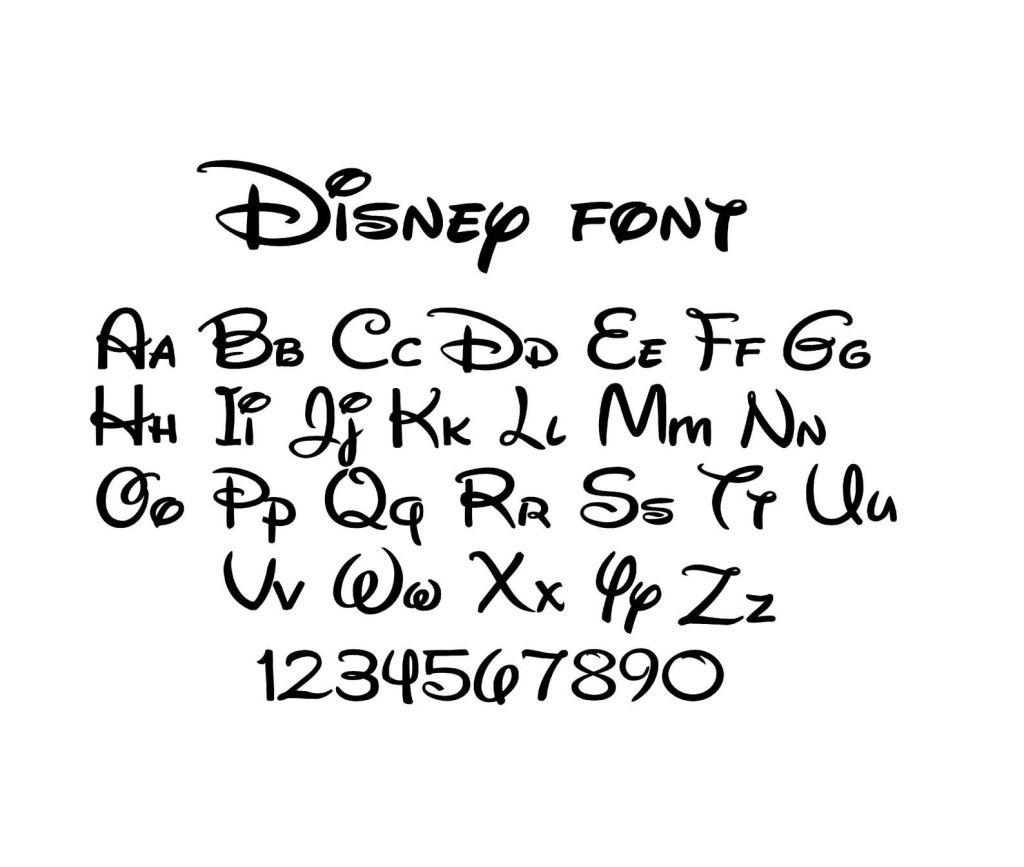
Disney have a unique and instantly recognisable typeface. It’s a script font called Waltograph, originally titled Walt Disney Script. It’s based on a stylised version of Walt Disney’s autograph so it has a lot of historical value to the brand. The typeface has a fun and dynamic look with its calligraphy style curves that embodied the family friendly, joyful identity of the Disney brand.
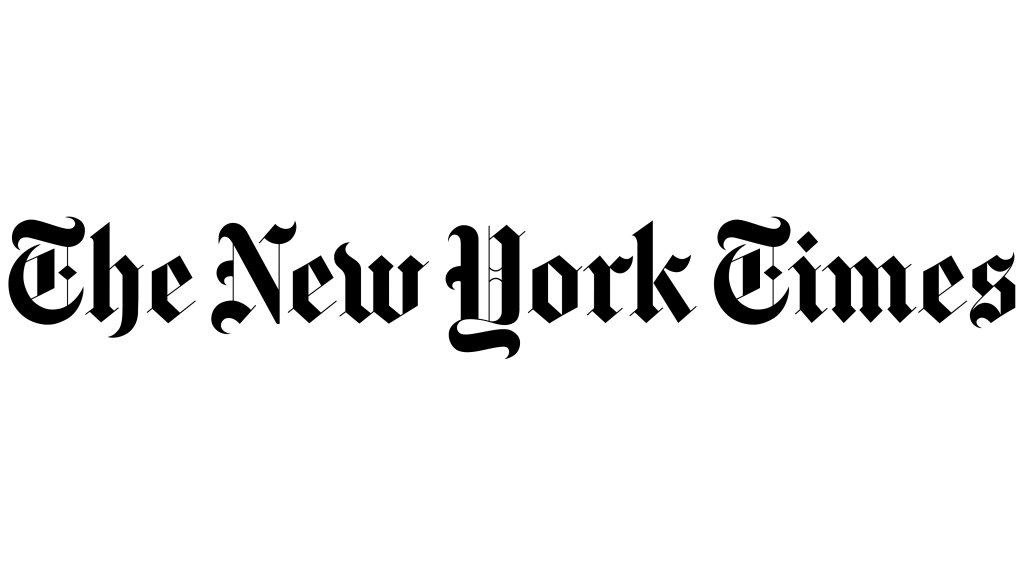
The New York Times has much rigid typeface. The font is called Cheltenham and is a serif typeface that was designed by Bertram Goodhue and Ingalls Kimball in 1896. The brands successfully demonstrates it serious tone through the blocky typeface. It also has an elegance and sophistication to it suggesting that their readers have a particular lifestyle.
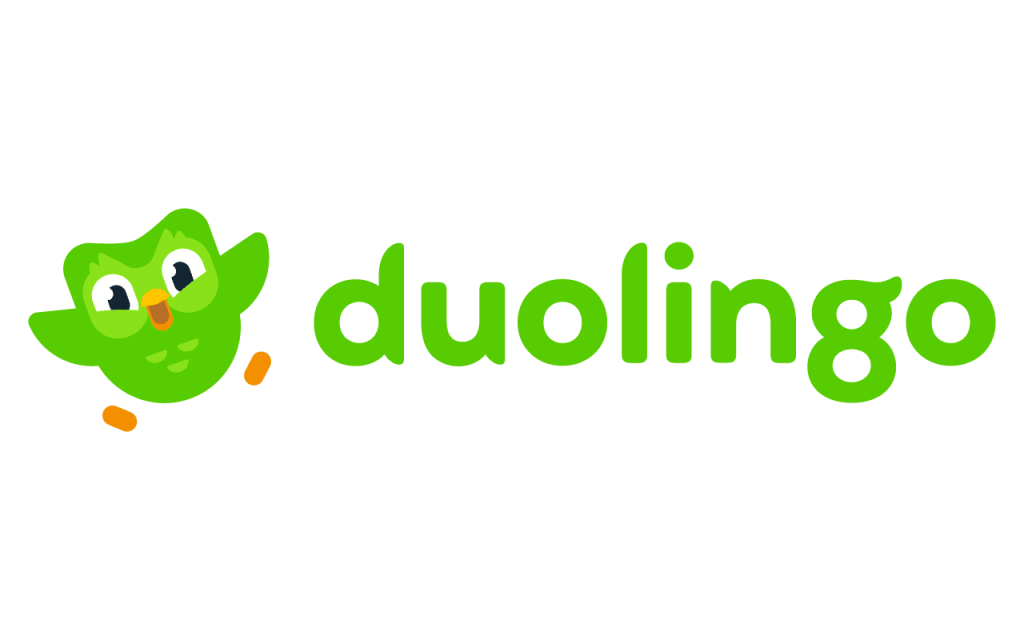
Duolingo’s custom typeface is called Feather Bold. The brand uses its iconic green that’s seen on its mascot in the typeface to make it recognisable. It’s a legible font with bold lettering, appealing to younger people as well as just making it easy to read from far away. Some of the letters have parts that mimic the wings of the mascot. It has a fun and welcoming atmosphere, aligning with how the brand aims to be perceived.
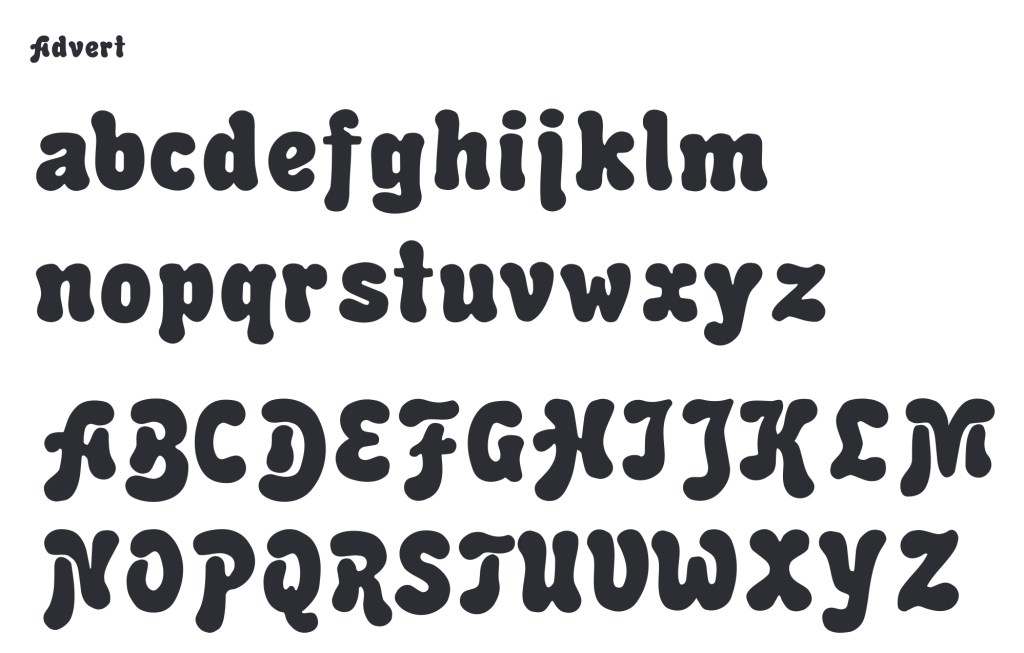
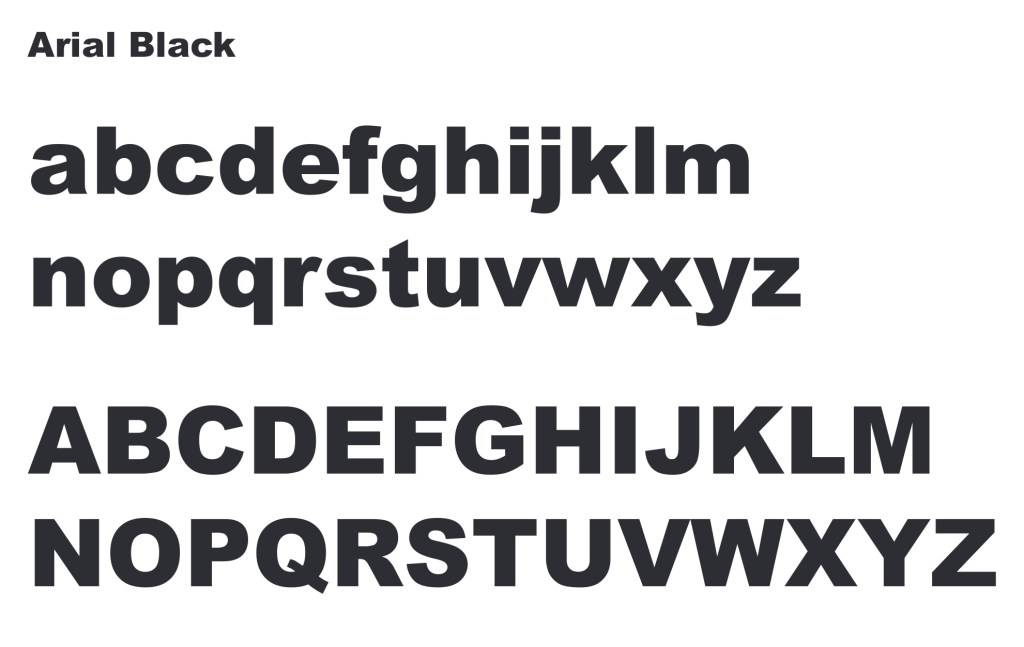
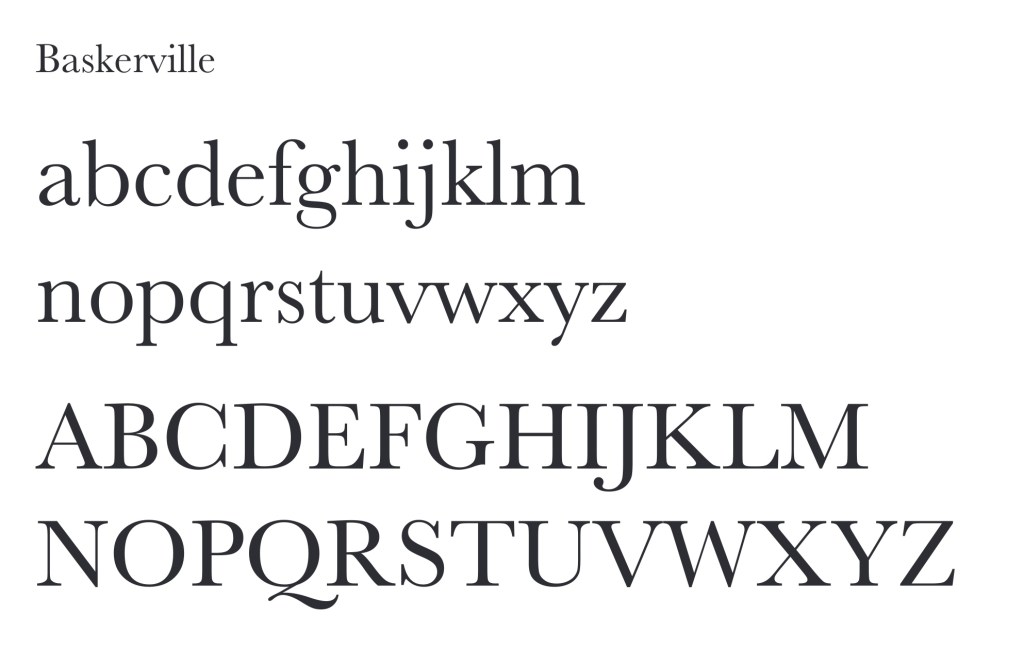
I looked at a series of different typefaces and these are some of my favourites.
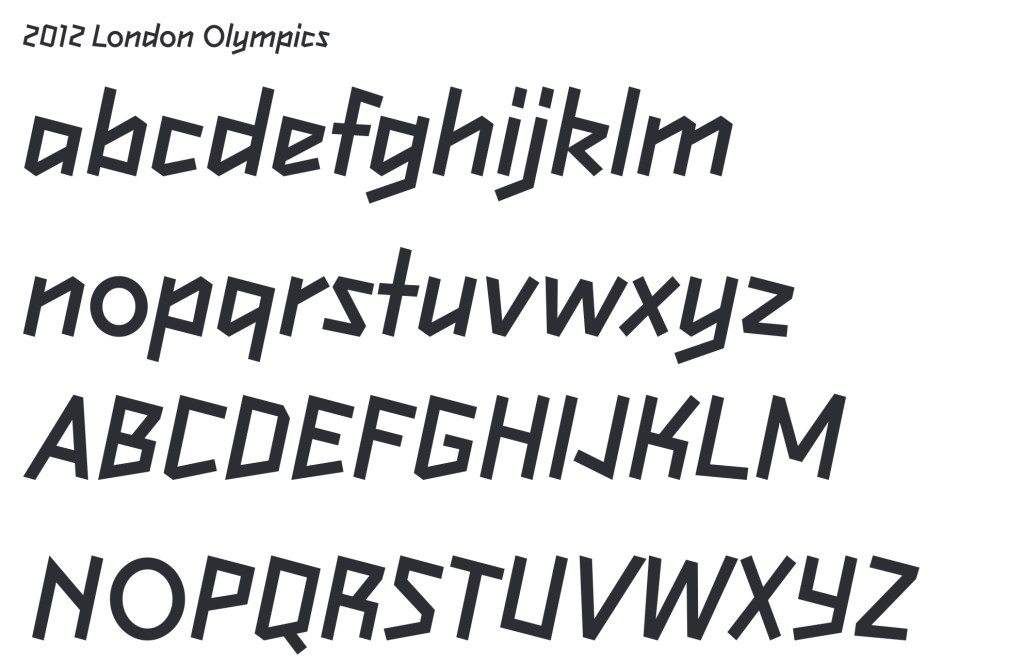
I like how dynamic this typeface is and I think it perfectly embodies the brand as it is inspired by a a figure running. The way the letters lean to the right gives the impression of movement and speed.
Advert is a very bubbly and energetic typeface with lots of playful energy. I think it would perfectly compliment a brand aimed at children.
Aria; Black is a very popular typeface that is commonly used for titles and the parts that need to be bold. It’s rigid and is very easy to read from far away as well as up close.
Baskerville is another popular typeface that works well for larger bodies of text as even in small it is legible while still being visually interesting and having an elegance to its lettering.
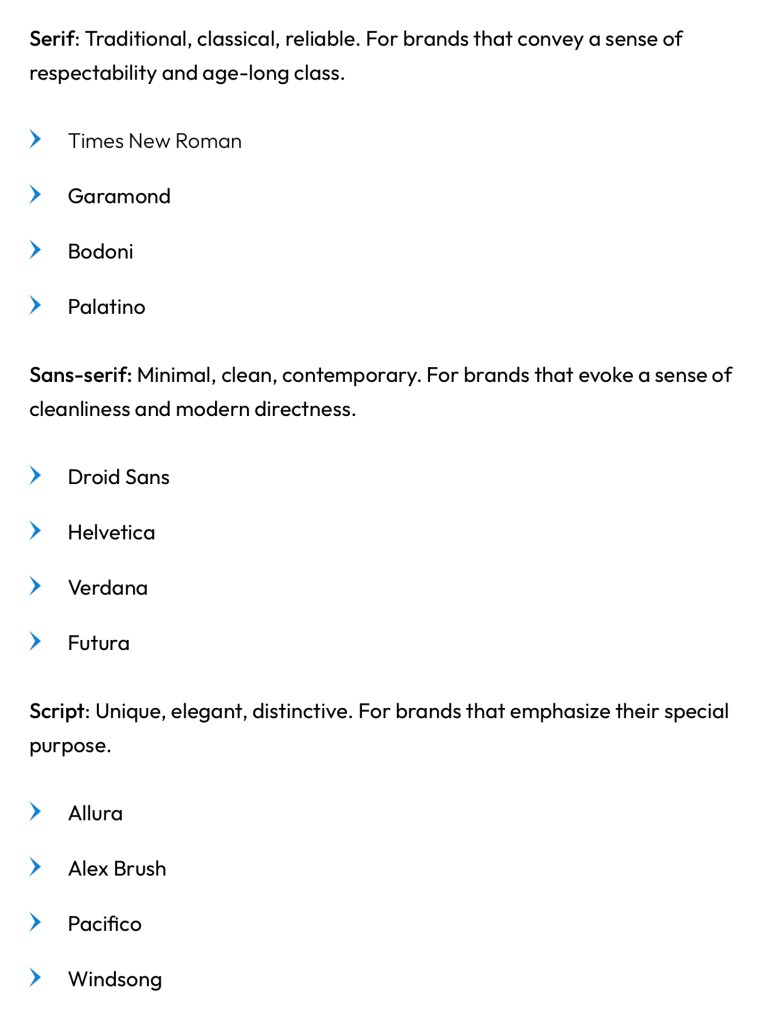
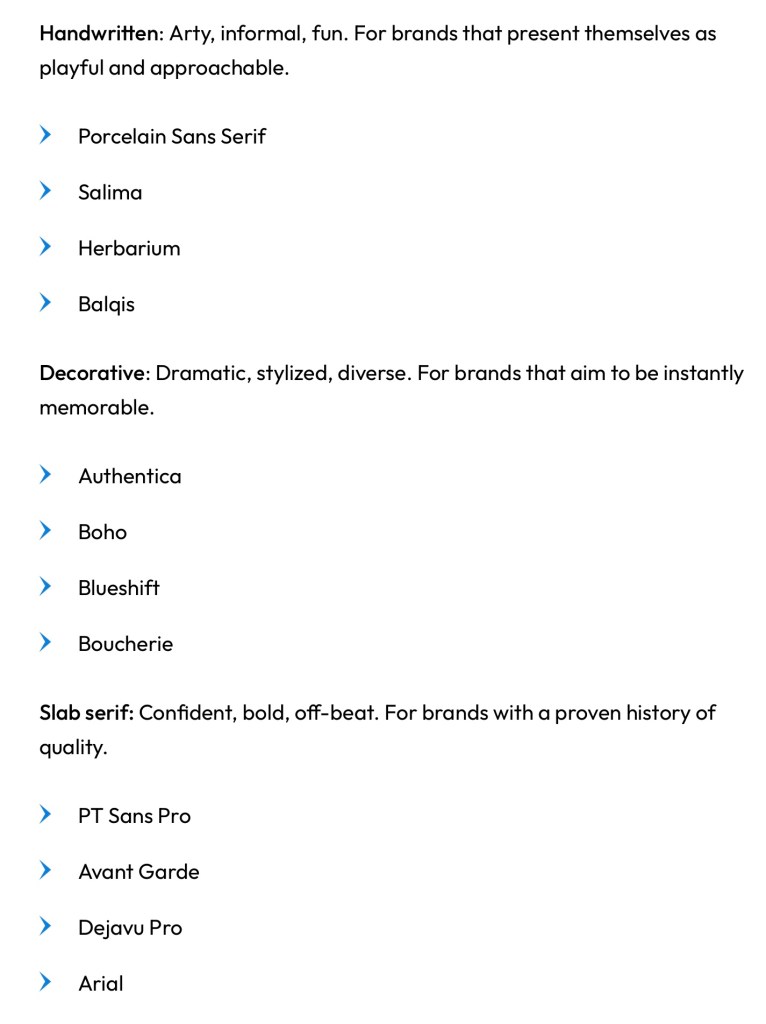
These are some of the most common typeface styles and some examples along with a description of the feelings and ideas they connote:
Some places you can get fonts from are Google Fonts, Adobe Fonts, Dalton Maag, Font Meme and Font Library. Some are free and some you will have to pay for a license.
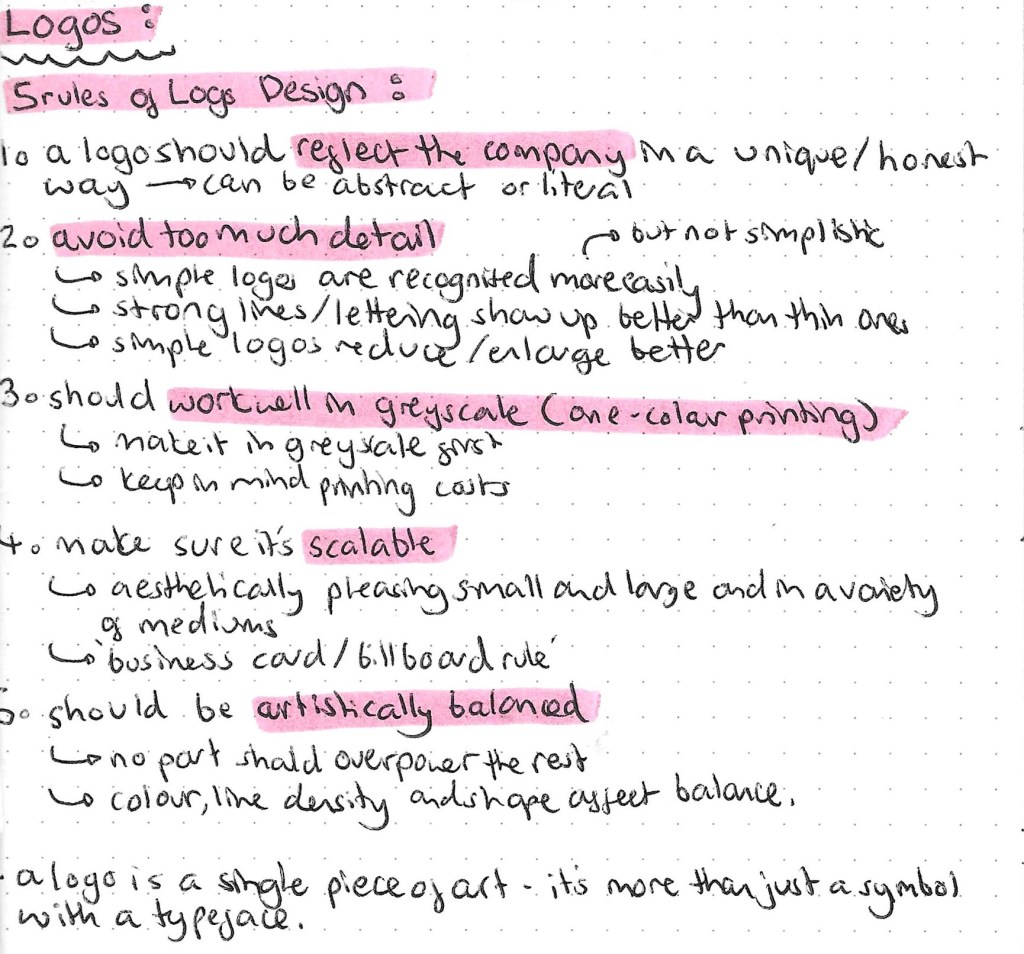
Another key aspect of constructing a brand is to create a logo that represents the brand identity, value and service/product.
These are the 7 different types of logos. It’s important to understand what all 7 are, the differences between them and the reasons for choosing each one. After learning what they all are and looking at examples of each type I think my favourite types of logos are pictorial and mascot logo such as Apple, WWF and Pringles. These are examples of iconographic logos. I feel like they’re the most fun and visually engaging. However, depending on the brand these may not always be appropriate for example the BBC uses a letter mark logo and this is perfect for their more serious brand identity.
Letter mark logo example:
Word mark logo example:
Pictorial logo example:
Abstract logo example:
Mascot logo example:
Combination logo example:
Emblem logo example:
When designing it is often advised to make it fit within a contained shape such as a square, rectangle or circle and this makes it easier to place in both digital and physical media. This isn’t always the case but can make product design easier.
A logo should be a vector. A vector’s main advantage over its raster counterparts is its infinite scalability, you can scale logos up or down without loss of resolution and quality. In addition to being scalable, vector logos are easily editable. The best logo making software is Abode Illustrator. I usedIllustrator last year as part of the Digital Arts module but wasn’t overly confident with the software so will spend lots of time practicing as it’s an important industry standard software. Below are some keyboard shortcuts that will help with using Illustrator:
In this weeks session we looked at 3 key graphic design elements that go into creating any successful brand, the logo, colour choices and typographic choices.
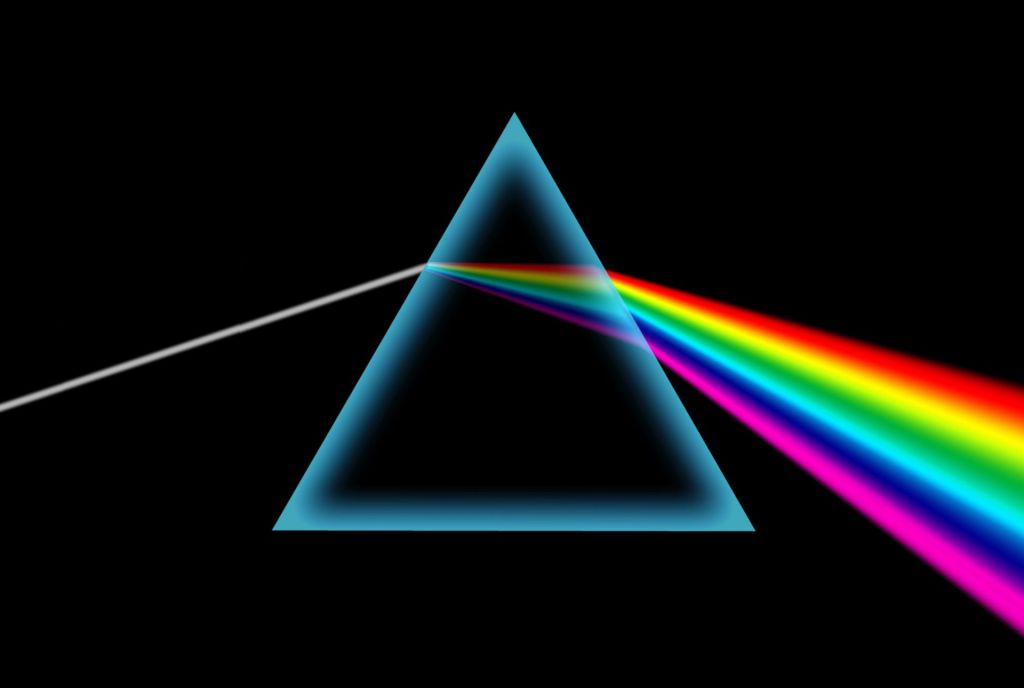
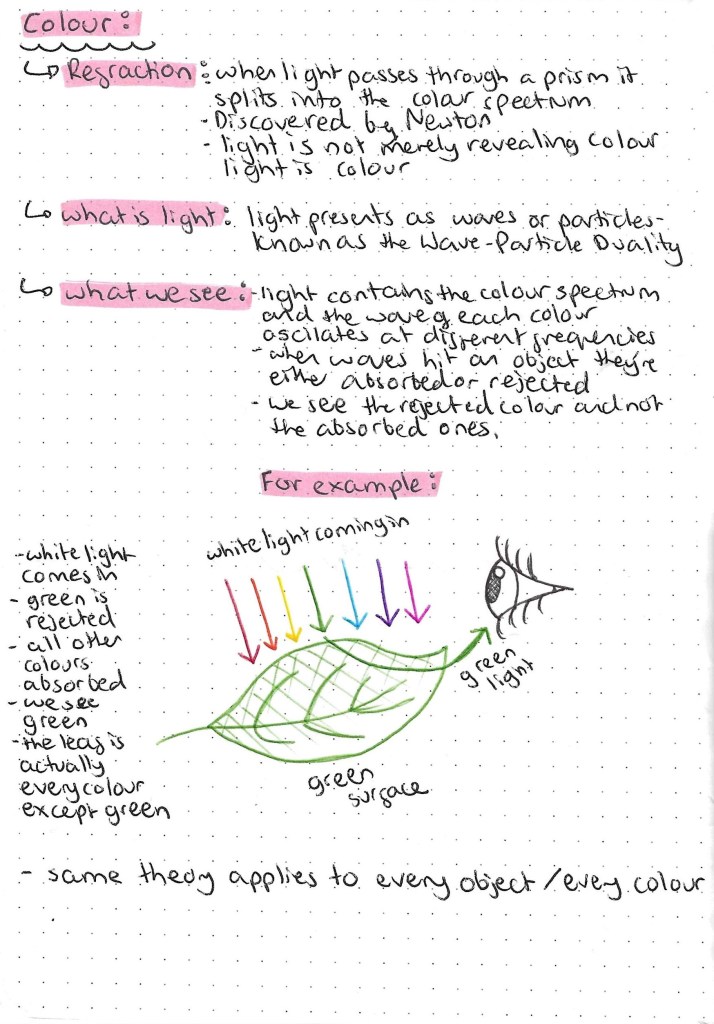
I find the science behind light a interesting topic so I’ll be exploring this further. Also the idea that an object we see as green actually being every colour but green is very interesting and quite confusing so I tried to depict this is a simple way with an illustration.
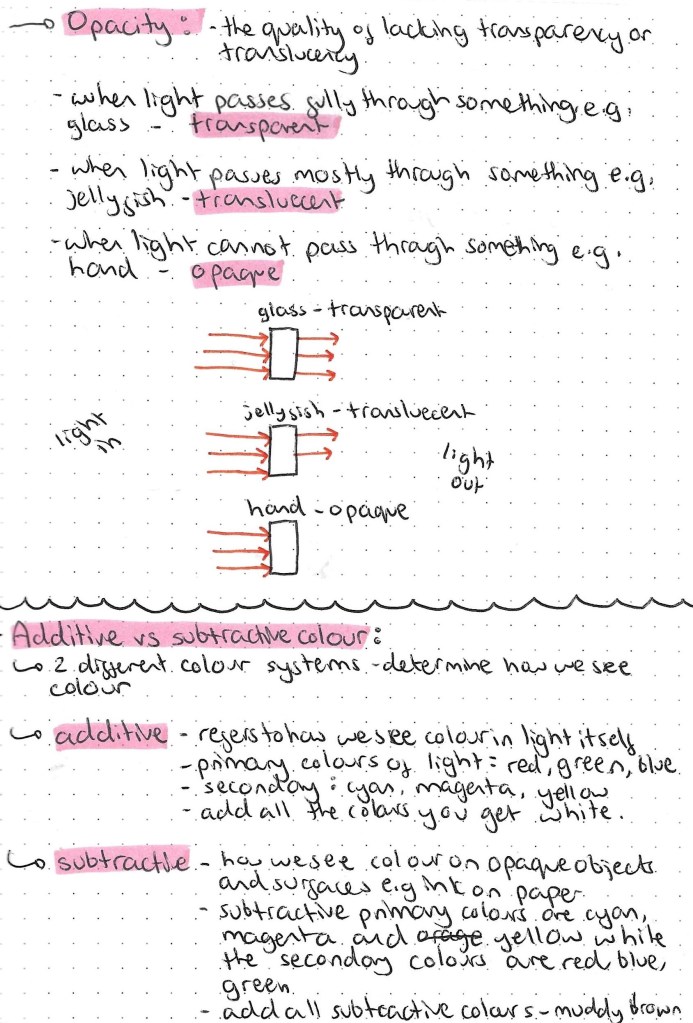
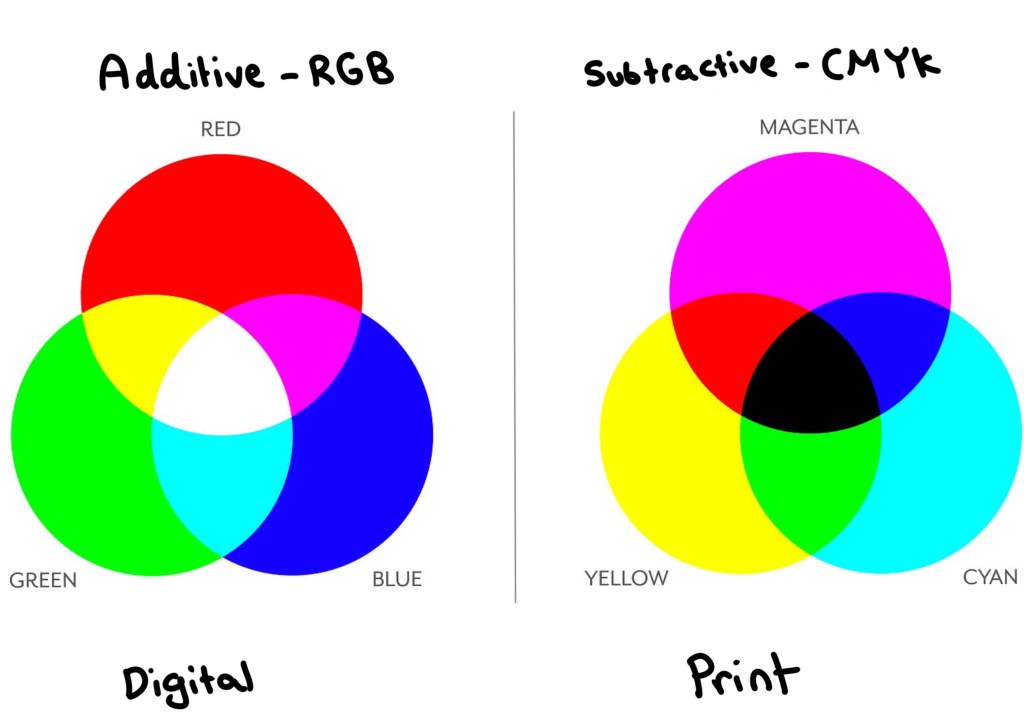
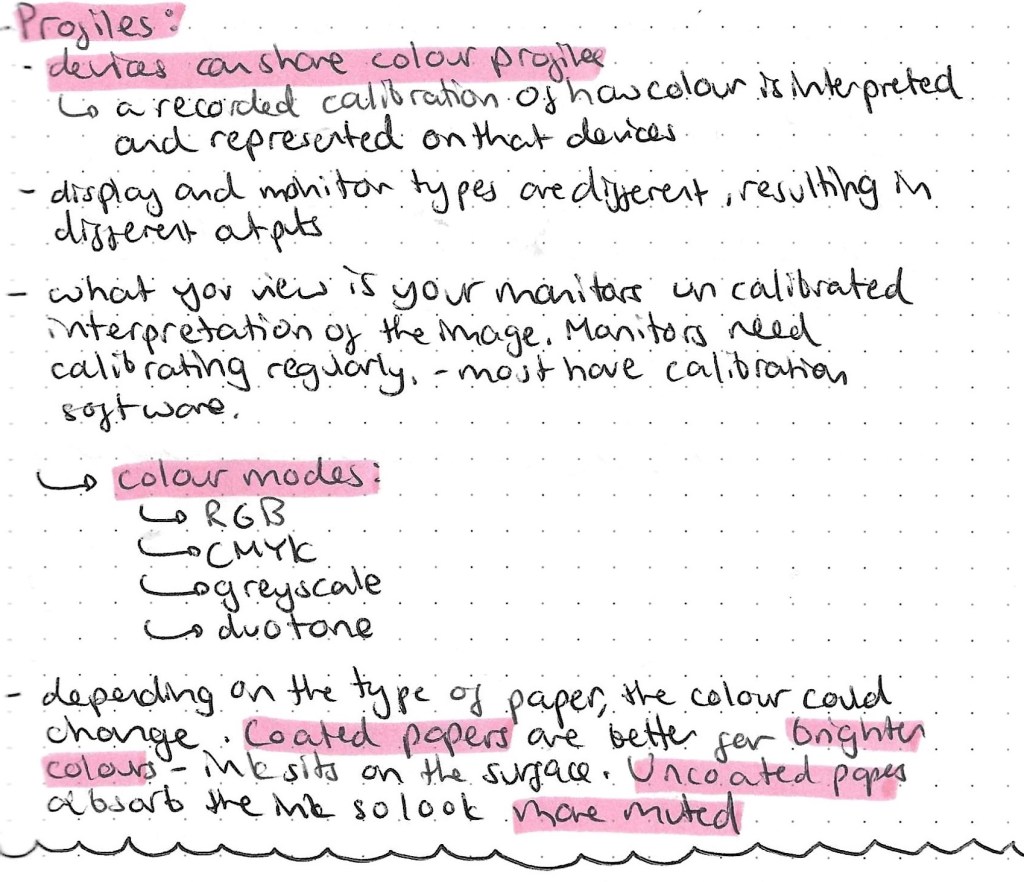
Understanding the different between additive and subtractive colours is key to anyone doing graphic design based work. The image below contains all the key information needed. I think the main take always from this research was the RGB is the colour mode used when your work will be viewed on a screen and CMYK is the colour mode used when your work will be printed. It’s easy to change colour modes on apps such as Adobe Photoshop.
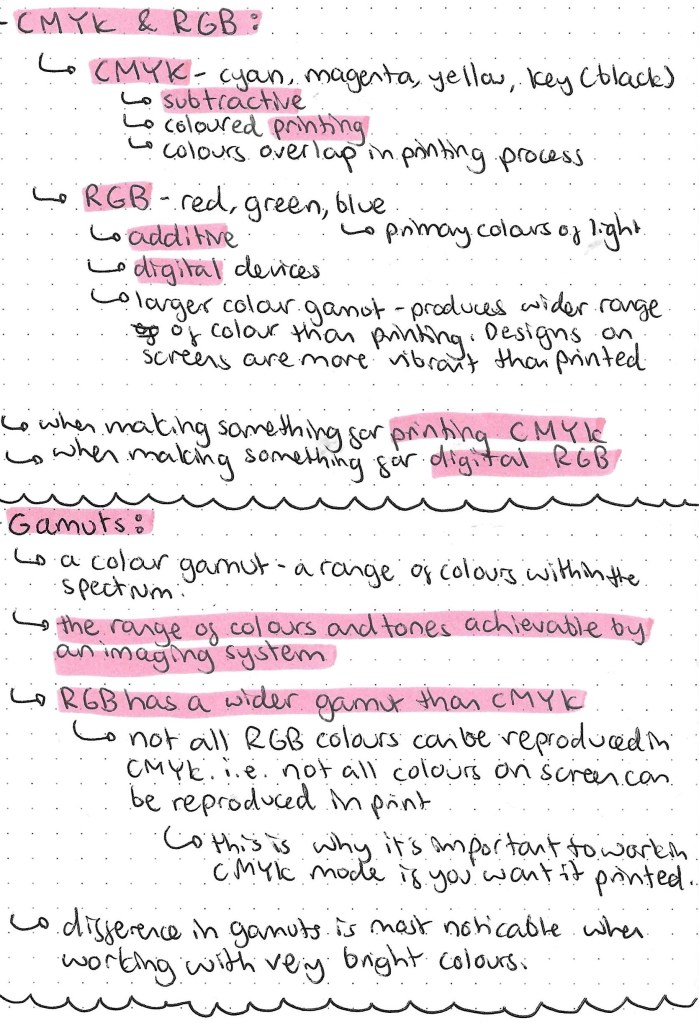
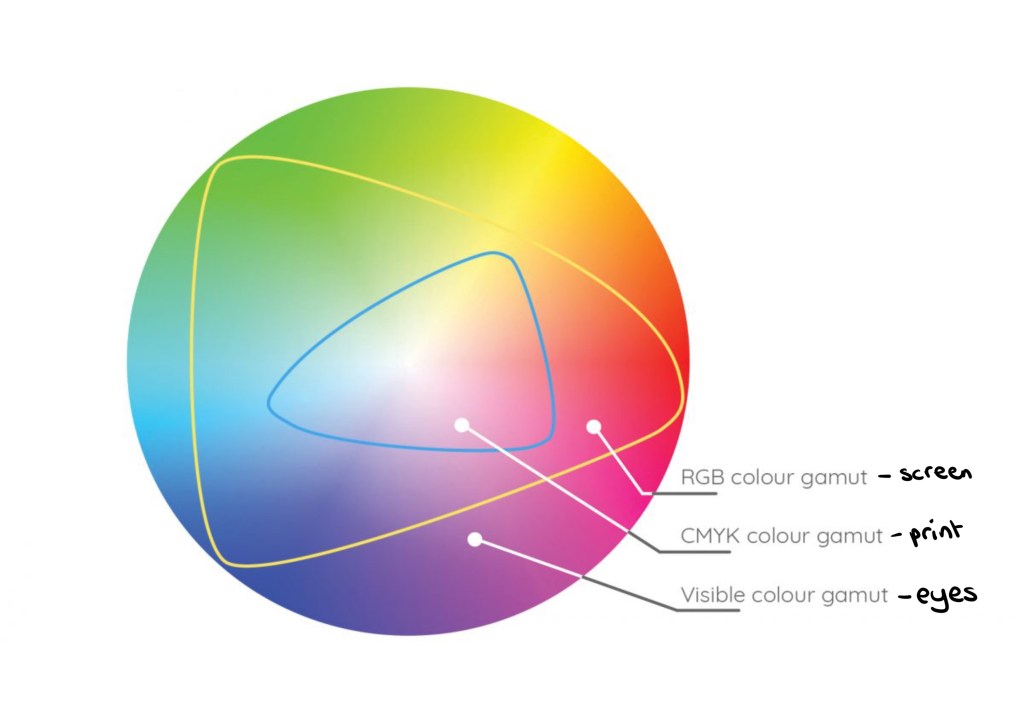
The image below shows the different gamuts, colour ranges, that can be achieved in different formats. Our eyes have the biggest colour gamut, then the RGB screen mode then CMYK print has the smallest gamut.
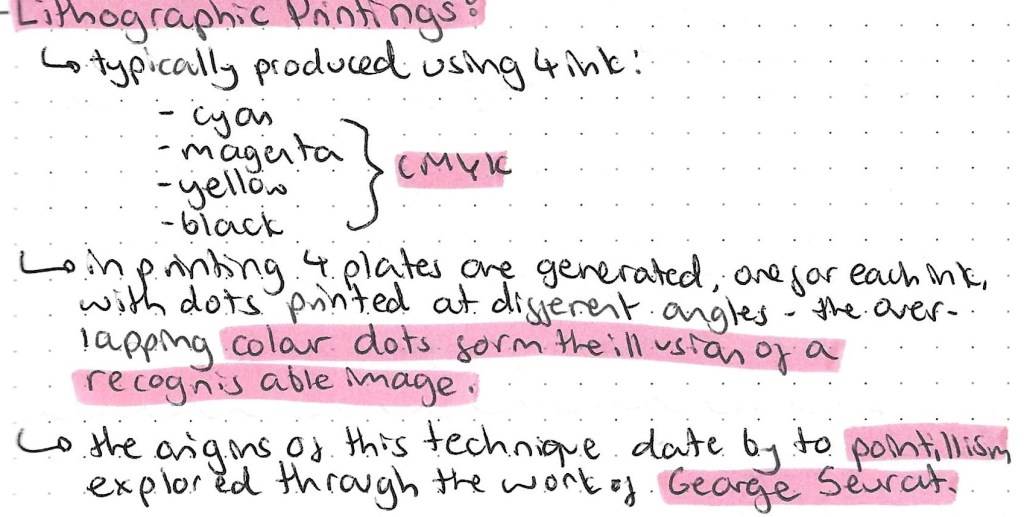
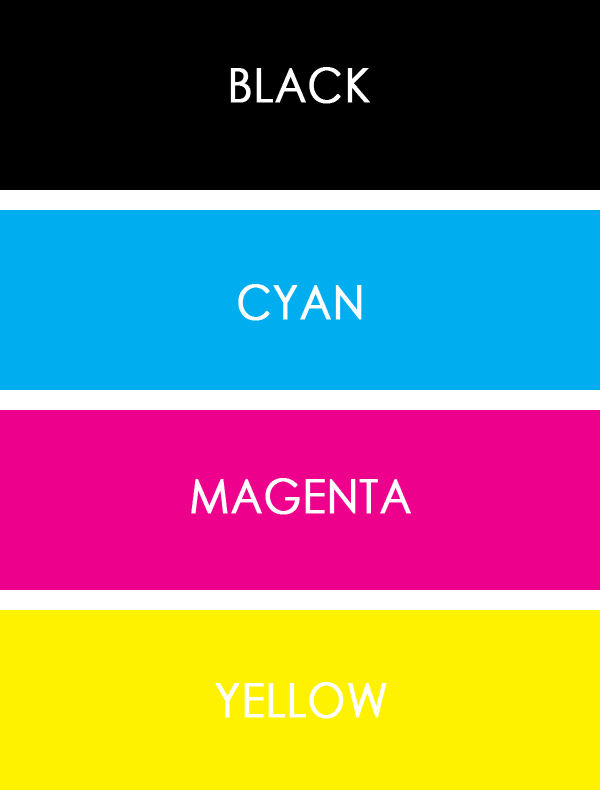
Prior to doing this research I had actually seen Lithographic printing but just didn’t really understand it. I have a mini Canon printer at home and you can see the image as it goes through the different stages. First the yellow gets printed, then the magenta, then the cyan and finally the black. This builds up to form a whole images. By the end of the process you wouldn’t know that only 4 colours had been used.
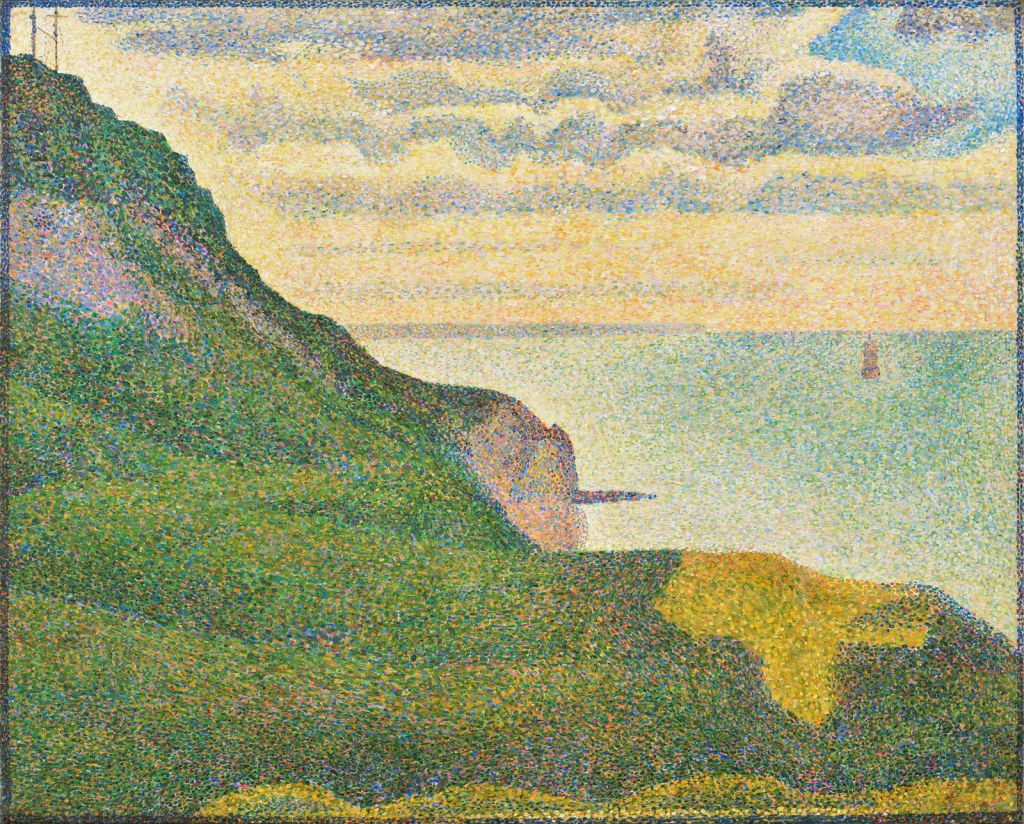
This is an example of a pointillism painting by George Seurat:
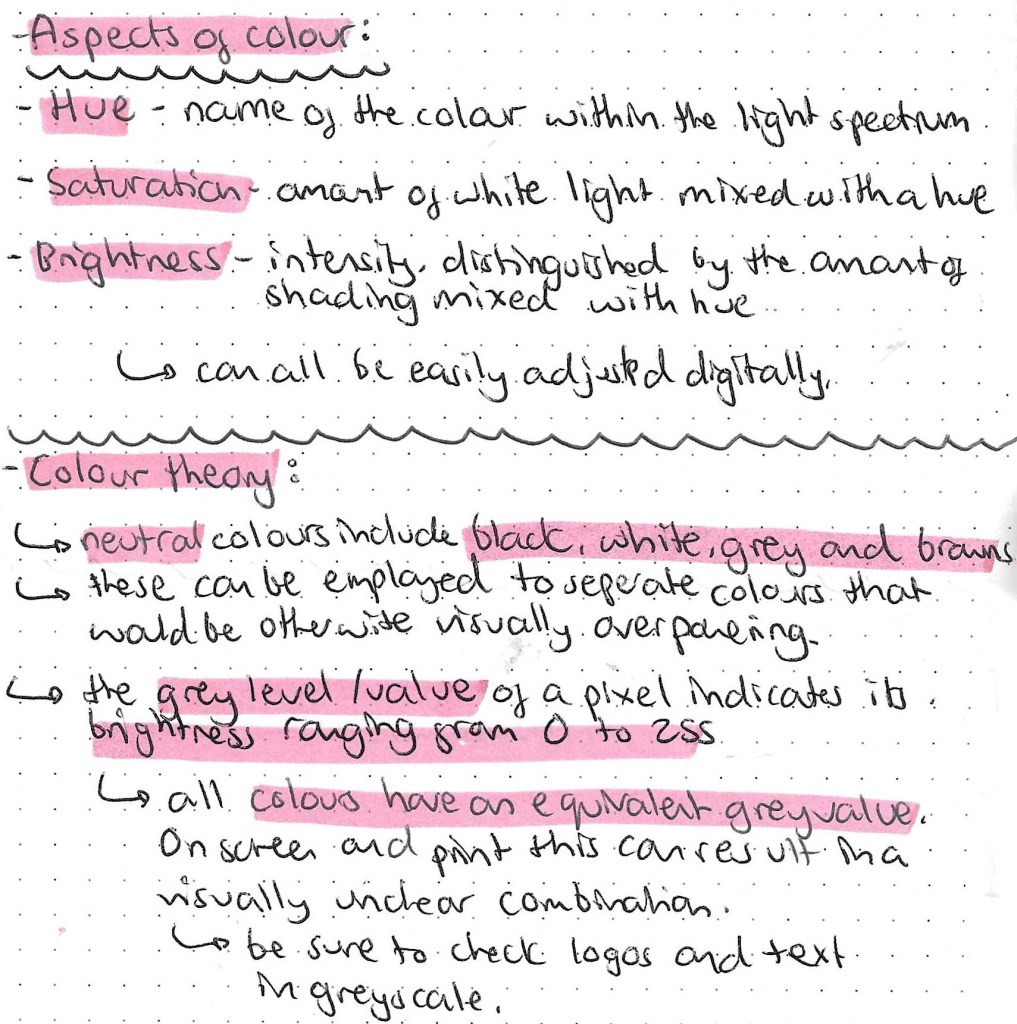
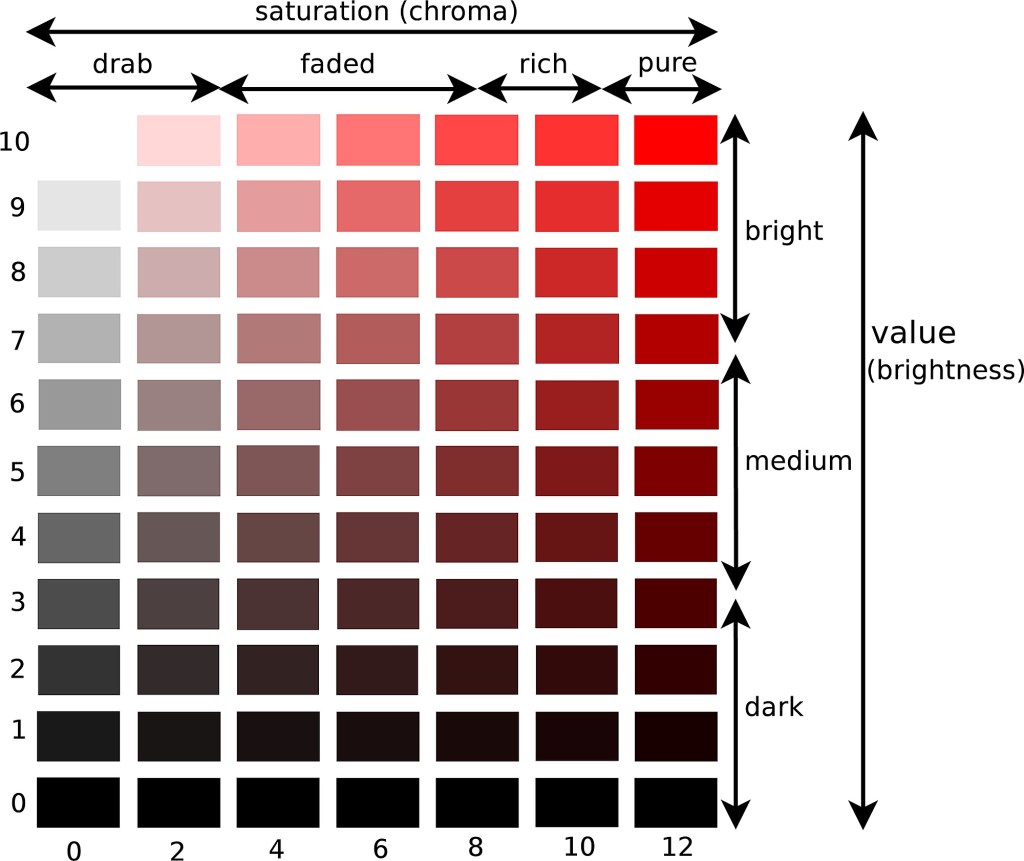
This image clearly shows the relationship between hue, saturation and brightness:
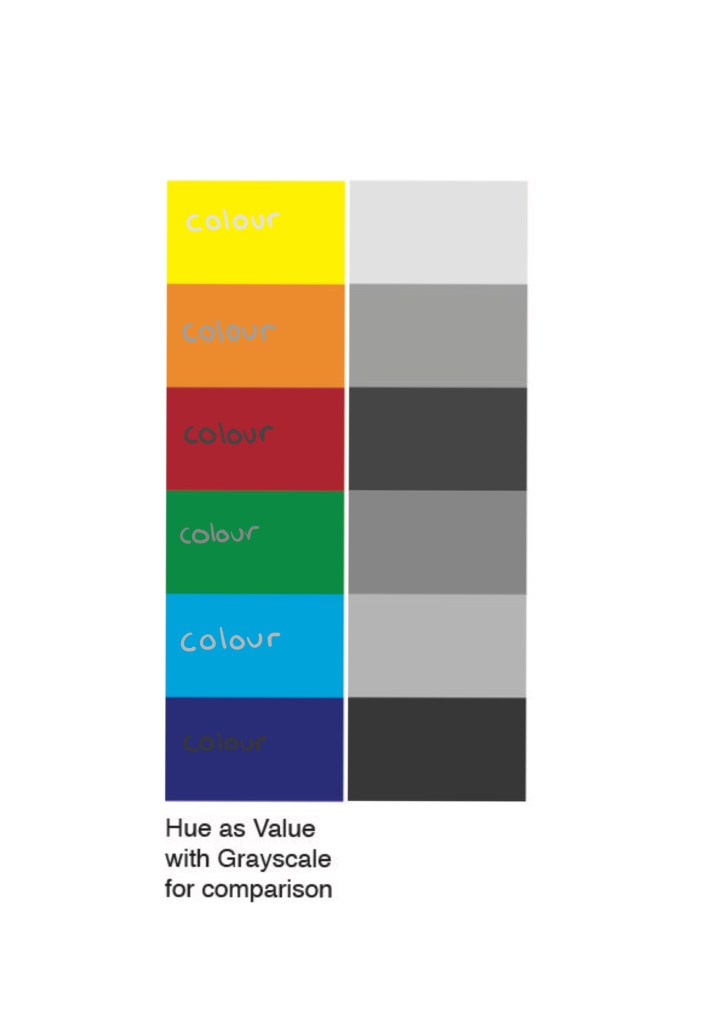
On the left is the hue and on the right is the grey value. As you can see when the 2 are combined it becomes difficult to read and uneasy on the eye. So when designing a logo or making colour choices it’s important to test the hue against its greyscale value.
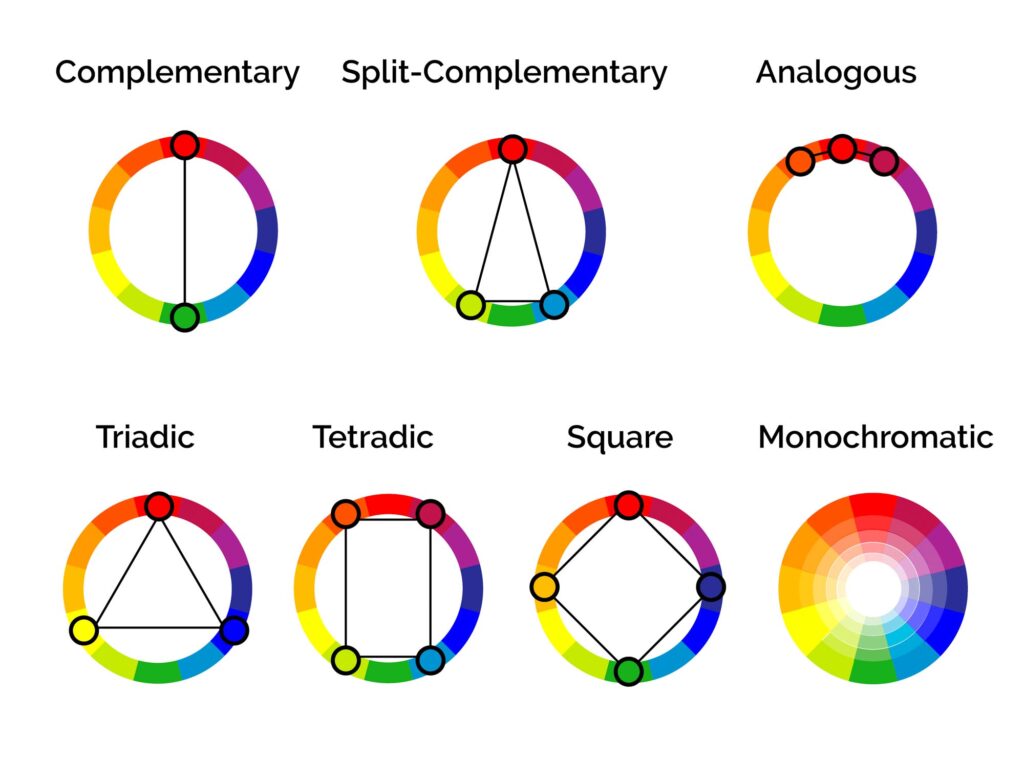
These are several different colour relationship that are important to know before deciding on a colour palette. Most brands have between 2 and 4 main colour in their palette.
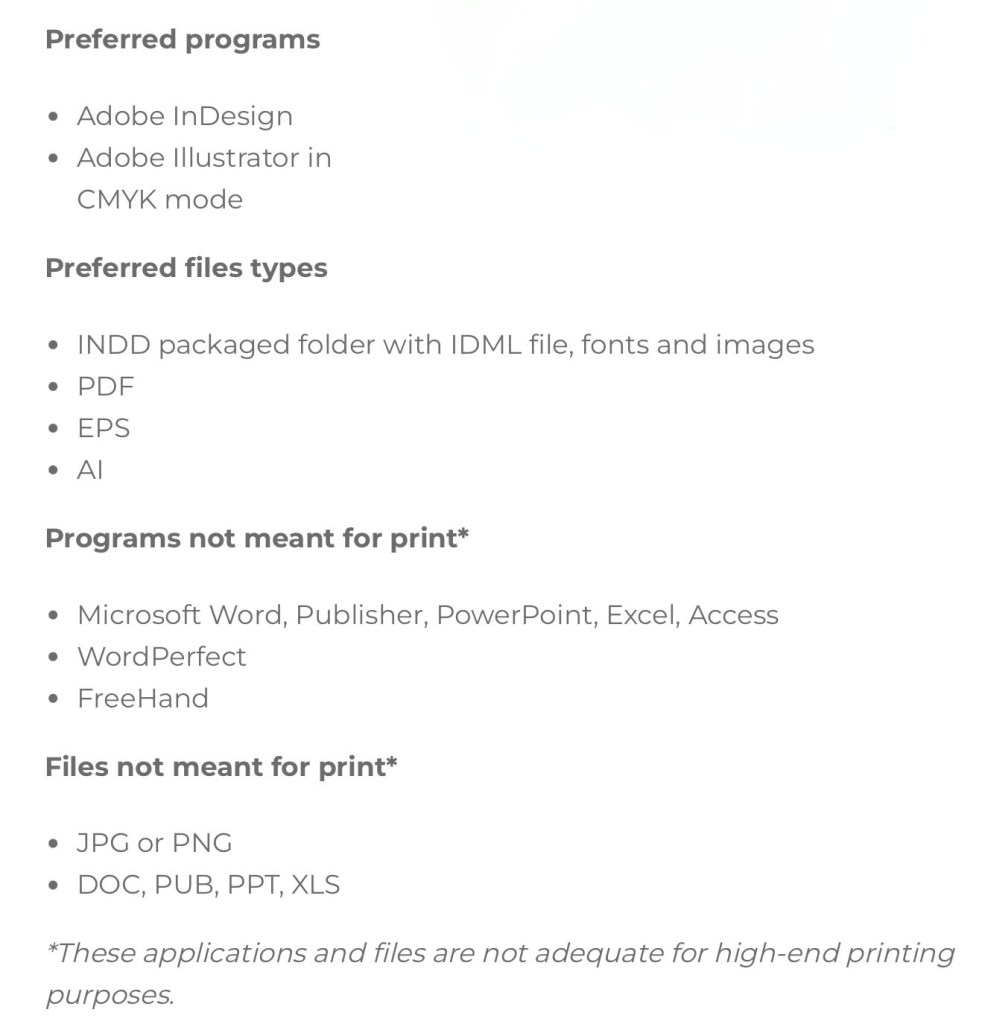
This is a helpful list about the more technical side of printing in colour with suggestions of what file types and programs to use.
The Pantone Color System, or PMS, is a standardised colour system which is widely used around the world. It was devised to help printers and designers to specify and control colors for printing projects. The Pantone Color System allows you to specify colors that cannot be mixed in traditional CMYK. This is good to use to ensure you get the exact colour you want as each colour I’d described by a numerical value. There are also many other apps and website available to help with colour choices. They can recommend palettes, test contrast, test it’s greyscale value to make sure that your chosen colour palette will work across screen and print.
I will be buying 2 books, Colour Index and Process Colour Manual to help me explore and develop my understanding of colour relationship.
Here are 3 main colour palette formulas that brands use:
This is a screenshot taken from a resource by the Colour Palette Studio.
When picking a branded colour palette you’ll need a selection of tools include a colour picker, a contrast tester and the Hex codes so you can communicate and share exactly what colours you’ve chosen. Hex codes allow you to add your chosen colours across all platforms.
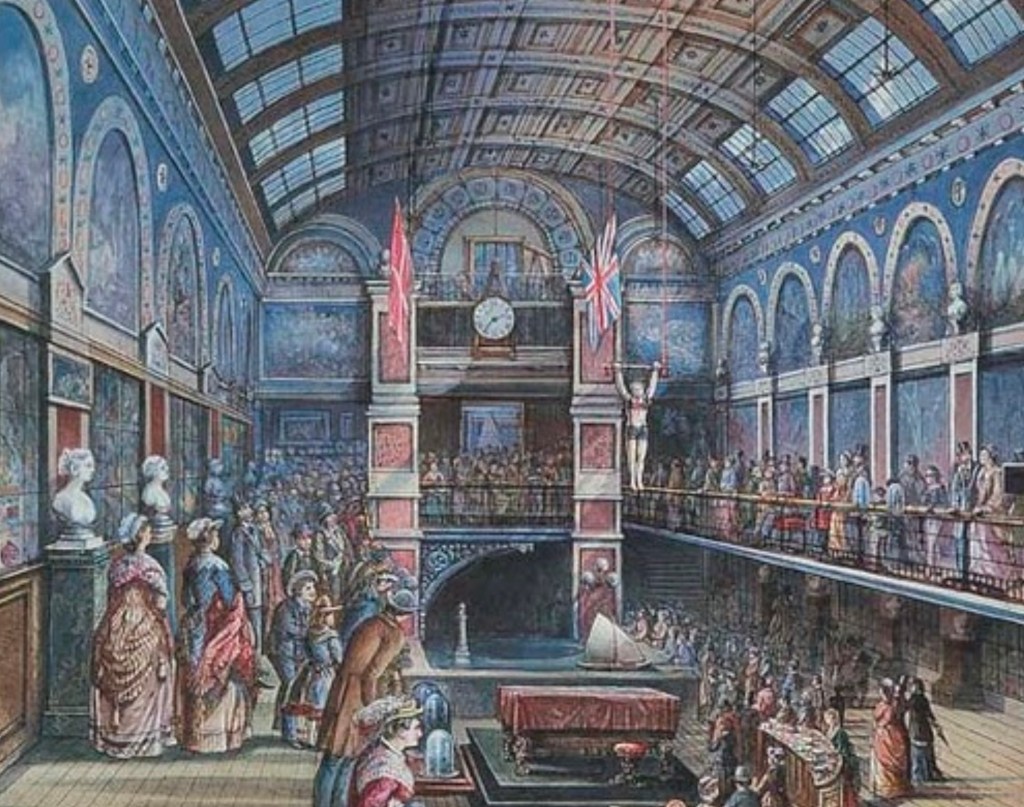
We were given a choice of Enterprise Projects to work on for this module, the one I chose was creating a 1:10 scale Model of the Great Hall. This is a live project so will push me to work collaboratively for a client to deadlines. The Great Hall was used in the 19th century to display new inventions and celebrate the advancements of science and technology during the Victorian times. I spent a lot of time over the summer working on some figures for this project so I wanted to continue with it. It will be a hands on project and I’ll get the chance to learn lots of new skills such as prop/ set design, woodwork, sculpting, 3D modelling/ scanning and electronics as well as improving my skills with model making. I think this will be a very rewarding project especially when we can see it all come together and be displayed. The client for this brief is the University of Westminster and more specially Peter Bonfield for the Universities 185th Birthday celebration. It is a piece designed to celebrate Westminster’s’ rich history and the historical importance of the Great Hall. The model is also being made to be viewed by students and staff at the university and potentially the general public.
I’ve done some research into the techniques and materials used in professional model making. I think it’s important when taking on a project to look at industry standard work so I’ve looked at some companies that make 3D models such as Phoenix Force and TPD Creative to see their process and what they use.
Model making has many uses across a range of industries, it is very important in the fields of design, engineering and architecture. It is crucial in the process of creating products and structures that function as intended and meet specific requirements. A model is a 3D representation of an object that can be used to test a range of things such feasibility, functionality, and performance. It’s used for prototypes, testing and analysing, visualising concepts and communicating ideas.
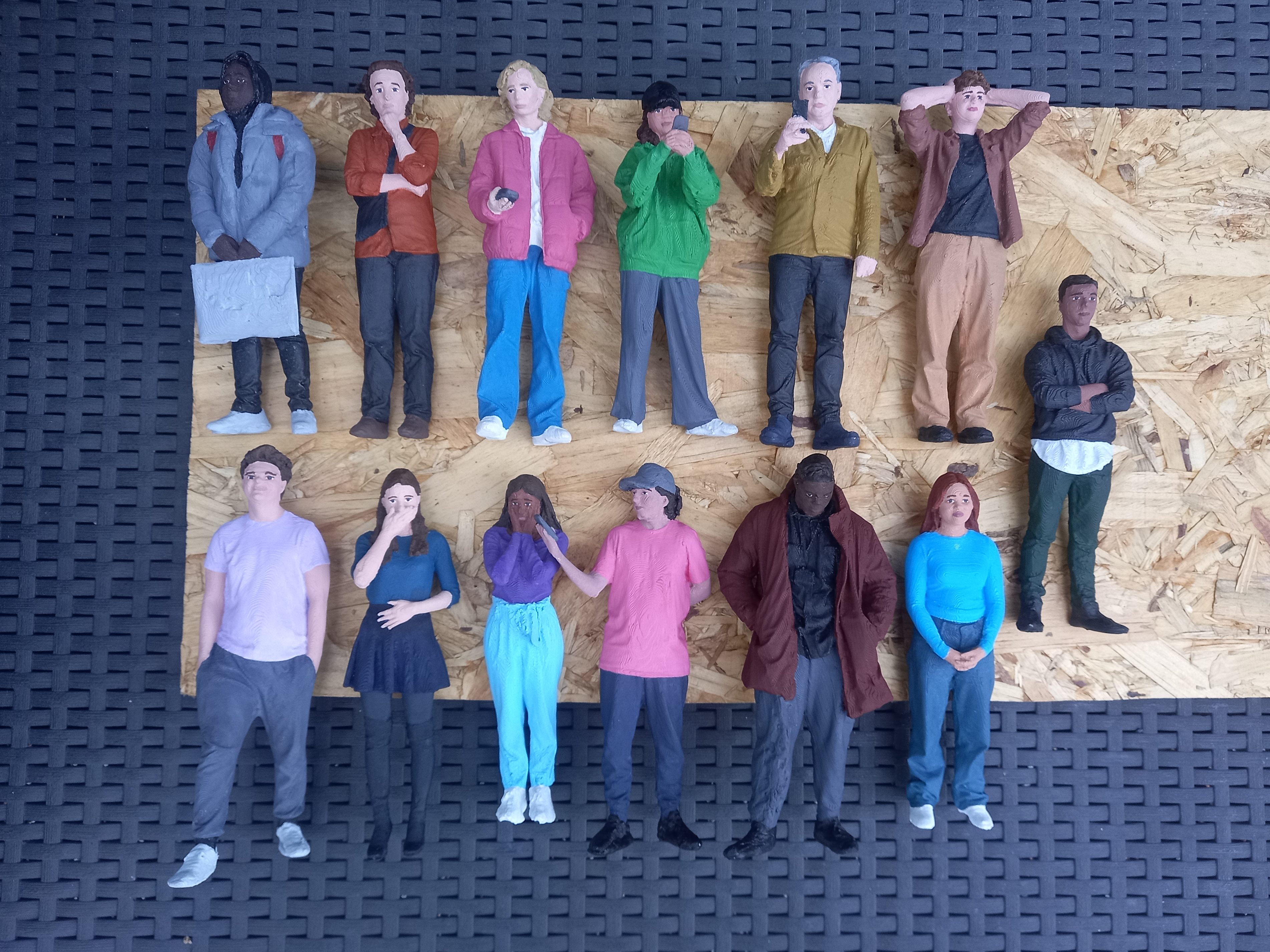
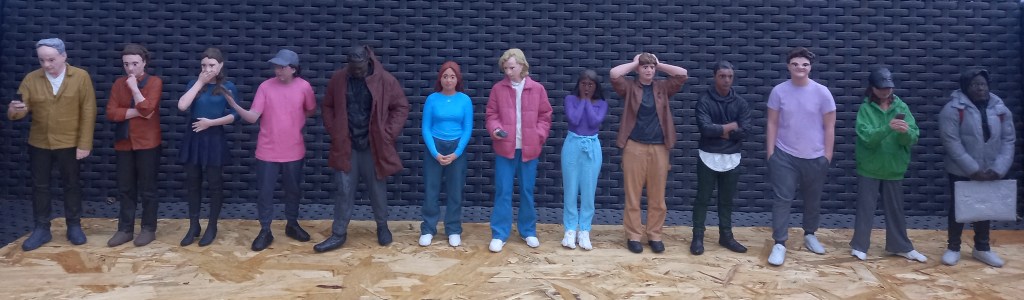
The main areas of interest in this project for me are making the figures, building the set/exhibits and post production such as lighting and arrangement. At this point in time there is a laser cut flat pack of the overall shape of the Hall, which is 3 meters long when built. There are also 15 completed figures which I worked on during the summer. They are wearing bright coloured modern clothing as we wanted the model to be as if modern day people had gone back in time and visited the Hall. This is a way of making the model more interesting and relatable to the audience. Also it will contrast the muted colours around the Hall to make the model more visually engaging. These are the figures I completed during the summer ( see blog roll titled ‘3D models summer work’ for detail on this process.)
The first thing I will be doing is making more figures to populate the Hall. This will involve 3D scanning, editing the scans, 3D printing and finally painting. I will aim to produce a minimum of 10 more to make the Hall feel more busy. The figures I’ve already made have lots of general walking and looking around poses so these will be perfect to generally having around the Hall but now I want some more specific poses such as people interacting with the exhibitions and each other. This will make the model more interesting for viewers as there will be lots of little interaction within the model happening. Also it has been documented that there was live music in the Hall so I will aim to reproduce this. I will scan and print people in the poses then model the instruments by hand. After the figures are completed I will move onto finishing up the base of the Hall and modelling some of the exhibits using a combination of 3D printing, 3D modelling and hand modelling. Due to the time constraints during the module we will be aiming to completed all the figures and begin creating the exhibits.
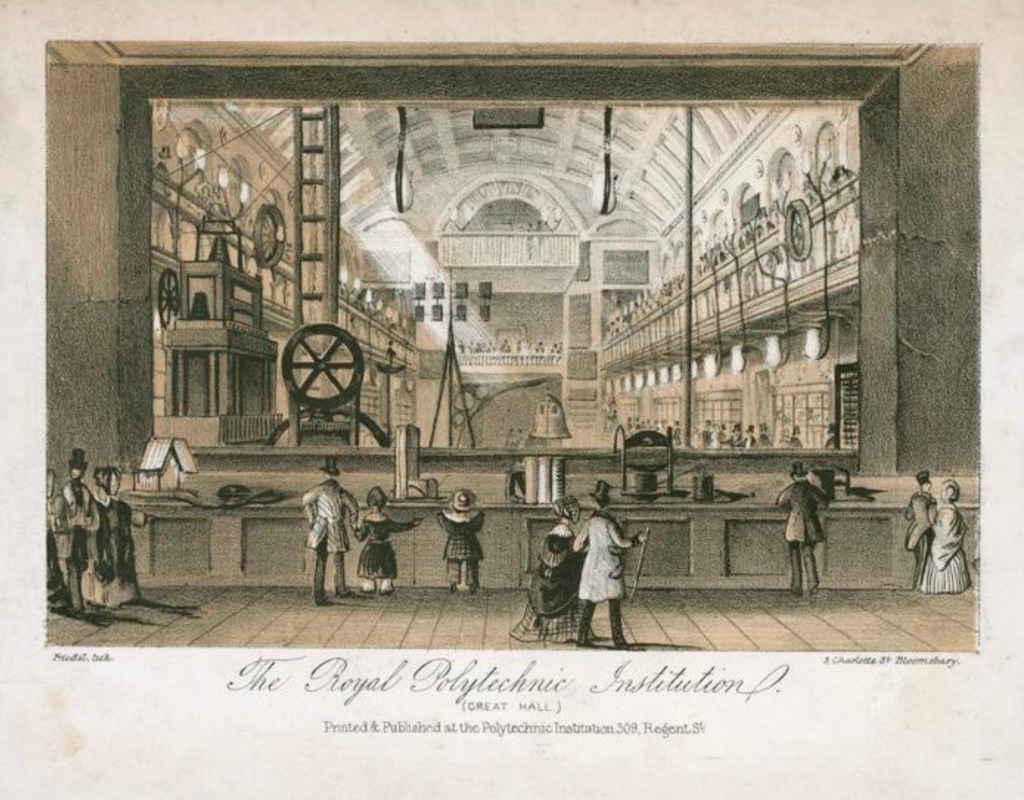
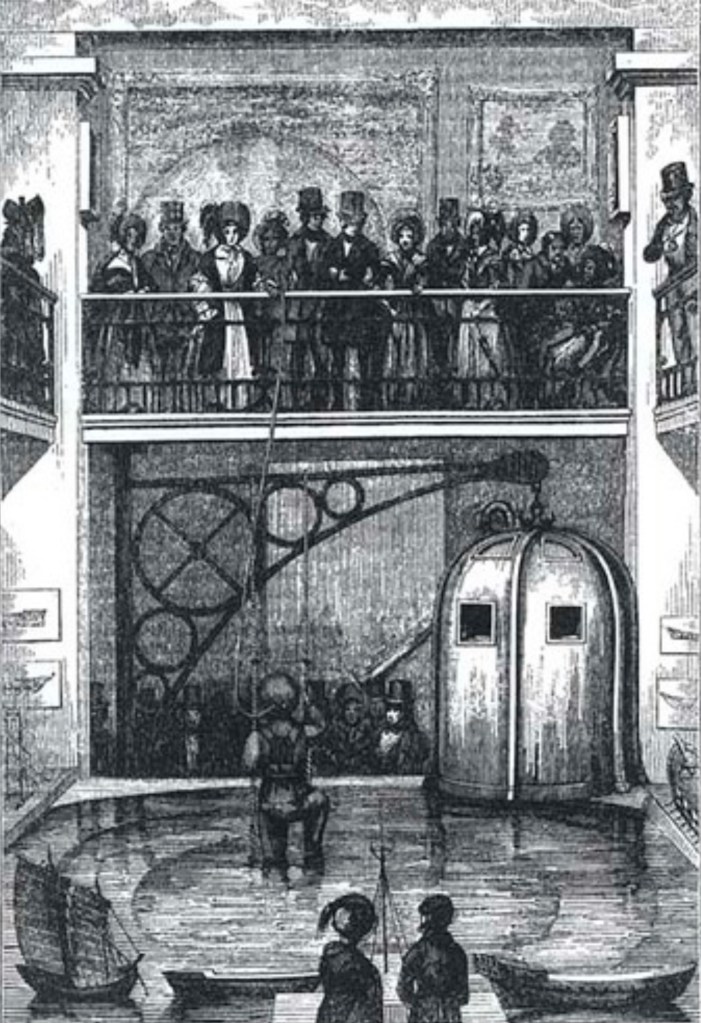
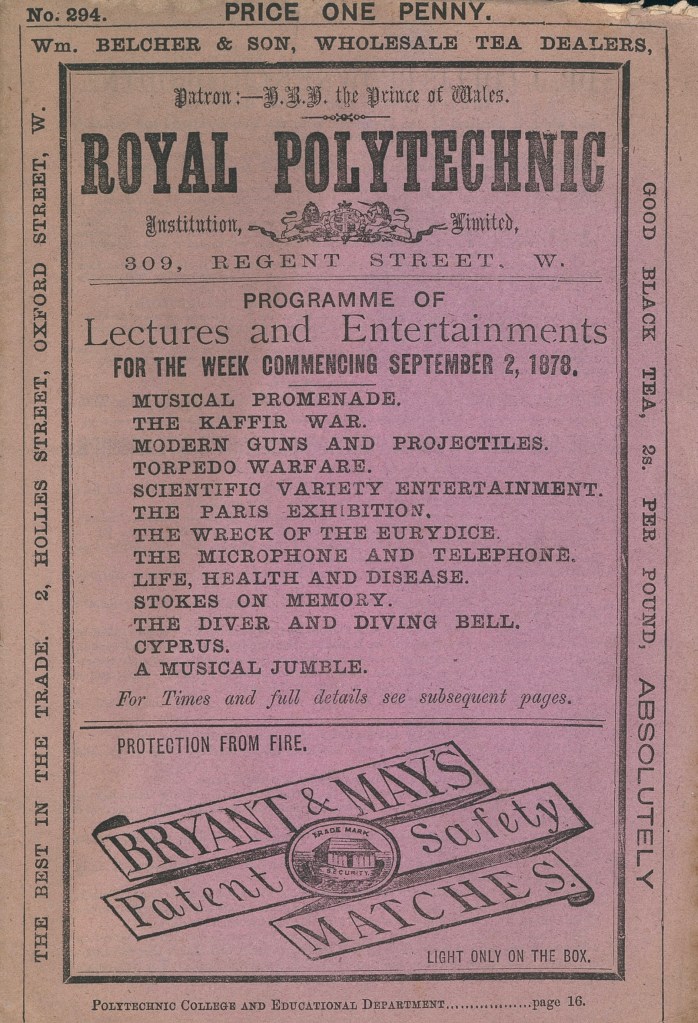
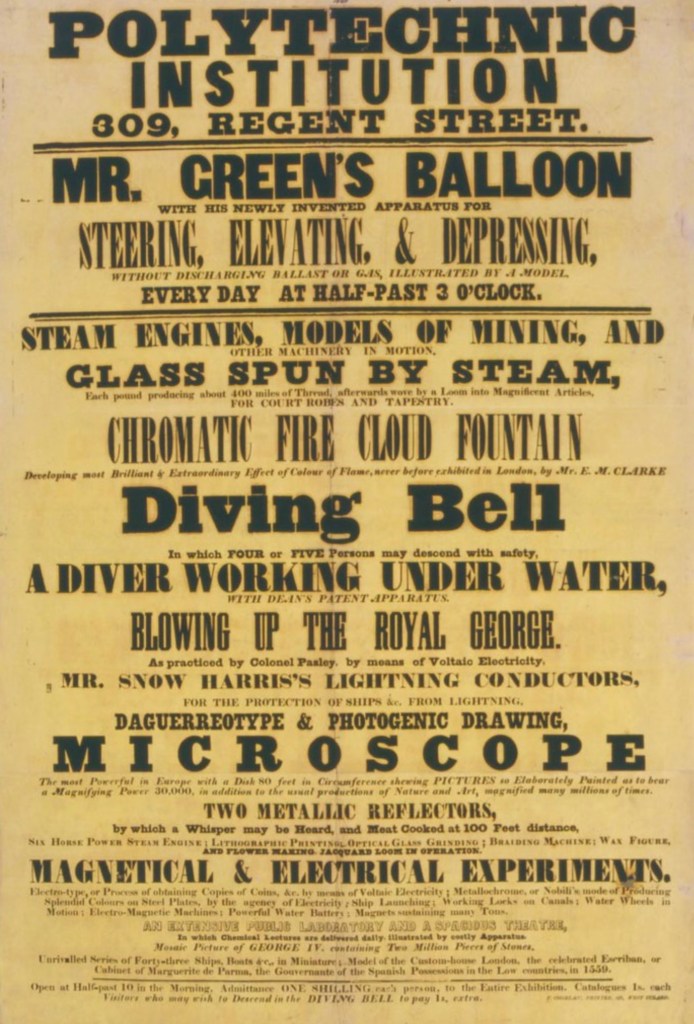
The Polytechnic Institution was opened in August 1838 to provide the public with a practical knowledge of the arts and sciences. The institution opened in 1839. Public attractions included exhibitions, working machines and models, scientific lectures, rides in a diving bell and demonstrations of photography. John Henry Pepper was its most famous showman, someone who we want to recreate for this model.
These are reference images of the Great Hall:
The next 2 provide a good list of the exhibits on display in the Great Hall:
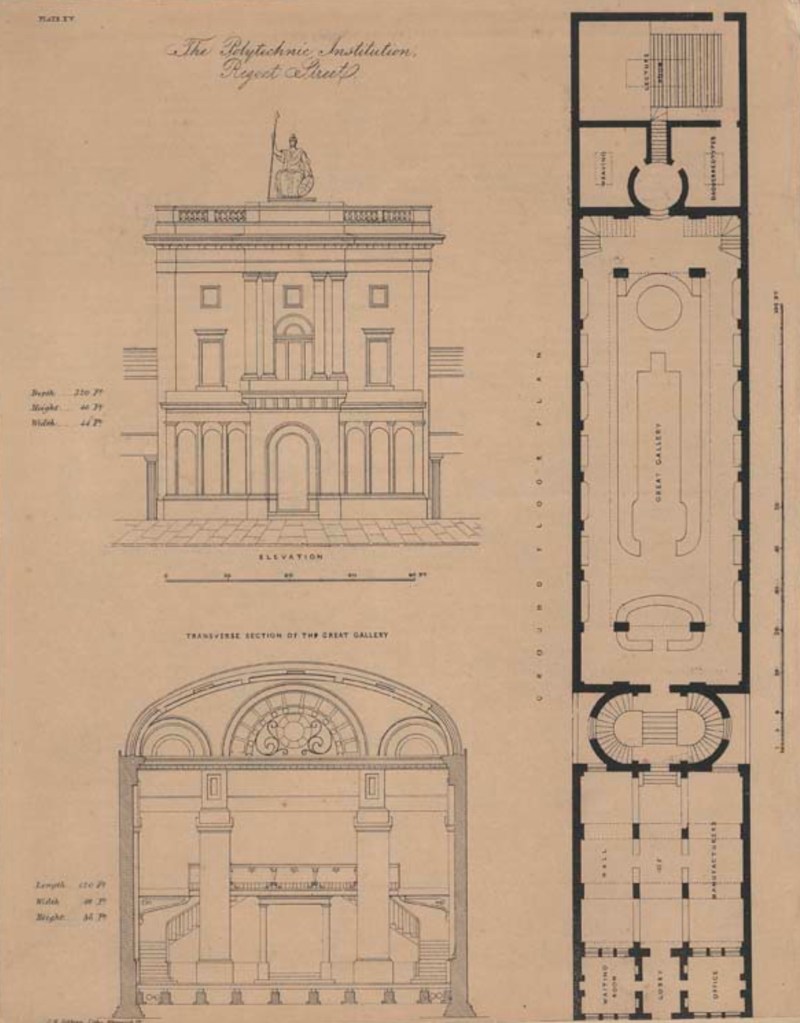
This is a reference image we used to help create the laser cut flat pack of the Hall:
For this project I will be working as a model making so I did some research into this industry. The responsibilities will vary depending on their specific job and industry. Model making is a process that combines manual and digital techniques to accurately represent the desired object or design. Some tasks will require more detail than others.
Below are some key skills that a model maker needs:
Reading and interpreting technical drawings such as blueprints and floor plans.
Selecting appropriate materials for the project. Some options are wood, plastic, and metal.
Using a range of tools and equipment, such as saws, drills, laser cutters and 3D printers.
Applying finishes or coatings such as paint to the model.
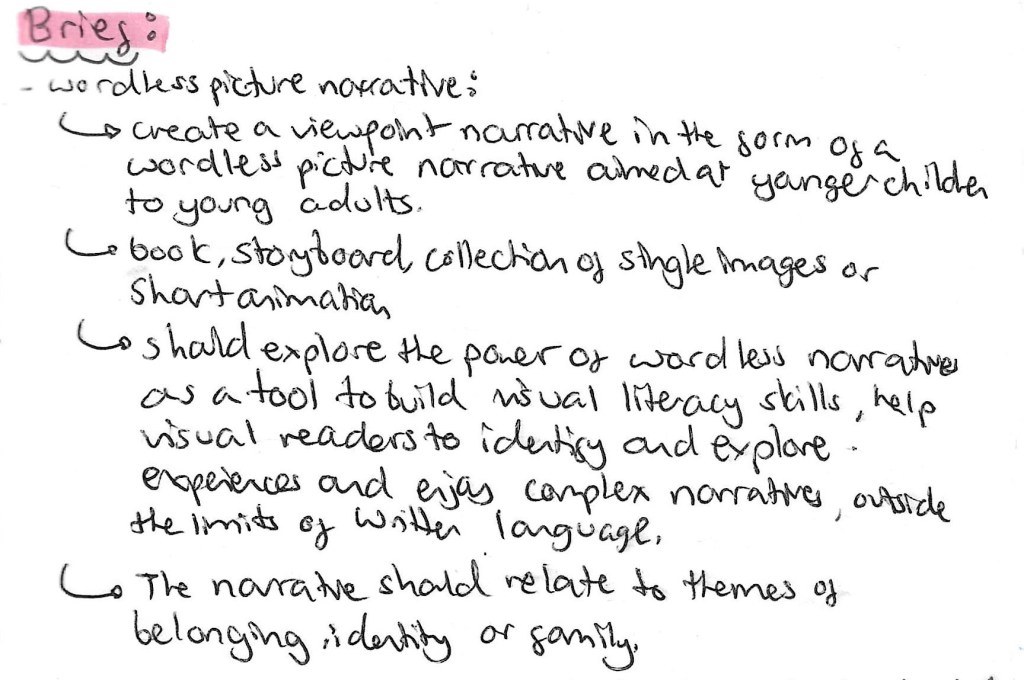
The third potential brief we where introduced to was about creating a wordless picture narrative, this is a narrative that is entirely expressed through illustrations. In summary it is to create a viewpoint narrative in the form of a wordless picture narrative exploring the themes of identity, belonging and family. From the beginning of this module I’ve had a stronger interest in this brief compared to the other as it’s more something I general enjoying creating and engaging with. Below is the criteria for this brief.
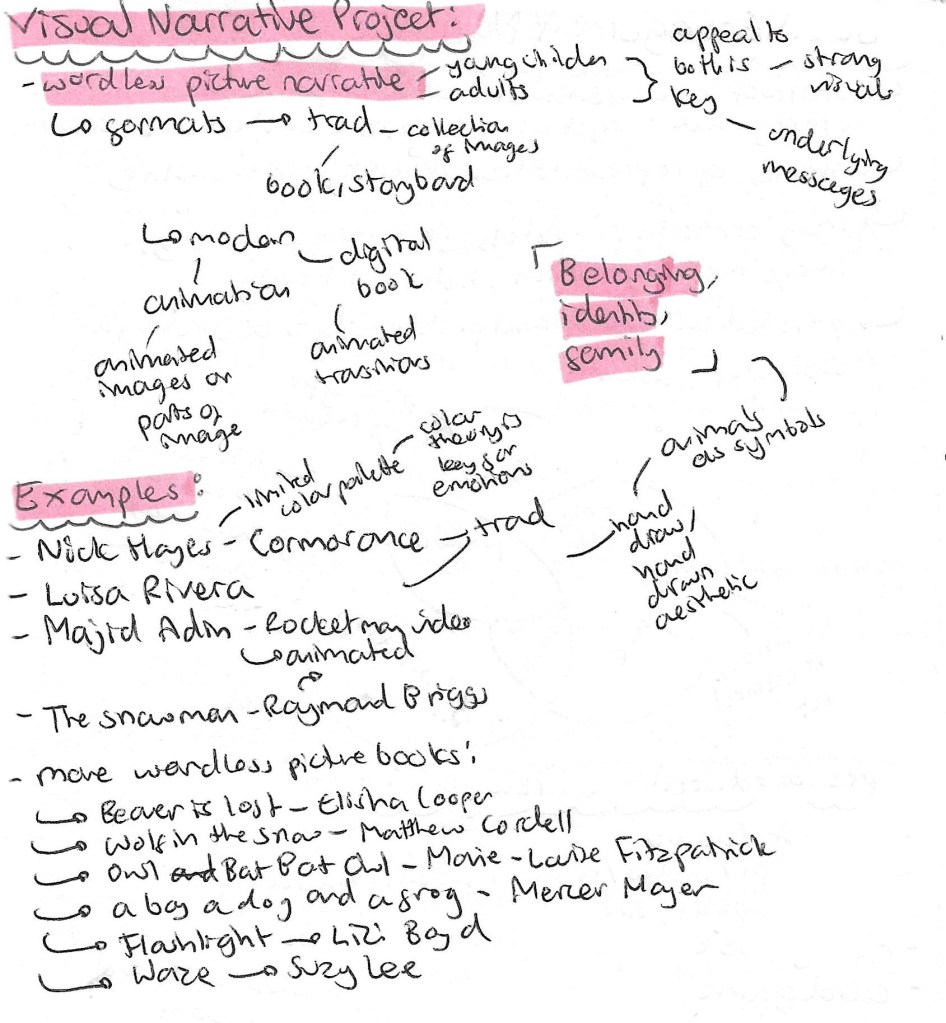
This page contains some of the research I did before the session to familiarise myself with the topic and some of the examples I looked at to get a sense of the style. Wordless picture narratives is a style of illustrated book I really admire as it takes great artistic and storytelling skills to convey an entire narrative solely through images.
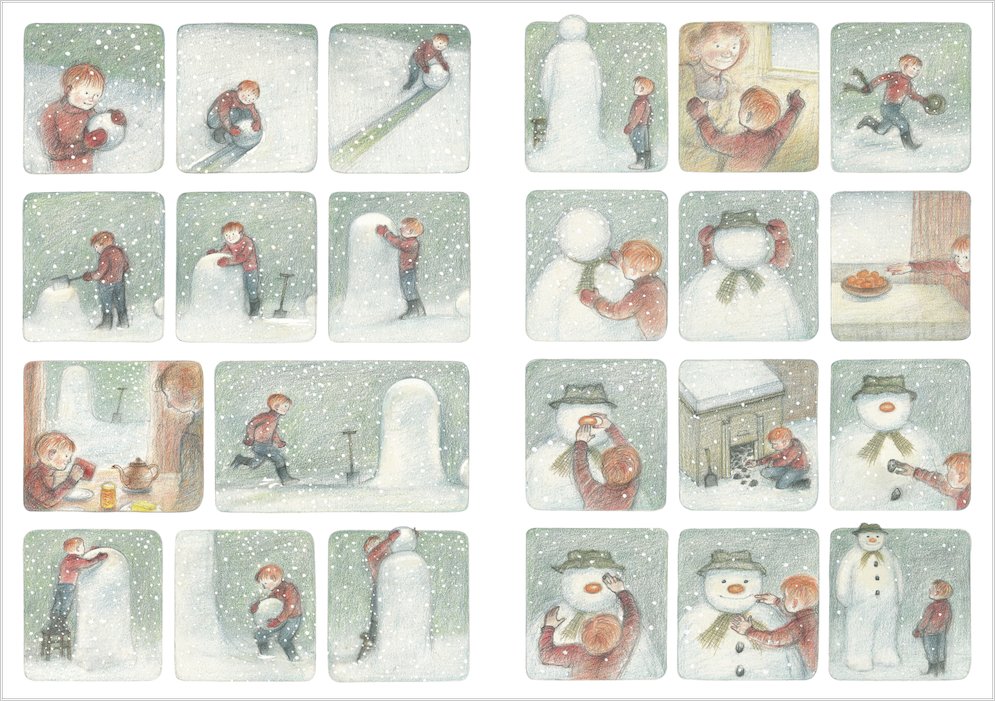
‘The Snowman’ is a wordless picture book by Raymond Briggs made in 1978 and was adapted into an animated television film in 1982. This is a childhood favourite of mine as I always loved how to story was told through just beautiful visuals and well chosen music. Following a night of heavy snowfall, a young boy named James wakes up and plays in the snow, eventually building a large snowman. At the stroke of midnight, he sneaks downstairs to find the snowman magically comes to life. The story has a sad ending as James wakes up and finds the snowman melted in the morning. The story has similar themes to that of our brief such as family and belonging. My favourite thing about this piece is the hand drawn quality of the visuals.
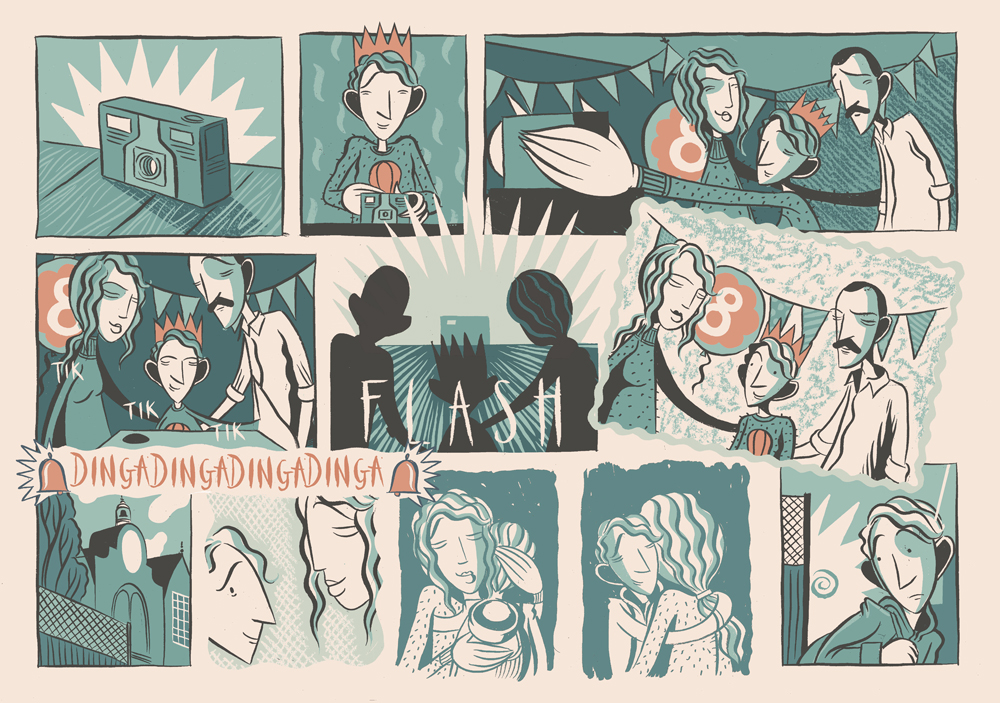
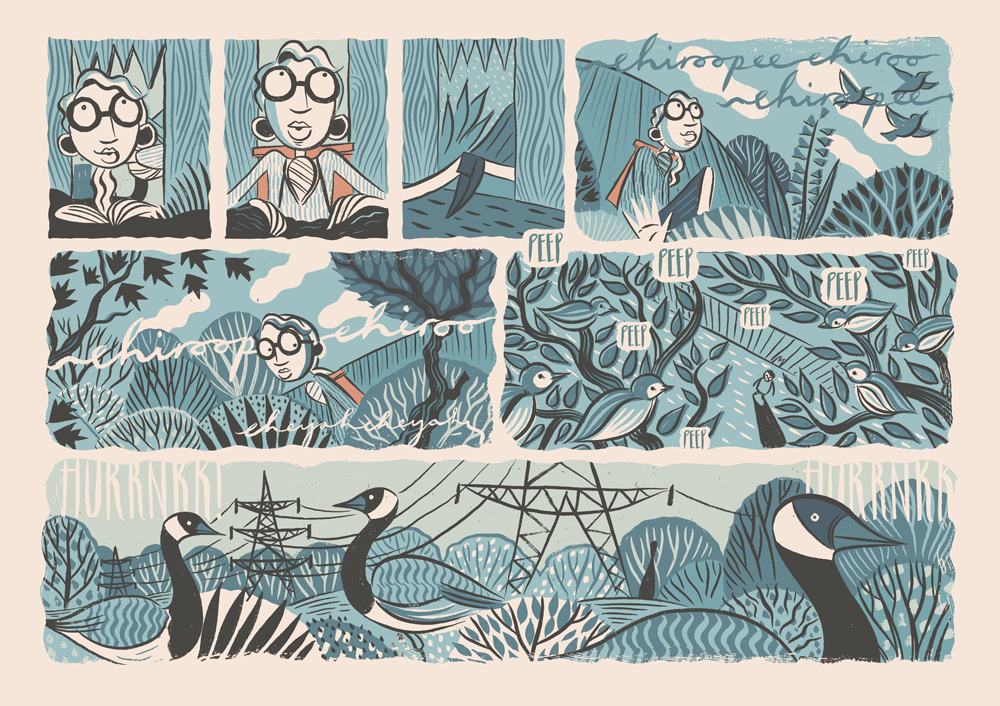
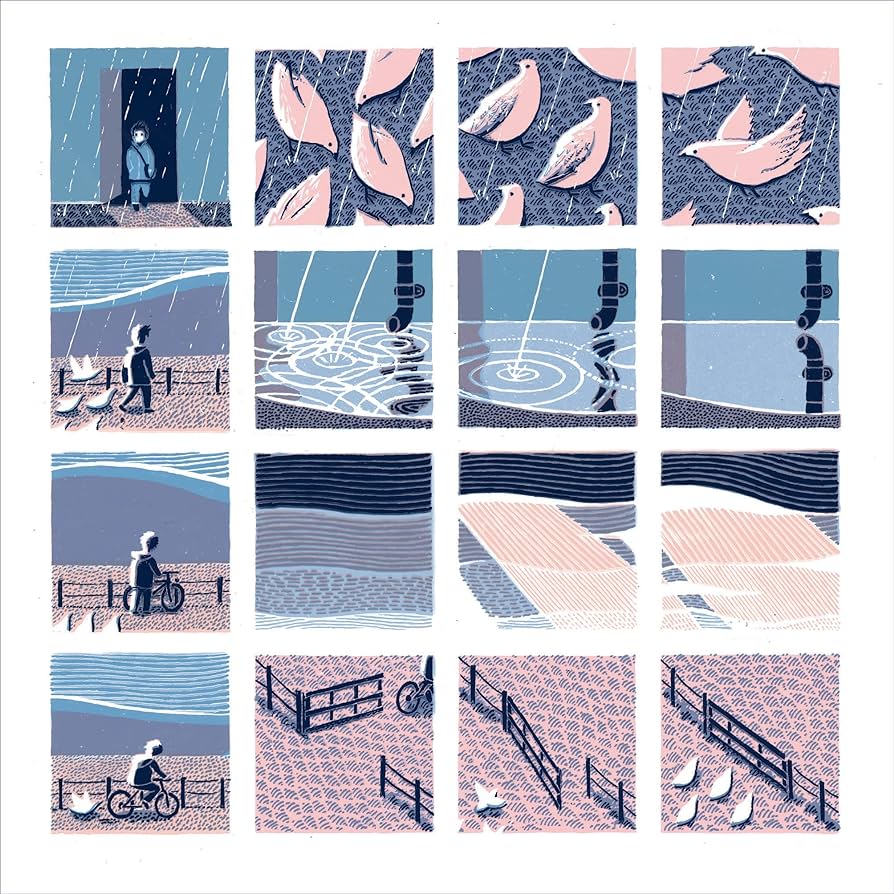
Another example of a wordless picture narrative is ‘Cormorance’ by Nick Hayes. This is the story of a girl and a boy and and a deserted reservoir. The girl wants only to impress her mother, and finds the perfect challenge to prove herself. The boy suffers a tragedy, becomes fixated with a lost memento and makes it his mission to find it. The water is where, one day, the two will meet. What I particularly like about this example is the strong use of colour. Hayes has picked a very simple colour palette of just 2 complementary colours, blue and orange. This helps create the mood of the piece and is a technique I will consider using.
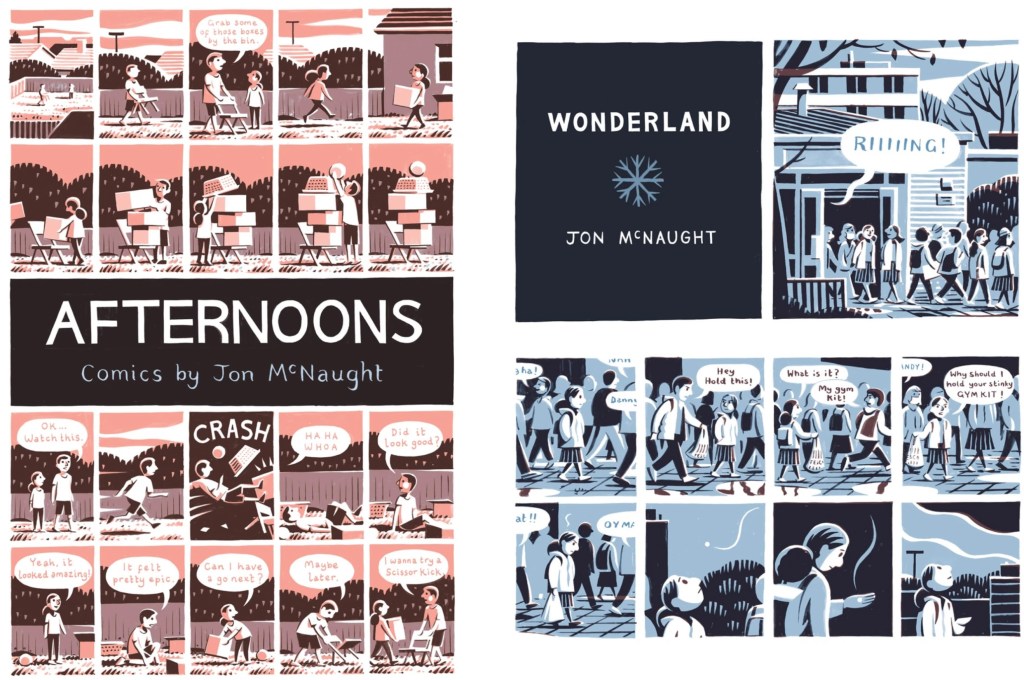
John Mcnaught has a similar visual style for his wordless narratives, very minimal colour palette and cartoonish characters. I think for wordless narratives, reducing the colour palette to 1 or 2 colours with lots of variation is shades is very effective as it easily translates mood and emotion to the visual reader.
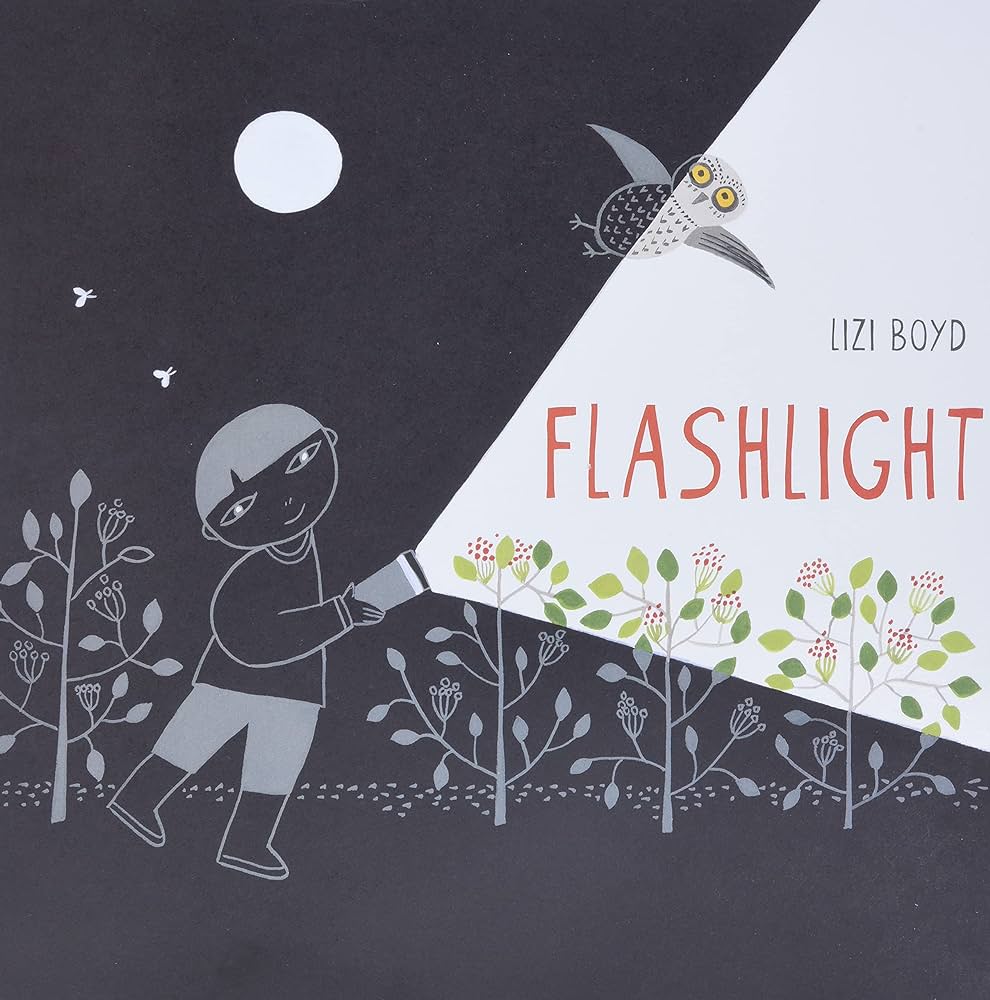
This is the cover from Liao Boyd’s story titled ‘Flashlight’. She uses colour in a very interesting way. We usually associated lots of bright and warm colours with children’s books but Lizi Boyd takes it in the complete opposite direction. The majority of the book is black with just simple white outlines. Only small sections are in colour, these are the bits the character is shining his flashlight onto. I think this is a really clever way of controlling and limiting your colour use to engage children with your narrative
For the session we had Luisa Rivera come in to speak to us about the topic of wordless picture narratives and her work. She is a London-based artist originally from Chile, working primarily on paper with water-based media, exploring our relationship with the environment through multiple layers of interpretation. She draws on storytelling to create narratives that are inhabited predominantly by women and natural elements, covering themes such as ecology, feminism, and personal memory.
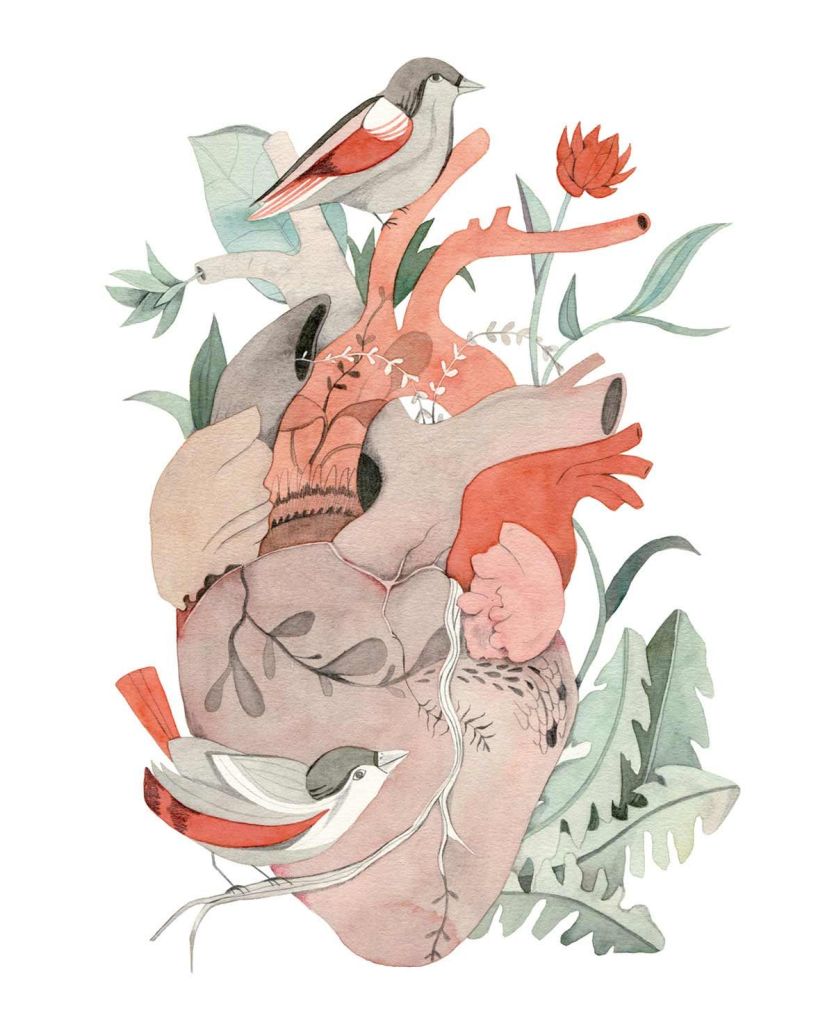
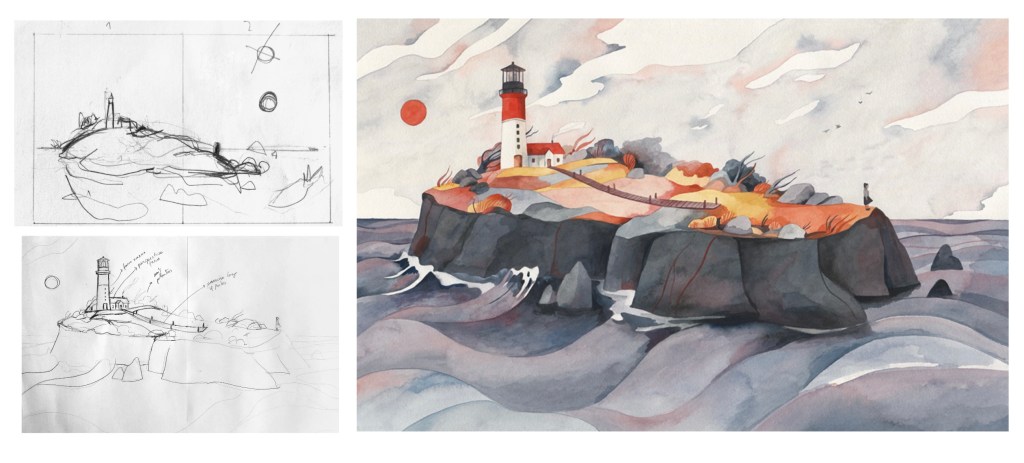
These are 2 of Rivera’s pieces that I particularly like. I love the delicate water colour style combine that she uses and is able to get intricate details it’s. The colour aren’t too bright, they have a nice muted look. I like the thematic combination between fantasy and reality with all natural and real elements but combined in an almost magical looking way.
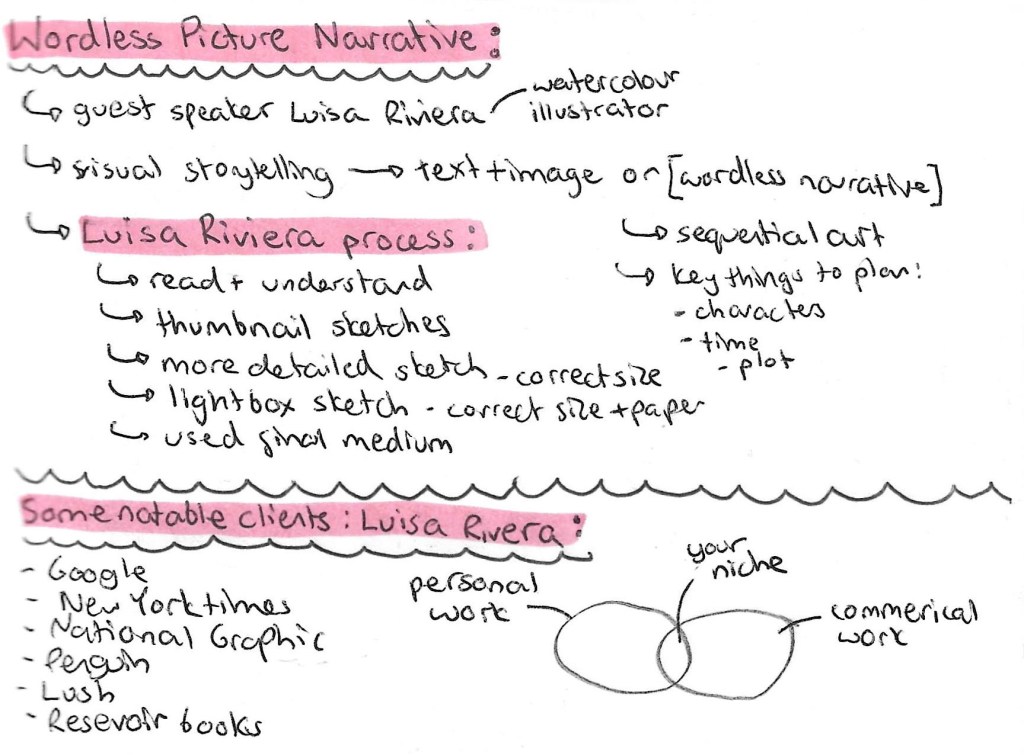
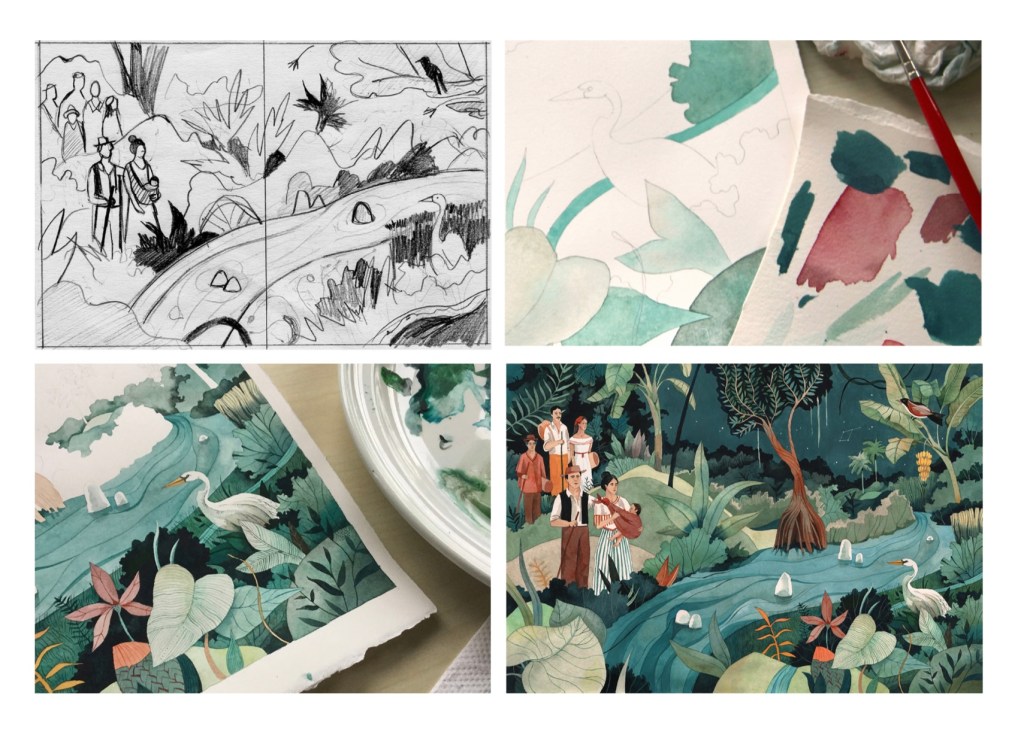
Luisa Rivera also took us through her creative process from when she is applying to get the work from the client to its final submission. The images below show the progress from a rough thumbnail sketch to the final outcome. She starts with a thumbnail sketch for ideas then moves onto slightly more detailed sketches, mapping out placement. Then she tests out colour and finally uses a light box to transfer the sketch onto the right type of paper and starts using her medium of choice, usually water colour.
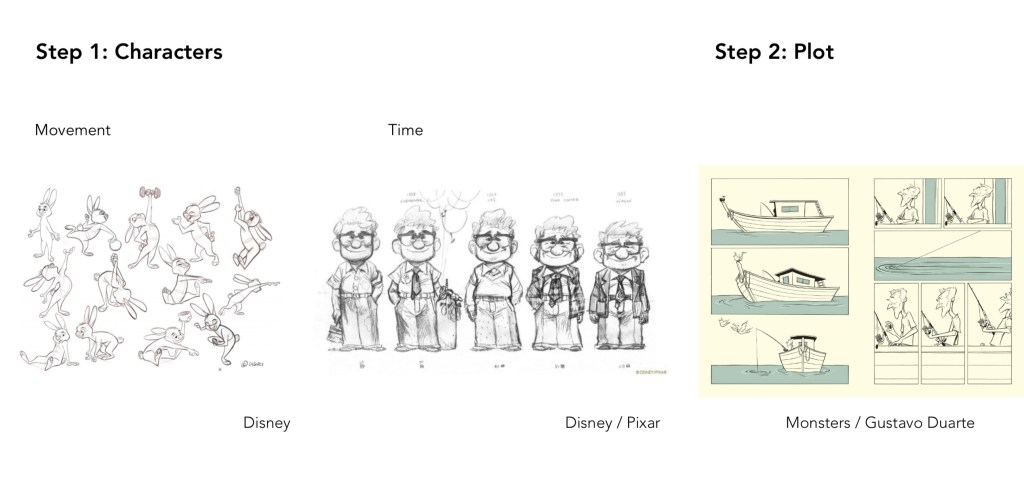
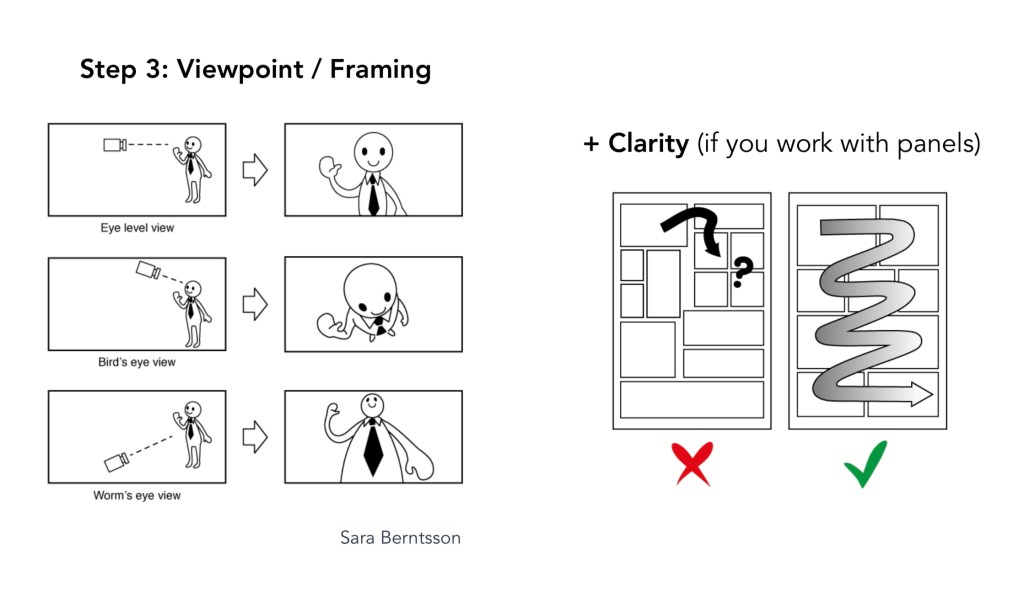
These are some of the things that Rivera said are the key things to think about when planing a wordless picture narrative.
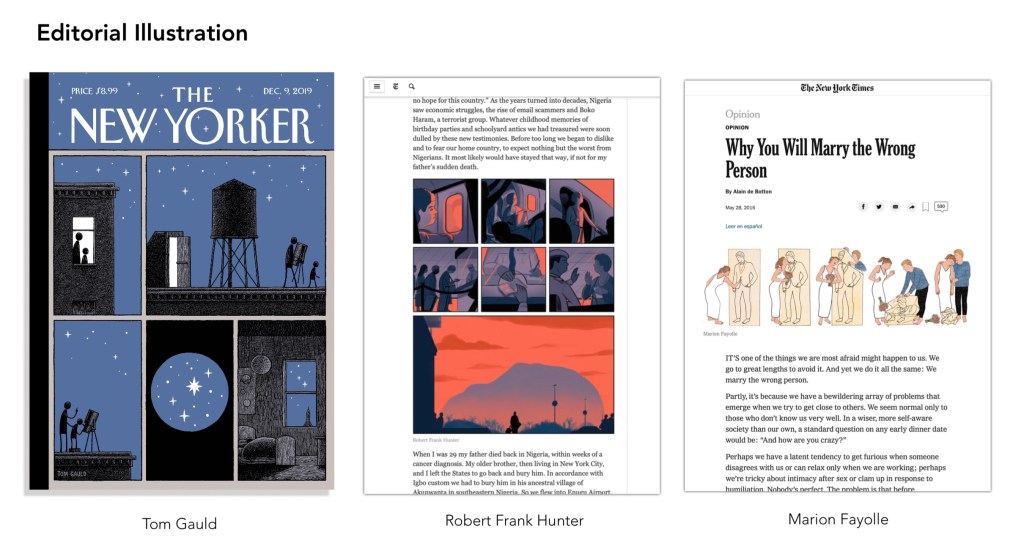
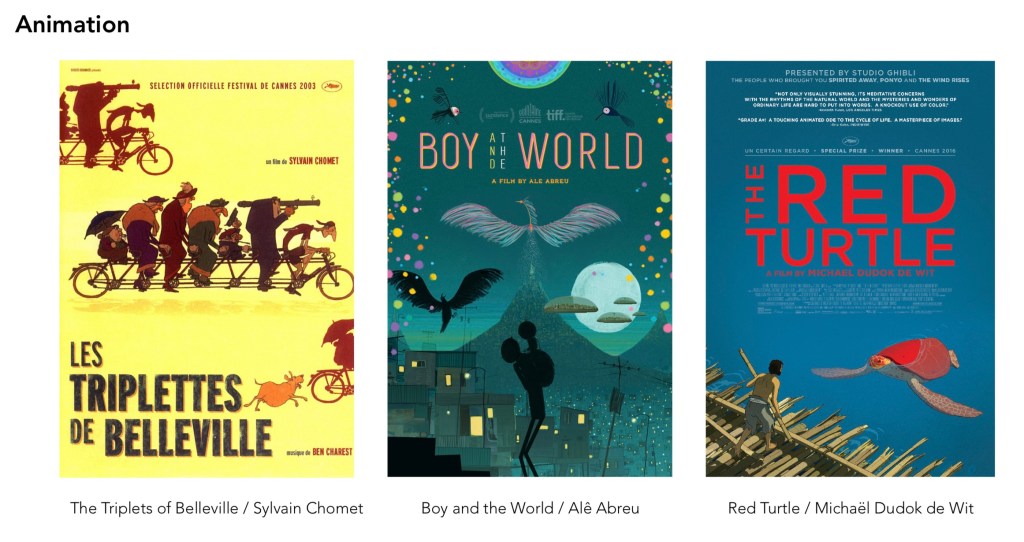
These are some examples of wordless narratives in other forms, editorial illustration and animatics. I will look into these as they will all be helpful in enriching my knowledge of wordless picture narratives so I’m able to construct my own.
I really enjoyed this session and learnt a lot about this type of narrative from my own research and the talk we had with Luisa Rivera. The next step is to choose which of the 3 briefs to develop on.
After completing the presentation we each had to make our individual page for the team document. This page had to cover our own research and we where advised to treat it like an information poster instead of just a page of text. Unlike the video for this we had more individual creative freedom because the pages didn’t need to have the same format. The only thing we kept consistent was the landscape orientation so that it fits nicely as a team document.
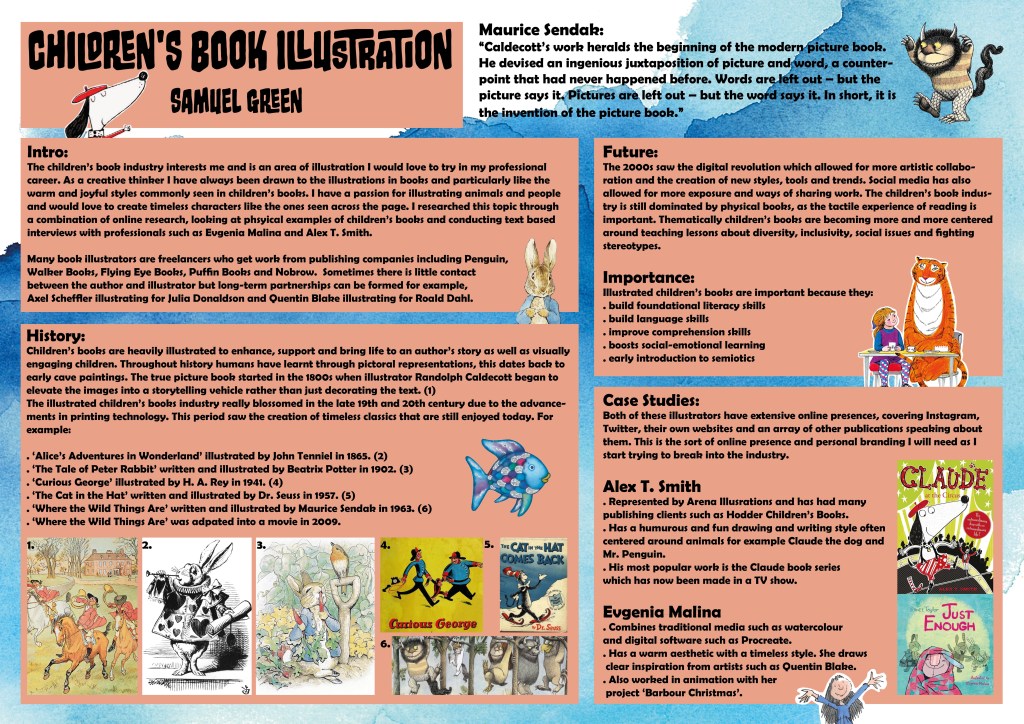
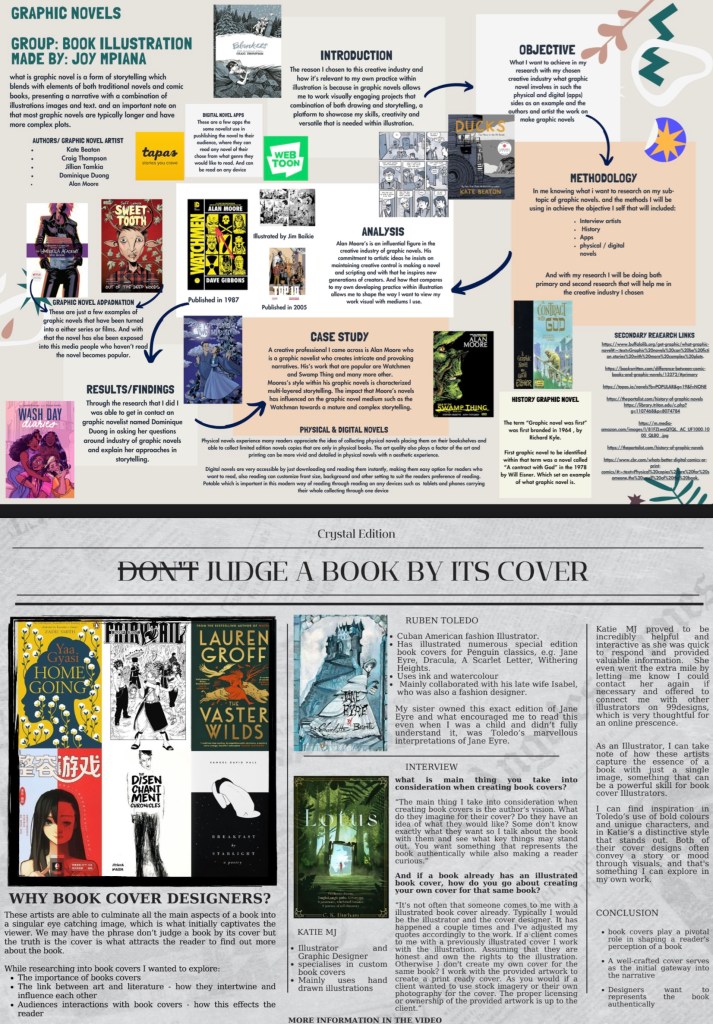
Below is my page covering all my research about children’s book illustration. I planned out the poster in sections based on how I researched it, an introduction/ overview, the history, future/importance and case studies. I think the page has lots of information but isn’t too crammed that it becomes a mess. To make it more visually engaging I used a blue water colour paper texture for the background and complementary orange boxes for the text. Also I added in images the back up what the text was saying and various children’s book characters around the page.
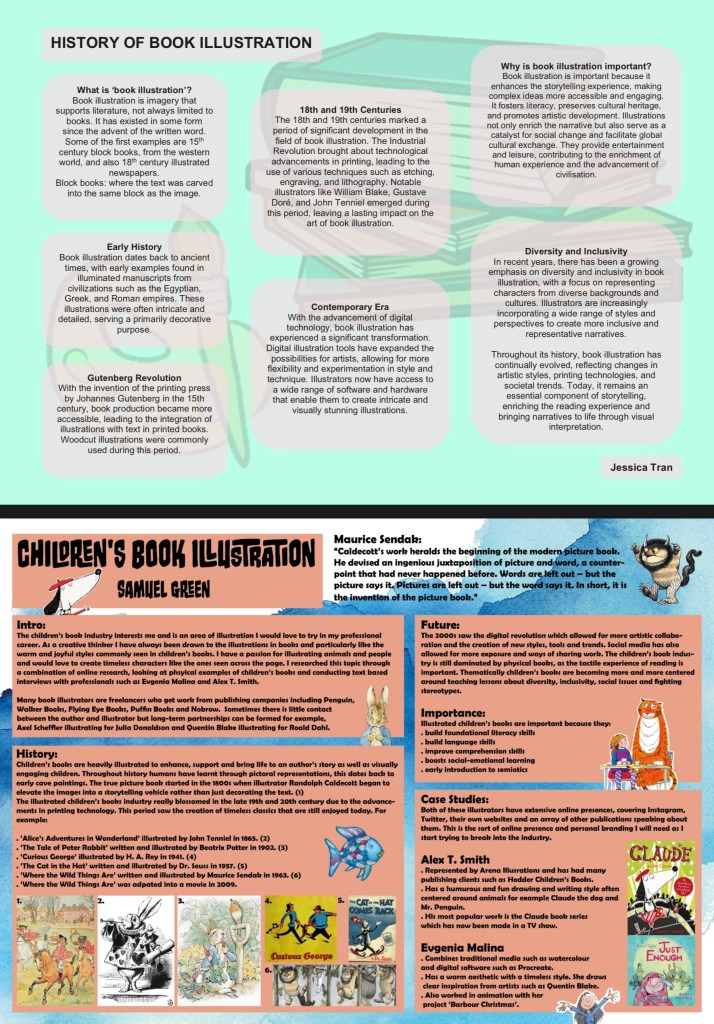
This is the team document we submitted containing the link to the video and each of our pages of individual research. We kept the same cover for the document and video to provide visual consistency to make them look like a pair.
I found this project interesting as I was able to learn lots about an industry of interest to me, book illustration. Also it helped to improve my team working and communication skills as we had to stay in contact and work together to progress through the project and produce the desired outcomes.
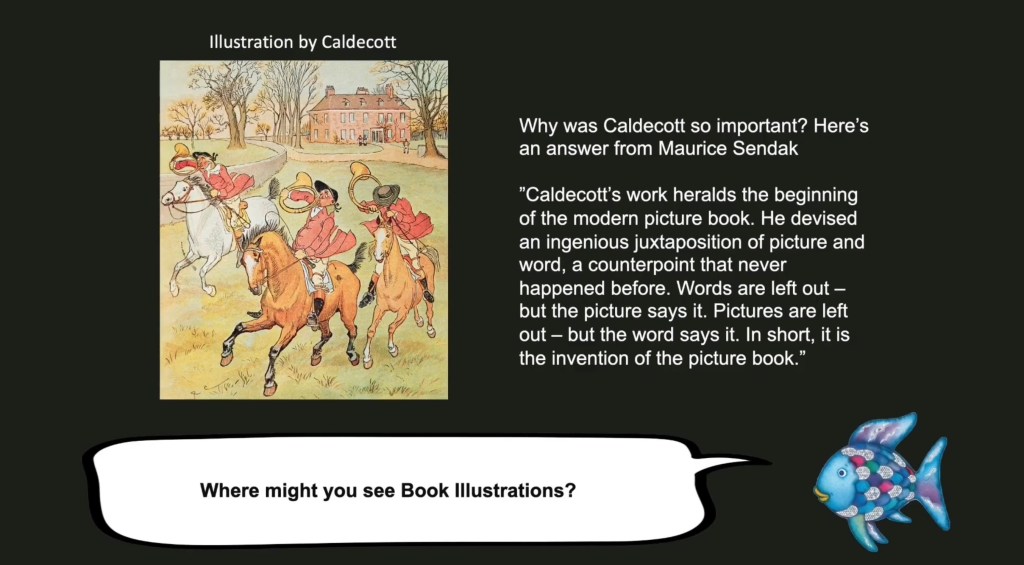
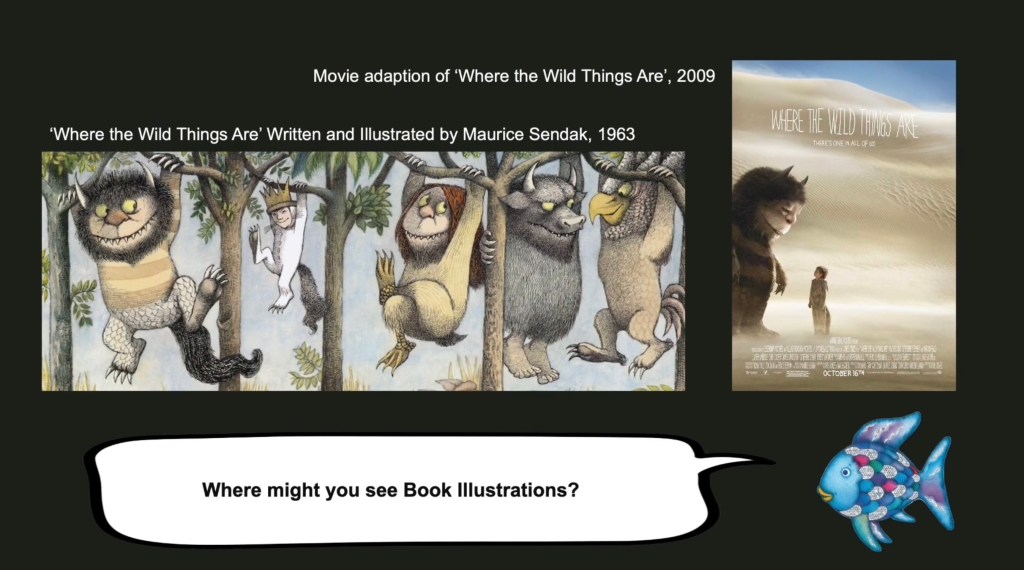
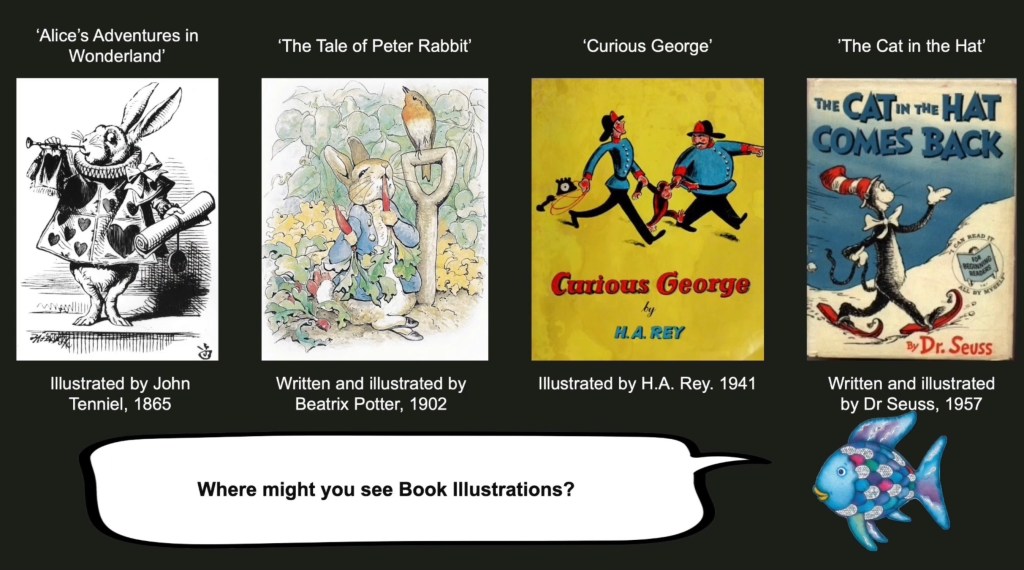
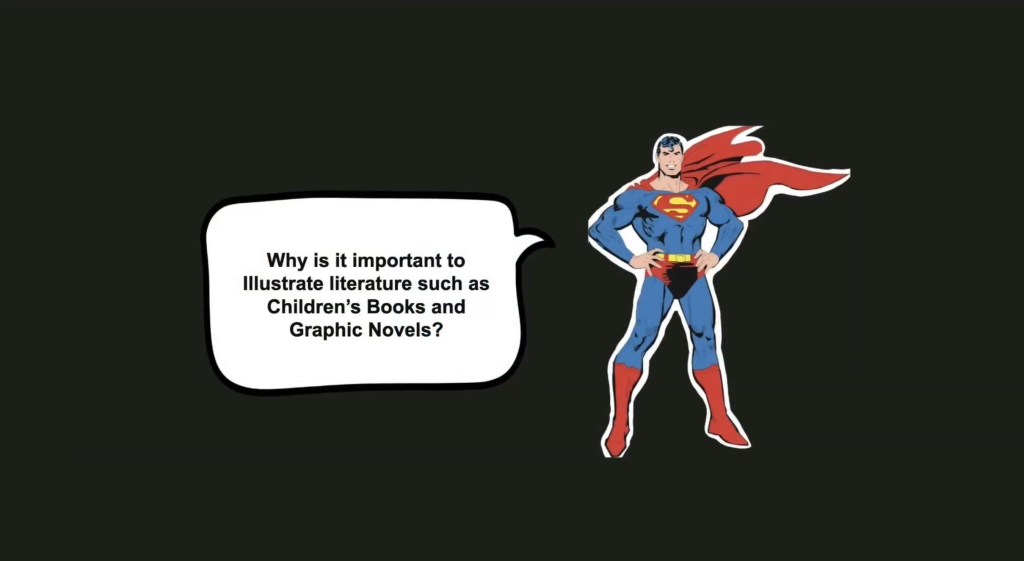
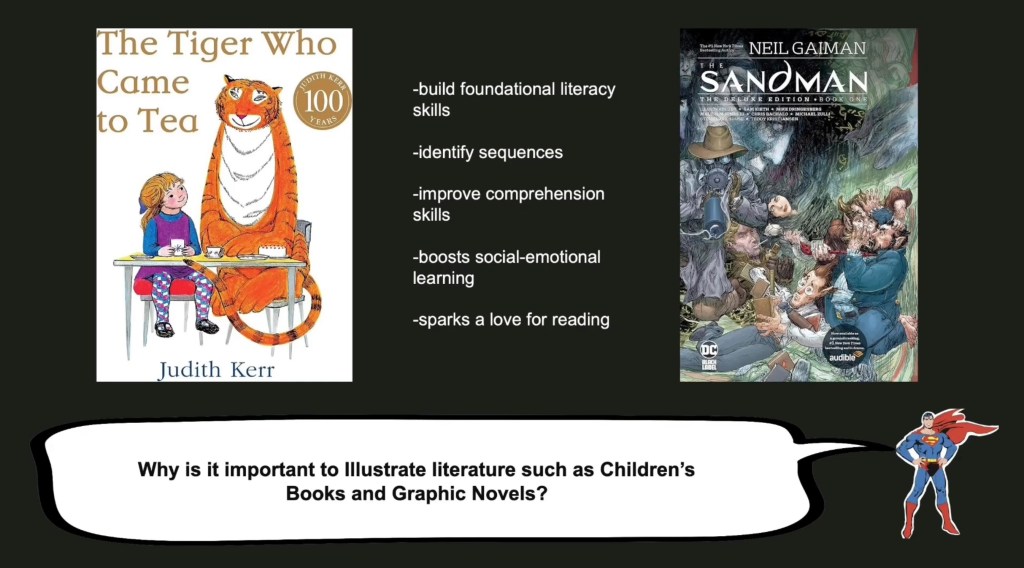
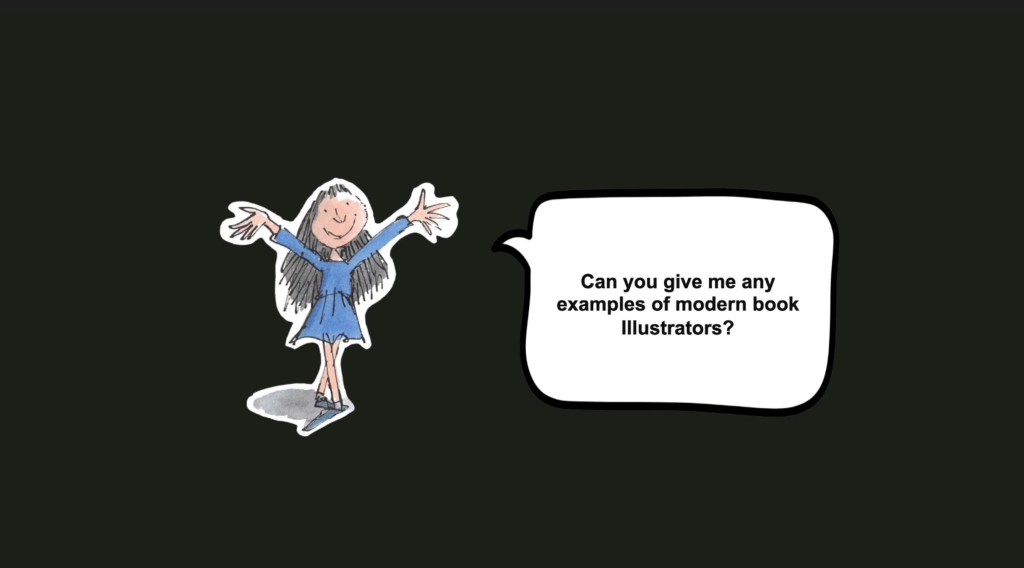
These are screenshots from the finished video. We had the audio which was read from the script and now we had to make a visual piece to go along with it. We decided to do a consistent visual style across all of the presentation to help make it easily accessible and straight forward to understand. We went with a black background for the whole thing as a way to draw the attention to the images and words on the page and not overcomplicate it visually.
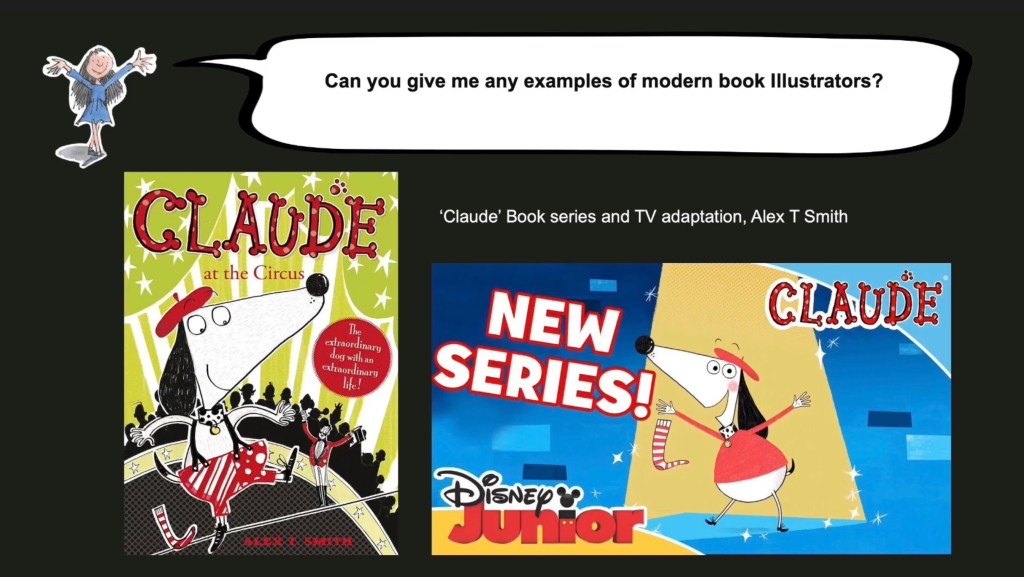
We decided that each of the questions would be asked by a popular children’s book or graphic novel character as a way to link it to the contents of the presentation and just make it more fun to look at. I used Photoshop to make a PNG out of all the images and put them on the slides. Trying to find the right speech bubble was hard so I ended up drawing my own one on Procreate and using that. On the slides with the answers it also has the question either at the top or bottom on the page so that at any point the viewer could refer back to it. The contents on these pages is predominantly the images from the script but also has some captions containing key dates and names as well as some small bits of text. We didn’t want to overcrowd the pages and make it so the viewer got most of the answer through the audio but this was supplemented with visual examples and key information on the presentation. Below are screenshots from the parts that I answered.
Once we made the presentation the last thing to do was sync the changes from one slide to another with the audio. When this was finished we posted it to YouTube. Some improvements that I would make to the video after reviewing it would be to add some animatic elements as another way to make it more visually engaging. Also we needed to improve the audio as through speakers certain parts as much louder than others, making it harder to understand and interrupting the flow. However, overall I’m happy with the video as there is lots of good content in it which thoroughly covering the book illustration industry. Also I think the format of a conversational Q and A was unique and was a good way to share and combine everyone’s research.
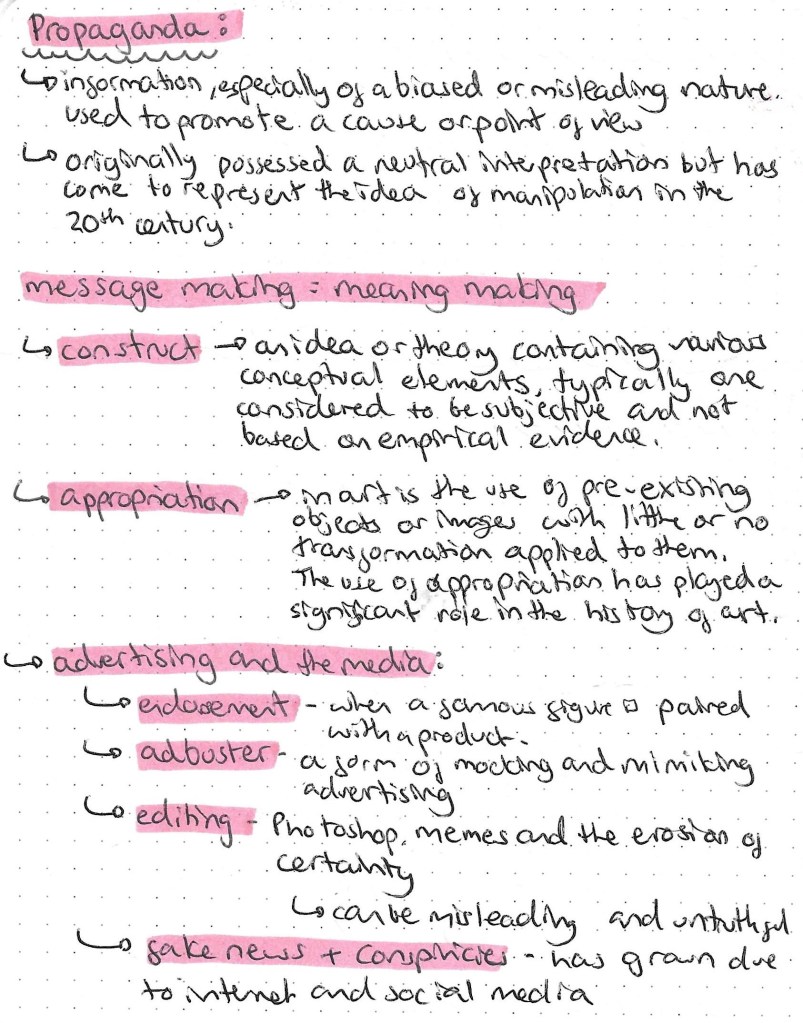
This weeks session was all about Propaganda, which is information of a biased or misleading nature used to promote a cause or viewpoint. We learned the definitions of key terms, the different types of propaganda and the different techniques used to persuade people. Propaganda originally possessed a neutral interpretation but has since come to represent the idea of manipulation in the 20th century.
There are different types of propaganda used for advertising in the media including endorsements, adbusters, editing and fake news/conspiracies.
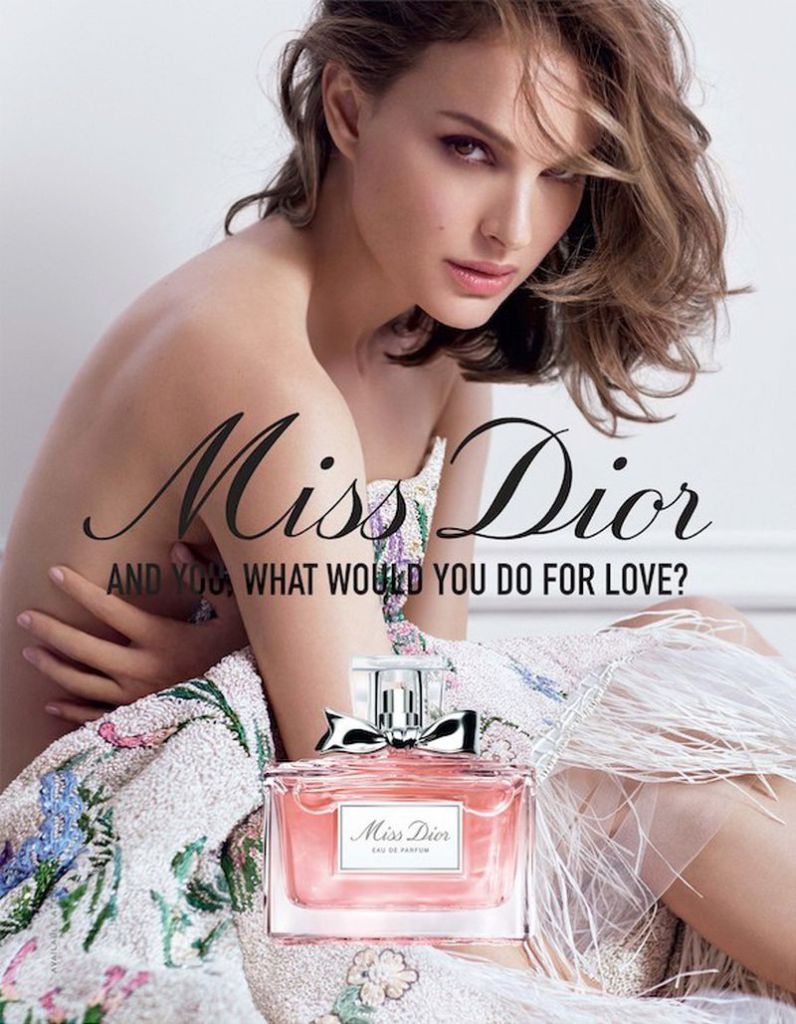
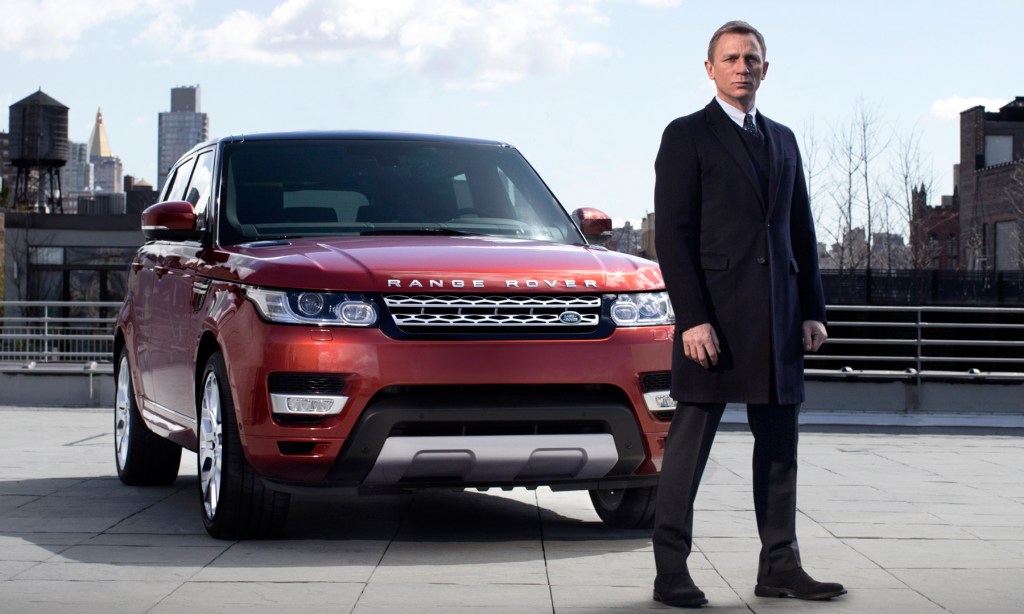
This is an example of endorsement. Natalie Portman, a famous actress, is being paired with a Dior perfume to try and encourage people to buy the product. By associating Natalie Portman with the brand, people who are fans of her are more likely to purchase the perfume in an attempt to be more like her.
This is an example of an adbuster. It’s mocking an established brand by altering their product and slogan. In this case it Absolut Vodka and is changing its slogan to suggest the product causes impotence. They’ve emphasised this point by deforming the shape of the bottle.
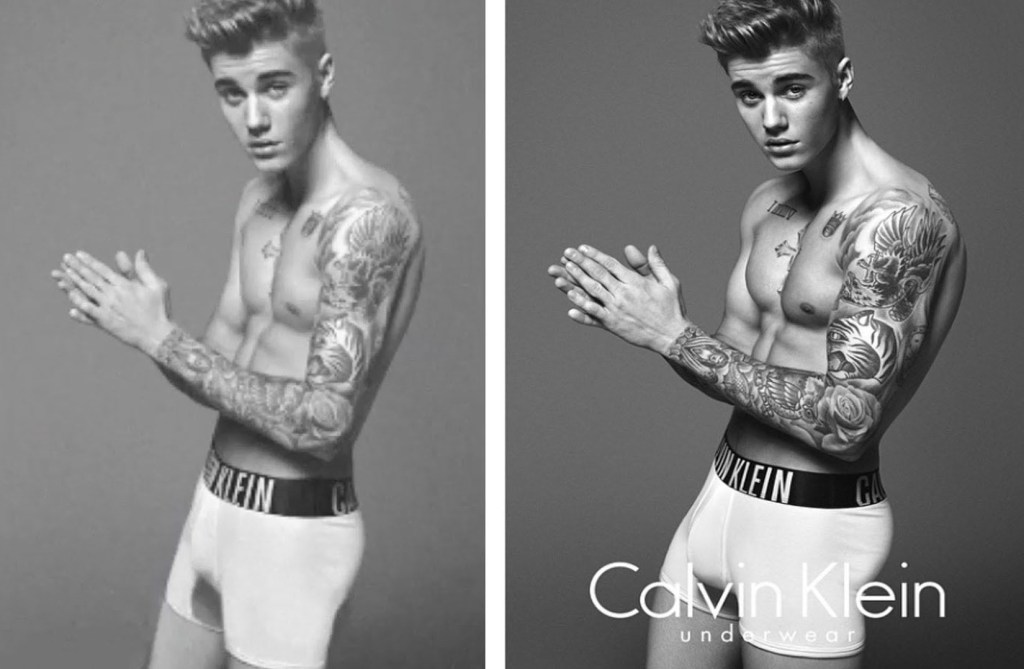
Since the invention of digital editing there has been an erosion of certainty, making it more difficult to tell what is real and what is edited. The main software used for this is Photoshop. This is seen regularly in advertising especially when working with models. Here is an example from a Calvin Klein advert. Many of Justin Biebers features have been digitally edited. This example is done well so it’s difficult to tell it has been edited, making it misleading and dishonest.
Editing can also be used in a less subtle way. This is an example of someone dramatically editing the same photo to the point where it becomes obvious. This is often used in memes to make fun of something.
Digital editing has become so advanced that it’s now difficult to tell if something is real or not. This has led to a growth in conspiracies and fake news as the line between real and edited has become harder to distinguish.
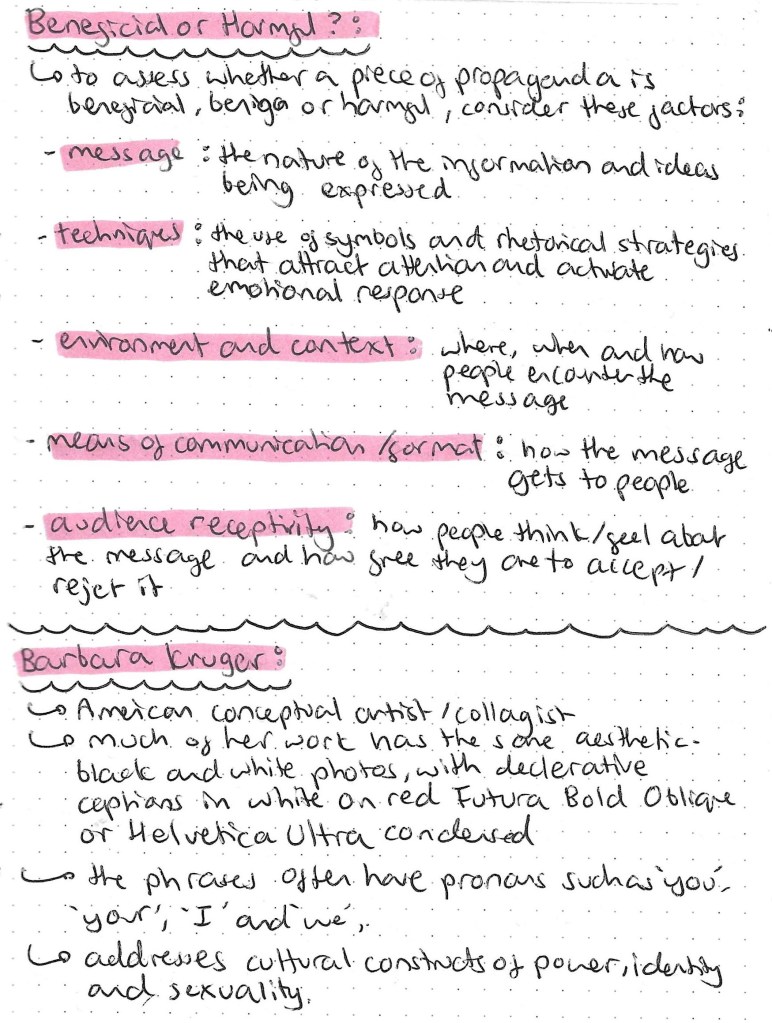
We looked at factors you need to look at in order to distinguish if a piece of propaganda is beneficial or harmful. The word propaganda has grown to have negative connotations but not even piece of propaganda is inherently harmful.
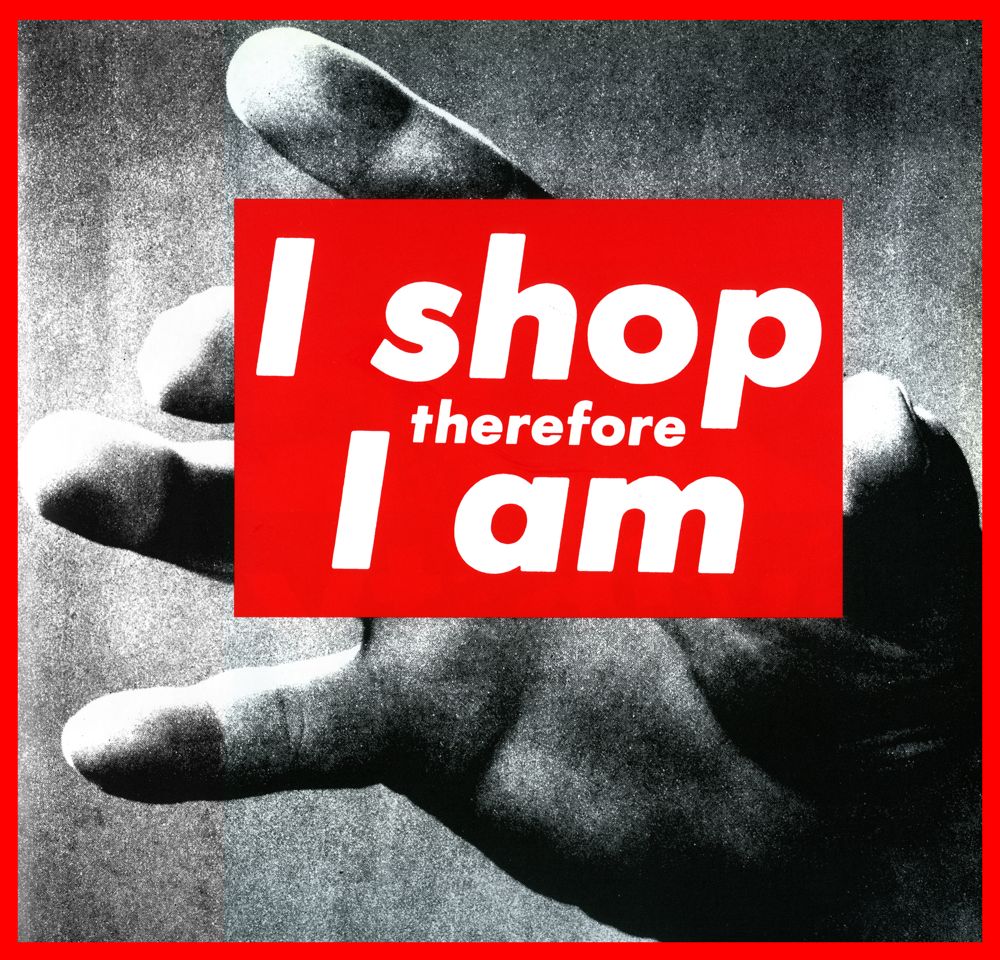
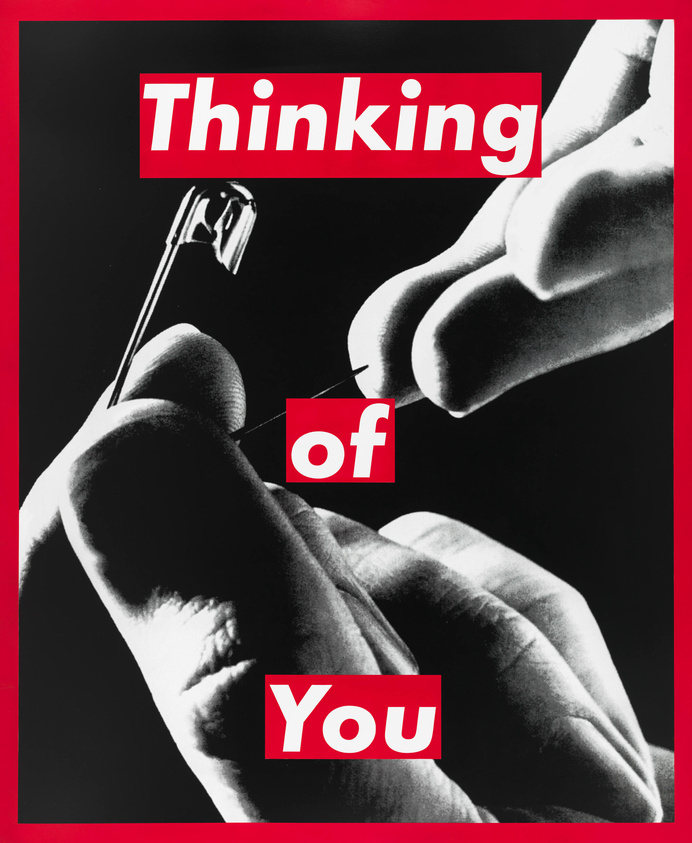
I really like Kruger’s style as it has a simple yet easily recognisable look. The red combined with the bold white text contrasts the grainy, dark images making them very eye catching even from a distance. Her work is propaganda as it in pushing an idea of message onto the viewer. These are some examples of Barbara Kruger’s distinctive aesthetic:
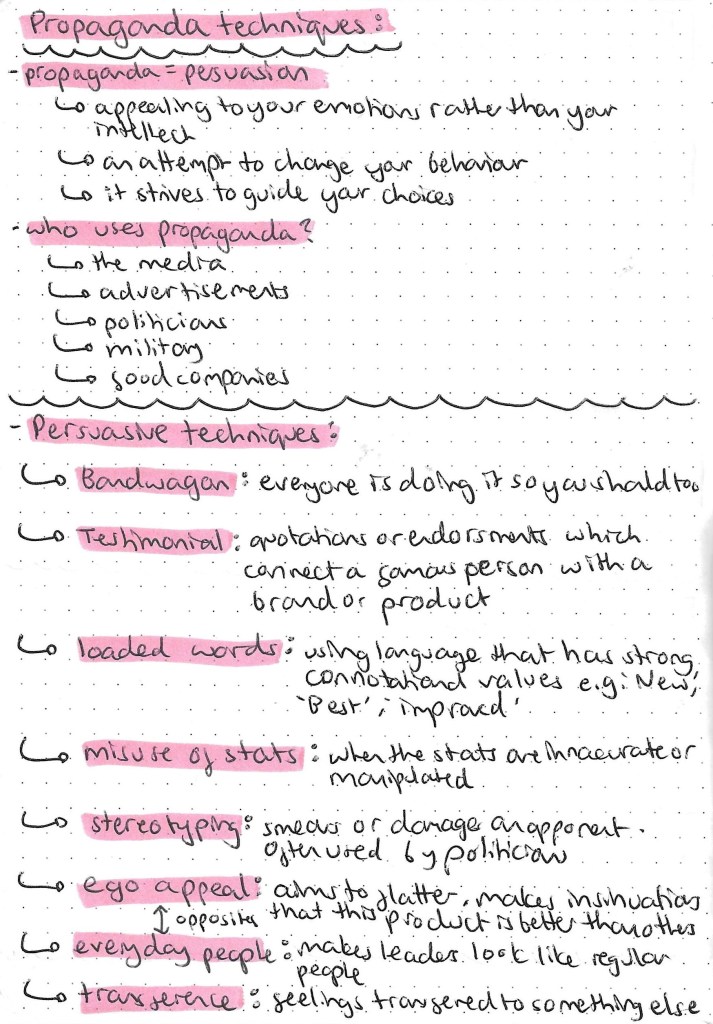
We looked at lots of different persuasive techniques used in propaganda and did an exercise where we had to identify which techniques are being used in different pieces of propaganda. There’s often lots of overlap between techniques and certain techniques lend themselves more to particular types of propaganda. Politicians often misuse statistics and use stereotyping and loaded words to push their campaign and bring down their opponents. For example testimonial and ego appeal are often paired to sell products from car and perfume brands.
Our homework task for this week was to use Photoshop to create a fake version of ourselves. We had to produce 2 pieces of propaganda, a social media post and a promotional poster of a fake version of ourselves. I decided to create a version of myself that is a professional footballer. I decided that I was going to make a version of myself that plays for Watford FC. I did play for Watford’s college team so there was some photos to work from. Physically the fake me is not much different from the real me.
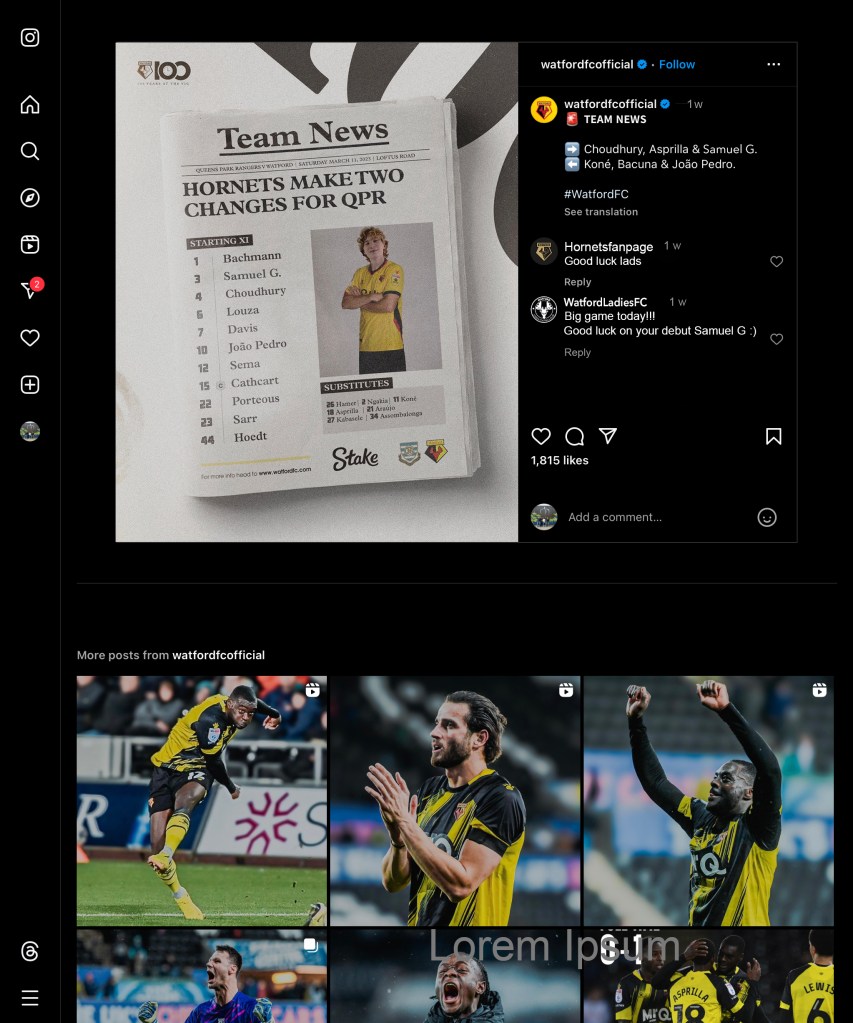
Once I decided on the idea I looked on the Watford FC instagram and saw these team sheets that they post before each game. I thought they looked cool so chose to edit these to be my fake social media posts. I used an image of myself, cut out the head and neck and put in on the player. I spent a while editing the images to try get my head to blend with the body. I also removed one of the players names from the team sheet and put my name on it. I edited the name to try get the same colour, size and font. I found it difficult to try and make it convincing so did 2 for practice. I will continue to try advance my skills on Photoshop but am happy with my progress.
I made one of them look like it had been officially posted by Watford Fc. It was fun changing the details of the post and trying to make it look legitimate.
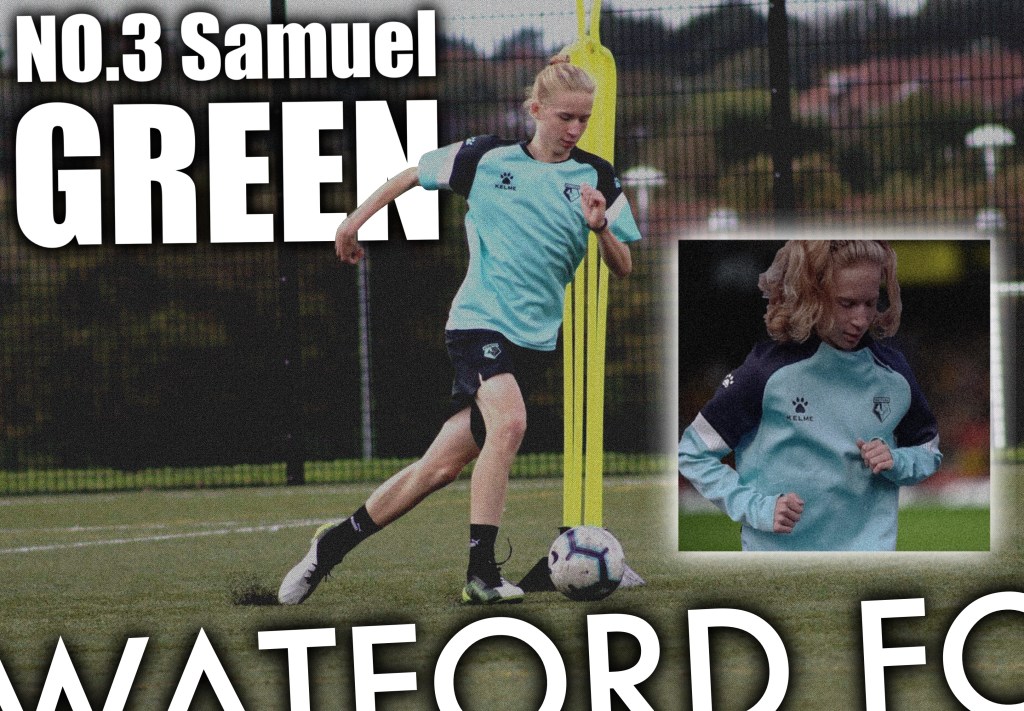
This is the poster I made for the fake me. I focused more on the composition and graphic design elements for this one rather than Photoshop skills. As someone who likes football I’ve always liked the the graphic poster you can get off the different players. I think the composition works well with the bold white font highlighting key details, my name and the team name. I particularly like the dynamic placement of the text at the bottom which complements the angle of the main photo. For the smaller image I Photoshopped myself in front of a crowd, I used multiple selection tools to get myself out of the original image.
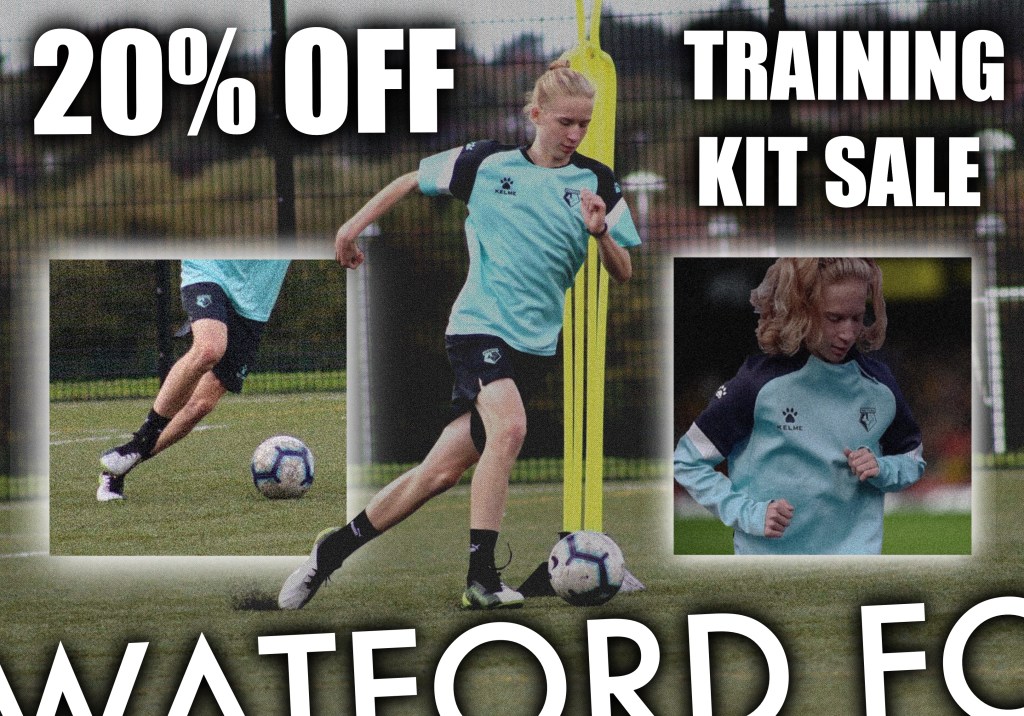
I made a second version to be a poster advertising a merch sale. This links back to the work we did on advertising. The fake version of me is a professional footballer so this would be an example of an endorsement. I used bold lettering to draw the viewers attention to the sales points and added multiple images of the product being worn.
This exercise was all about making us think about easy it is the create personal branding that is at least in part not true. Also it pushed me to practice my Photoshop skills which will be helpful for the main brief.
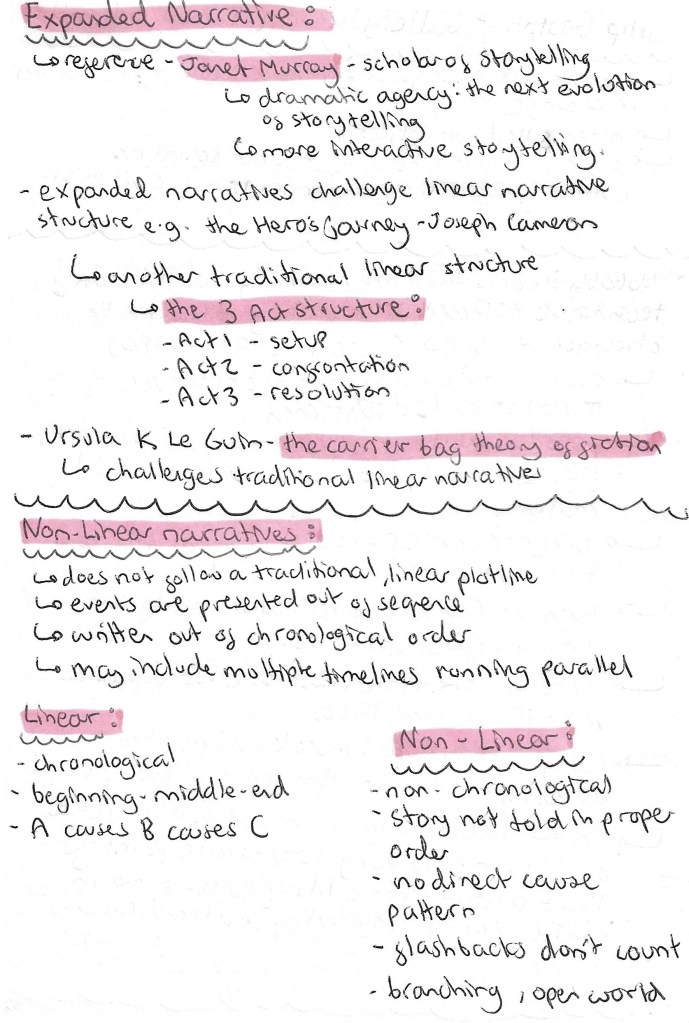
The second of the 3 choices of briefs is about Expanded Narratives. This is a term I wasn’t very familiar with prior to this session so I was able to learn a lot. An Expanded Narrative challenges linear narrative structures such as Joseph Cameron’s ‘Hero’s Journey’ that we looked at in week 1. Another traditional linear structure is the 3 act structure, act 1 the setup, act 2 the confrontation and act 3 the resolution.
Expanded Narratives have a non- linear structure. The events are presented out of sequence, sometimes out of chronological order and may include multiple timelines running parallel. Above are some of the differences between linear and non-linear narrative structures.
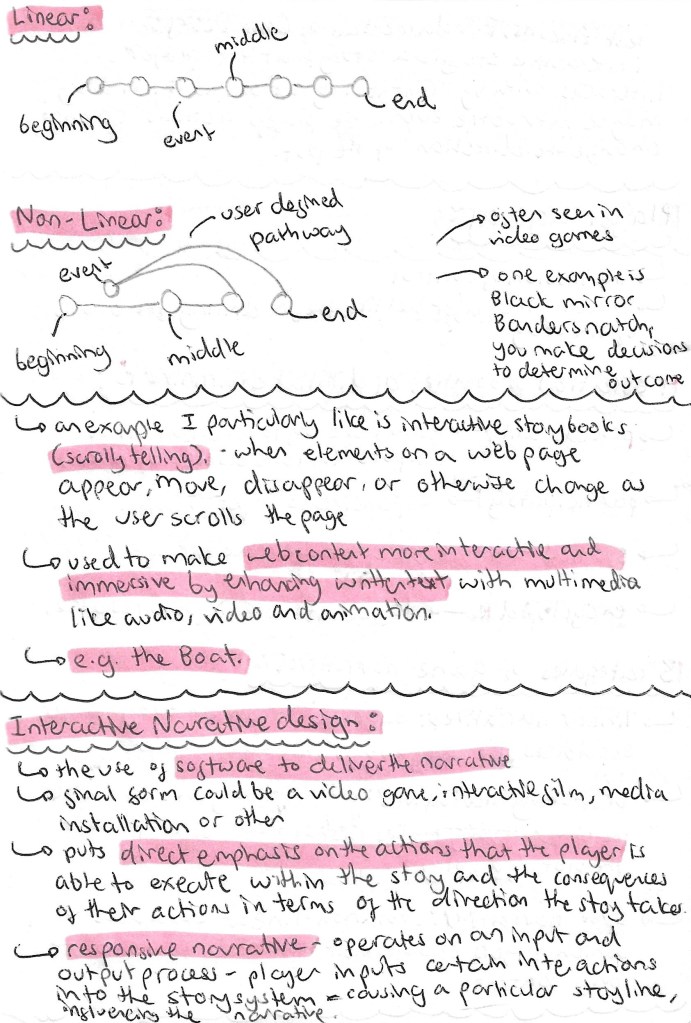
Below are some simple diagrams illustrating the structure of a linear and non-linear narrative.
One format for expanded narratives is an interactive storybook, sometimes referred to as scrollytelling. A great example of this is The Boat by Nam Le created using digital software. As you scroll and move around the page the images appear, move and disappear, putting emphasis on the actions of the reader. This is a modern way of enhancing the traditional storybook into a digital and interactive format.
An important term that I learnt was player agency. This is where an Expanded narrative gives the illusion of control to the player/viewer. This makes the players feel like they’re driving events although their actions aren’t actually having an impact on the end result of the narrative.
When looking at Expanded narratives its important to consider digital games as these this type of narrative is commonly seen in video games such as Red Dead Redemption and Minecraft.
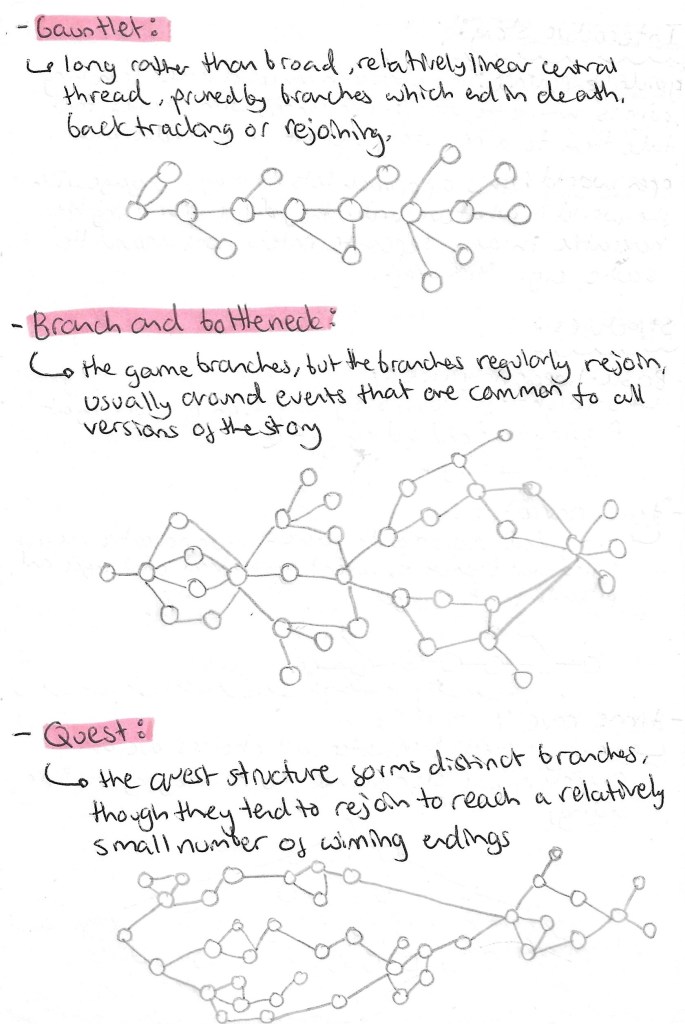
Then we looked in more detail at different interactive story structures. There are 2 broad categories for interactive stories, guided experience and open world. A guided experience gives the user choices at certain times to define the path but the choices are limited but an open world gives the user the freedom to engage with the narrative in any order. Within these 2 broad categories there are many different structures which are listed and drawn below:
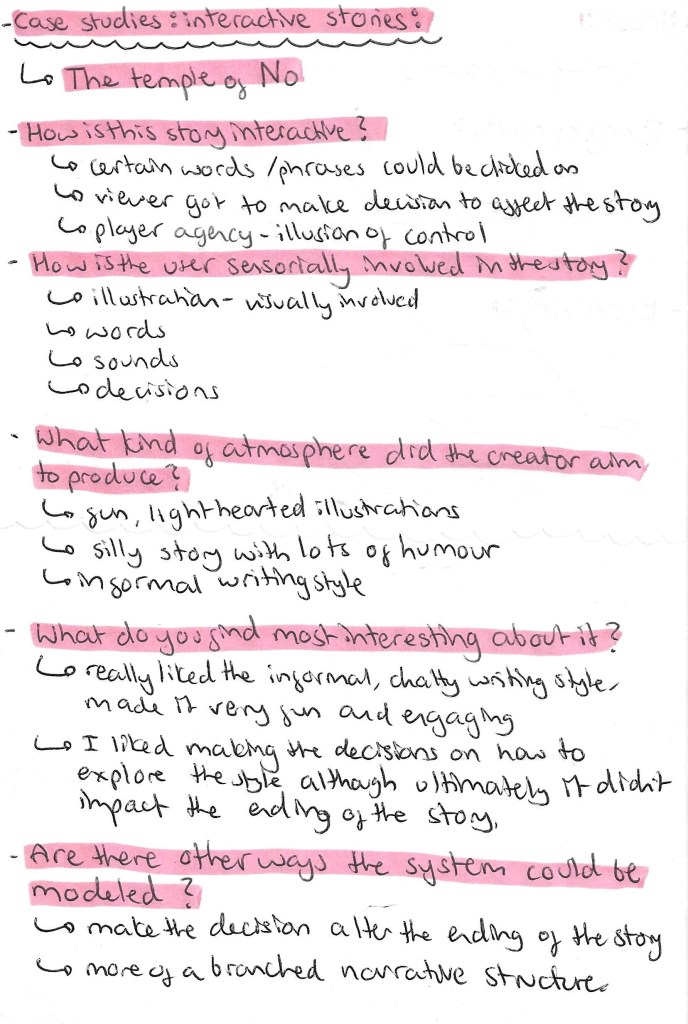
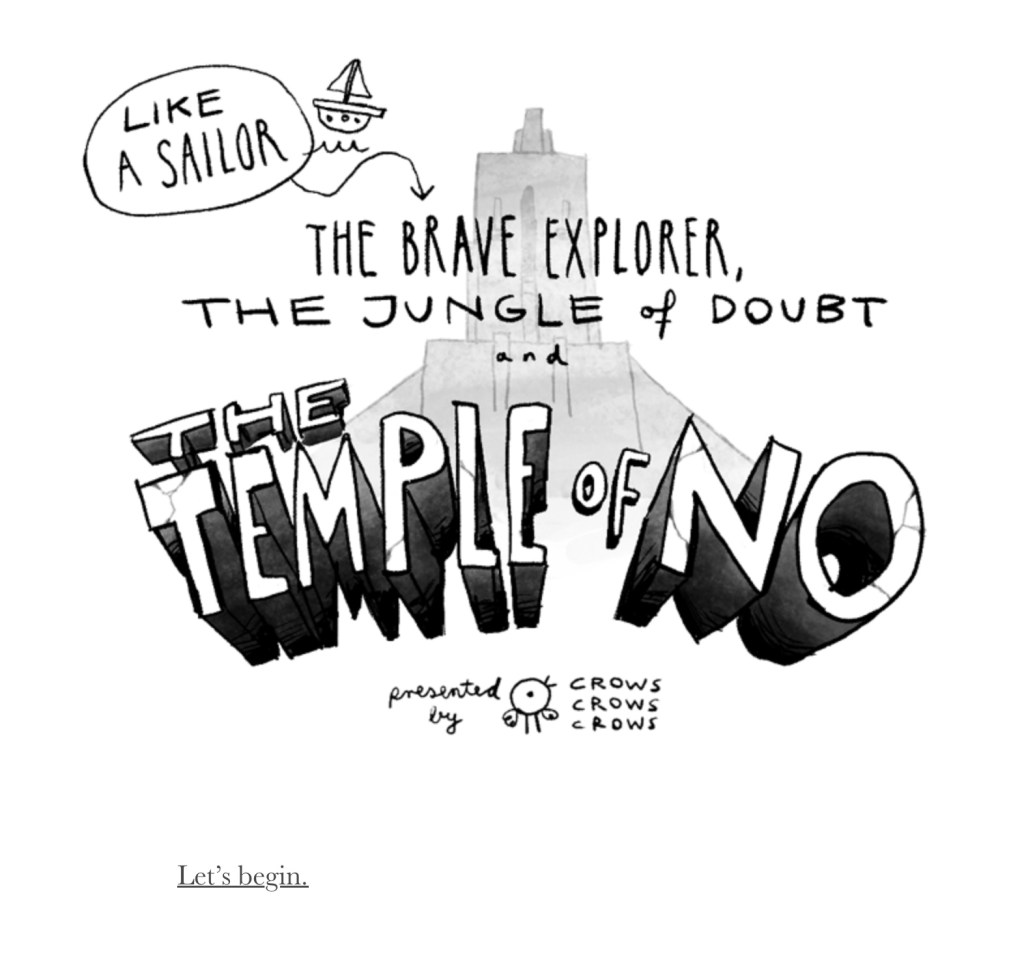
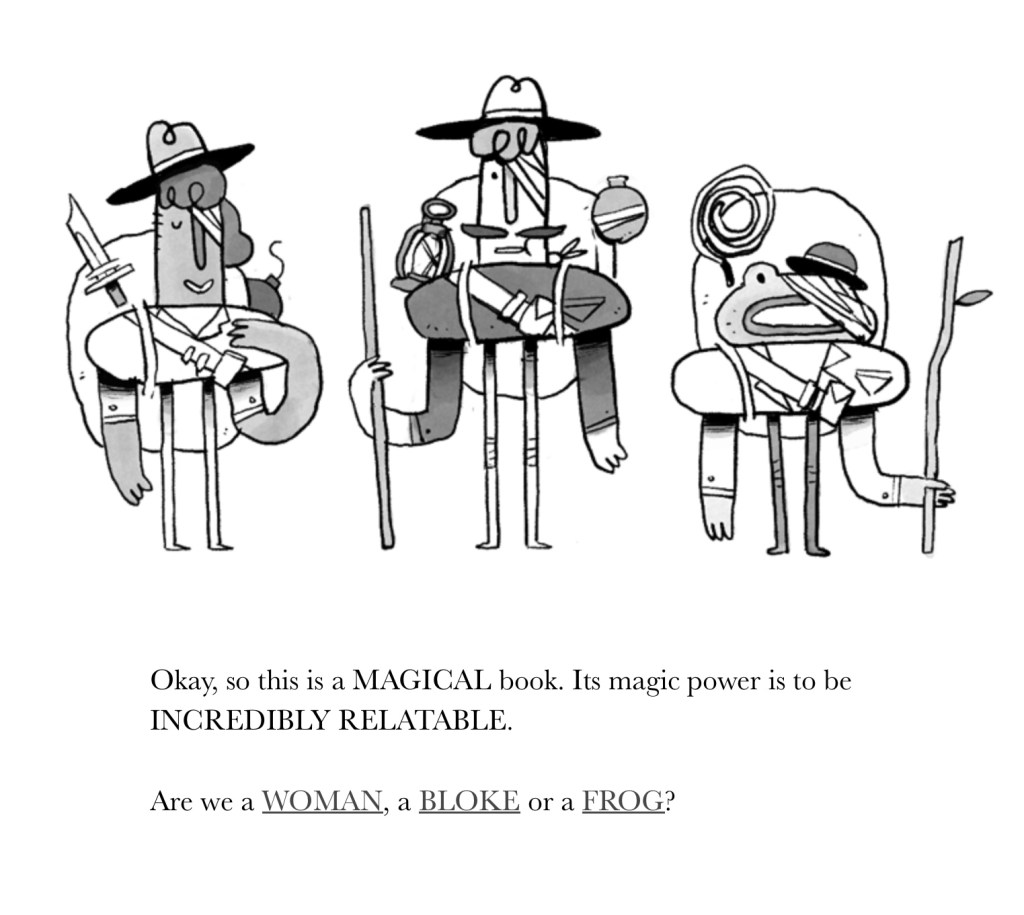
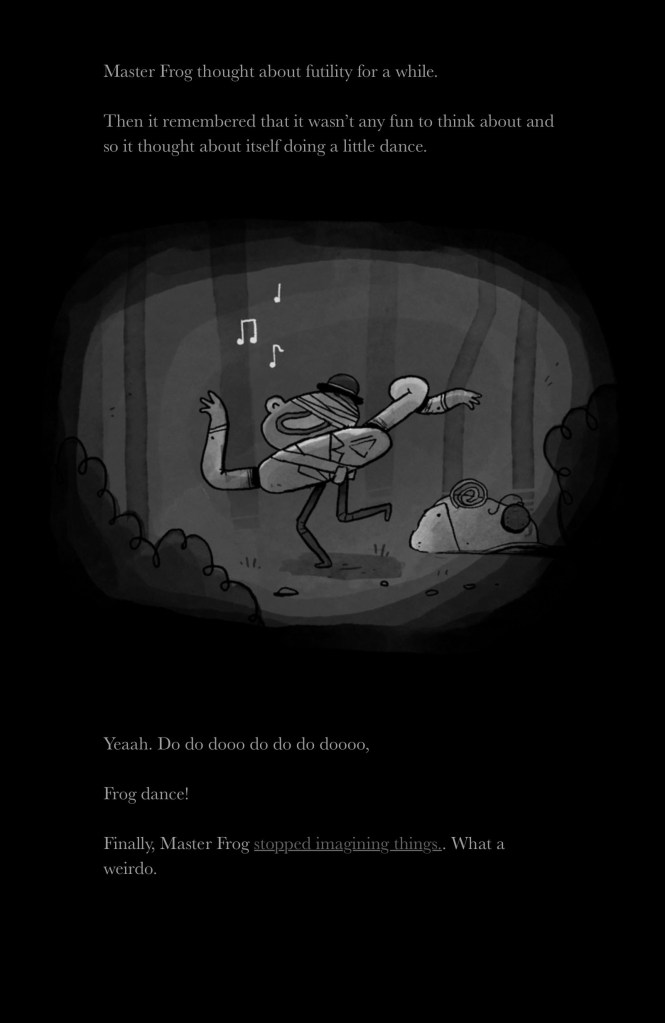
In groups we where given different Expanded Narratives to explore and then review. I was given the interactive story ‘The Temple of No’ by Crows Crows Crows.
We then looked at all the other ones and ‘The Temple of No’ was my favourite one. I really like the silly and light hearted atmosphere of it couple with the fun illustrations. My main criticism is that no matter your decisions it always ended the same way and I would’ve liked to have multiple options of endings.’ It would give the reader more control of the narrative and cause more people to revisit the story to see the other possibilities.
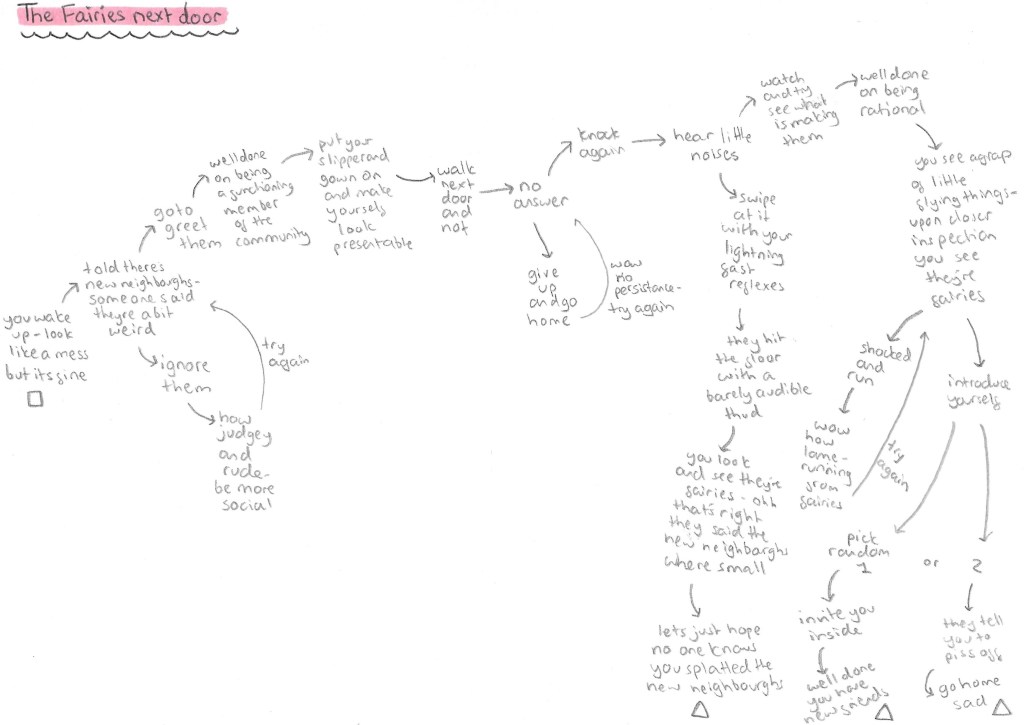
Now it was our turn to design a non-linear narrative structure. We made a map on one in classes in groups but I decided to do another one at home because it was a fun exercise. The map has to highlights the major plot points and show a non-linear structure.
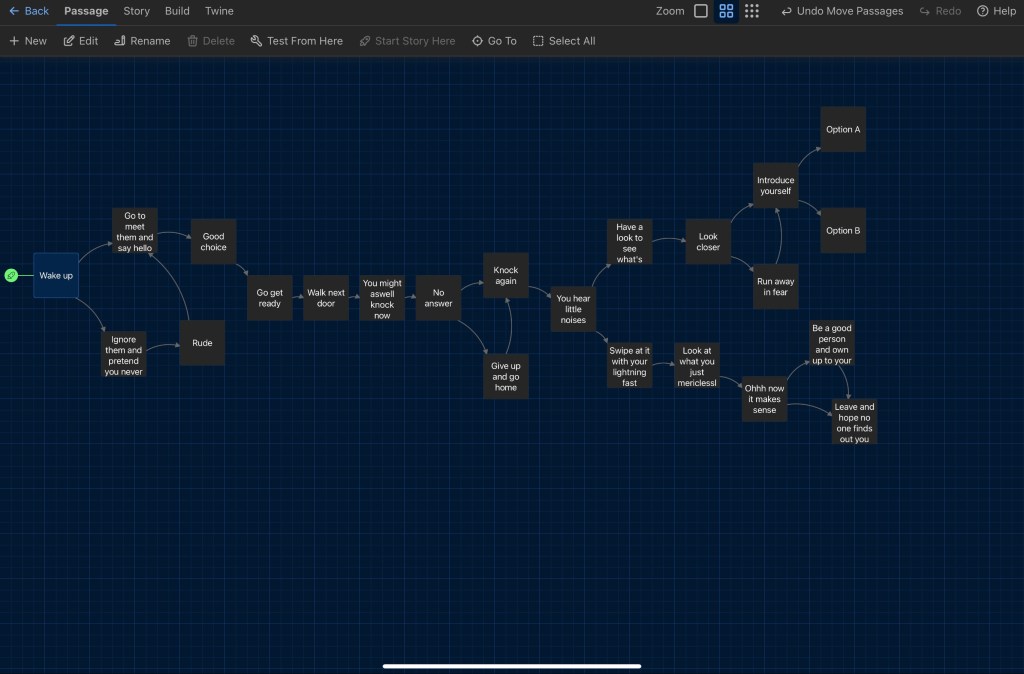
My interactive story focus on one a main character who’s actions the viewer gets to control. The main plot of the short story is that he goes to visit his new neighbours and find out they’re fairies. Below is the complete map of the plot points. The story has a branched structure. Some decisions are irrelevant to the ending of the story, I did the as I enjoyed this element of The Temple of No. However, unlike that story this will have multiple endings so some of the decisions really do affect the outcome of the story. I wanted the story to have a humorous and silly tone.
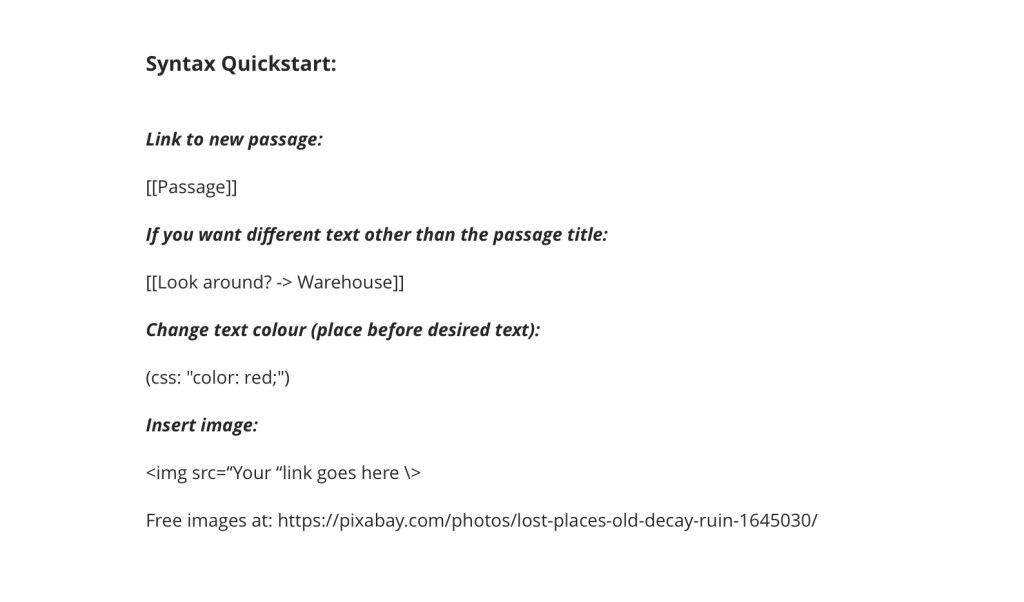
Then we used an interactive story telling software called Twine to create our narratives. I had never used a software like this before but I didn’t find it too complicated. They key thing to remember was the syntax listed below. These act as a coding system to allow you to create different functions.
Then I stared creating the story with the statement parts and the different options. You can see clearly that the narrative has 3 possible endings depending on which choices the reader makes. You can also see the options which don’t really affect the story and just loop back into the main narrative.
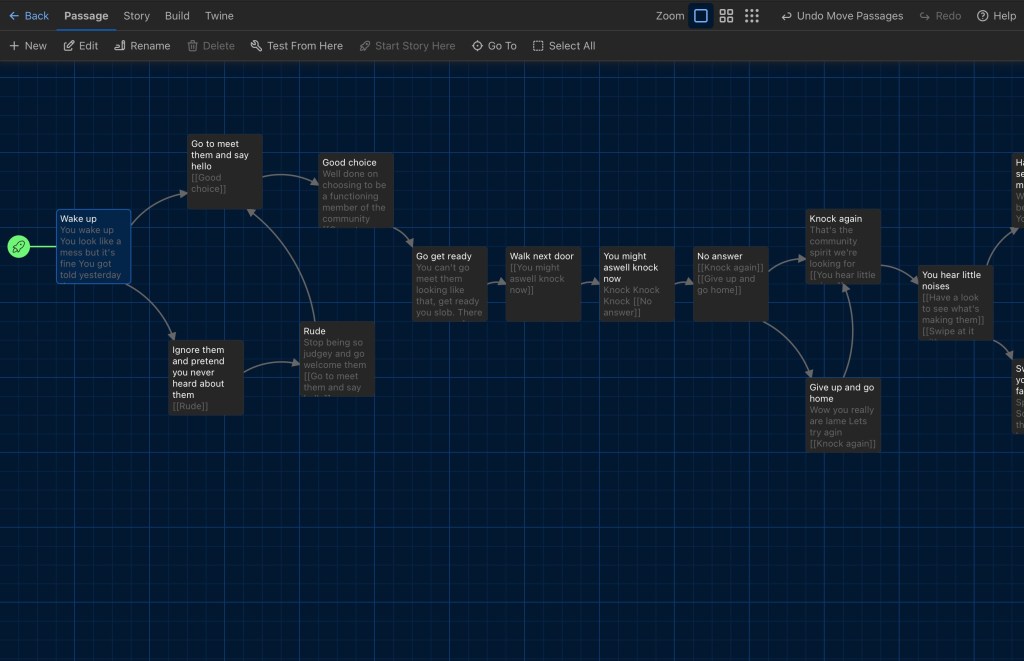
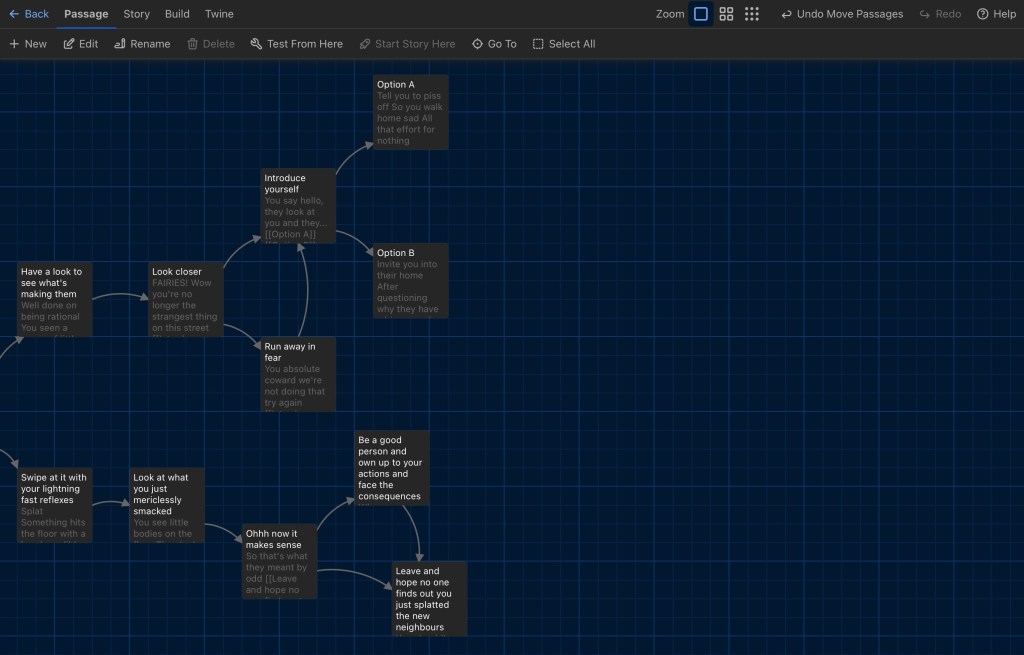
In these images you can see in more detail what I put into each statement and choice.
I enjoyed using this type of software and would like to explore it further in the future. Although my interactive story was short, I’m happy with how it flowed and the narrative structure worked well. To improve it I would include more images and more detail to the story.
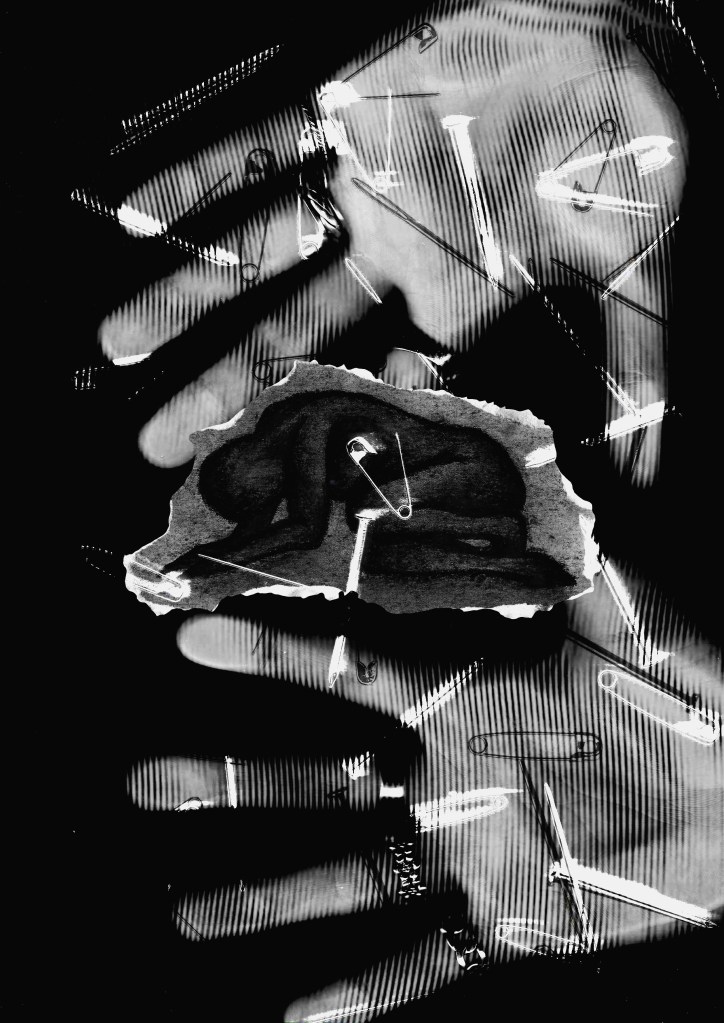
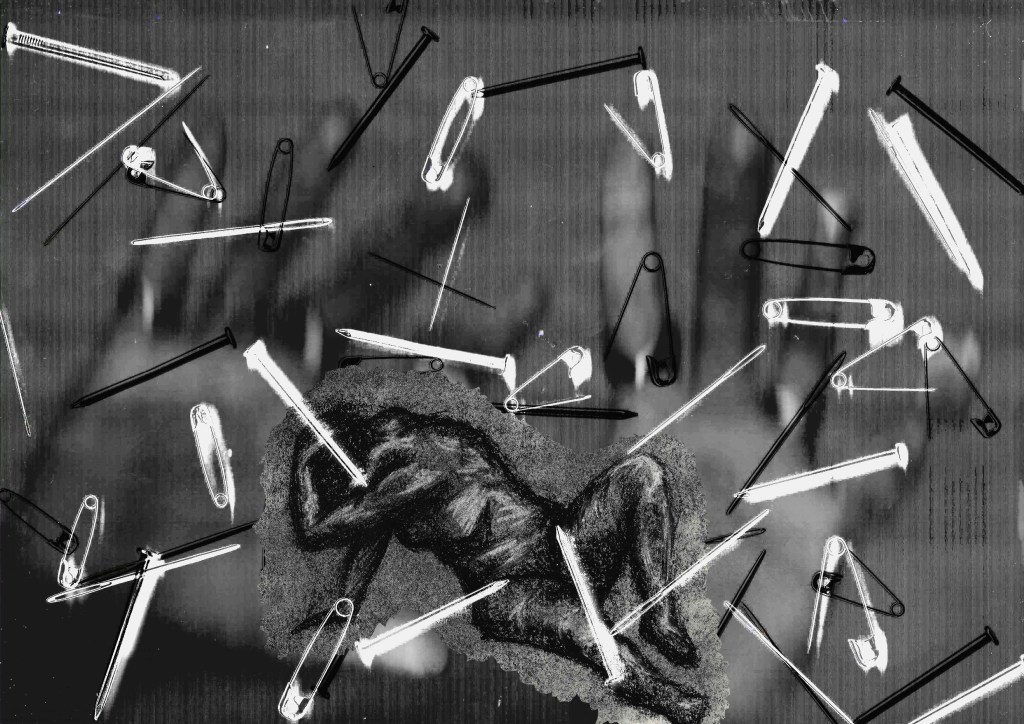
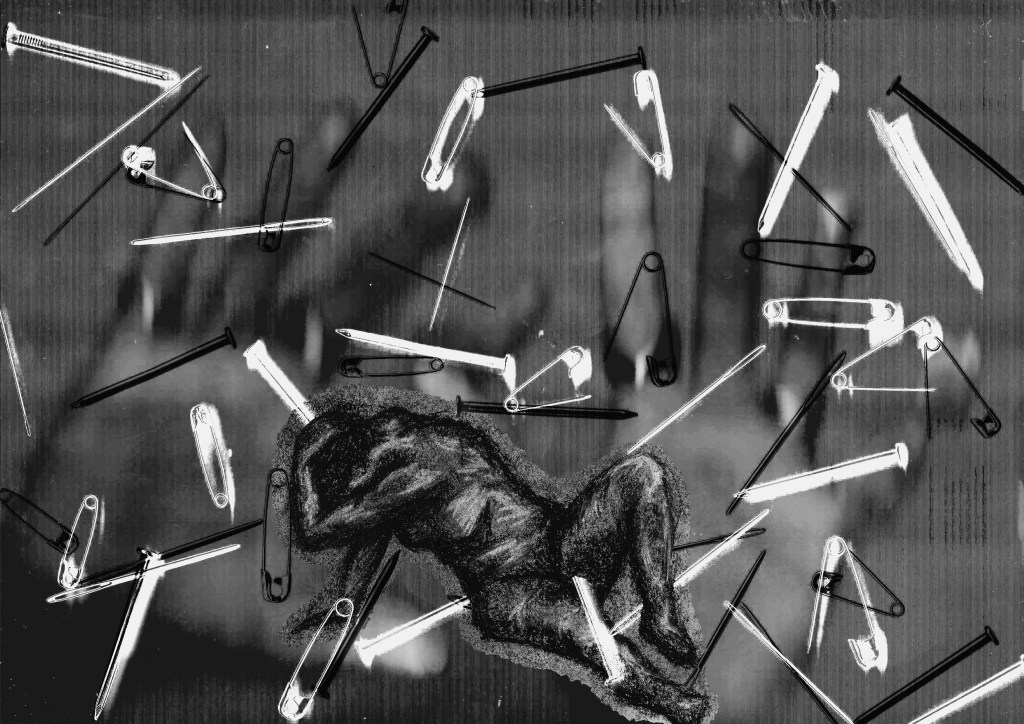
After visiting the Guston exhibition I made an image in response to his work. I had very mixed feelings towards the work he did across his life. I wanted to take some of his key thematic elements into my own piece such as the use of figure drawing and cluttered compositions. However I went in the opposite direction in regard to colour and keep mine black and white. Guston’s work shows a narrative (known as a tableaux), so I wanted to try capture that idea of representing a whole story in 1 image. His work was often centred around serious political or social issue so I tried to tackle the feelings of anxiety and pressure. Guston’s work was predominantly done in oil paint, a very traditional medium but I did mine using more experimental digital techniques.
The idea behind the piece was to depict 1 figure and centre the narrative around them. Around the figure would be seemingly random objects and hands, 2 things Guston used a lot in his work. I wanted to combine traditional and digital mediums.
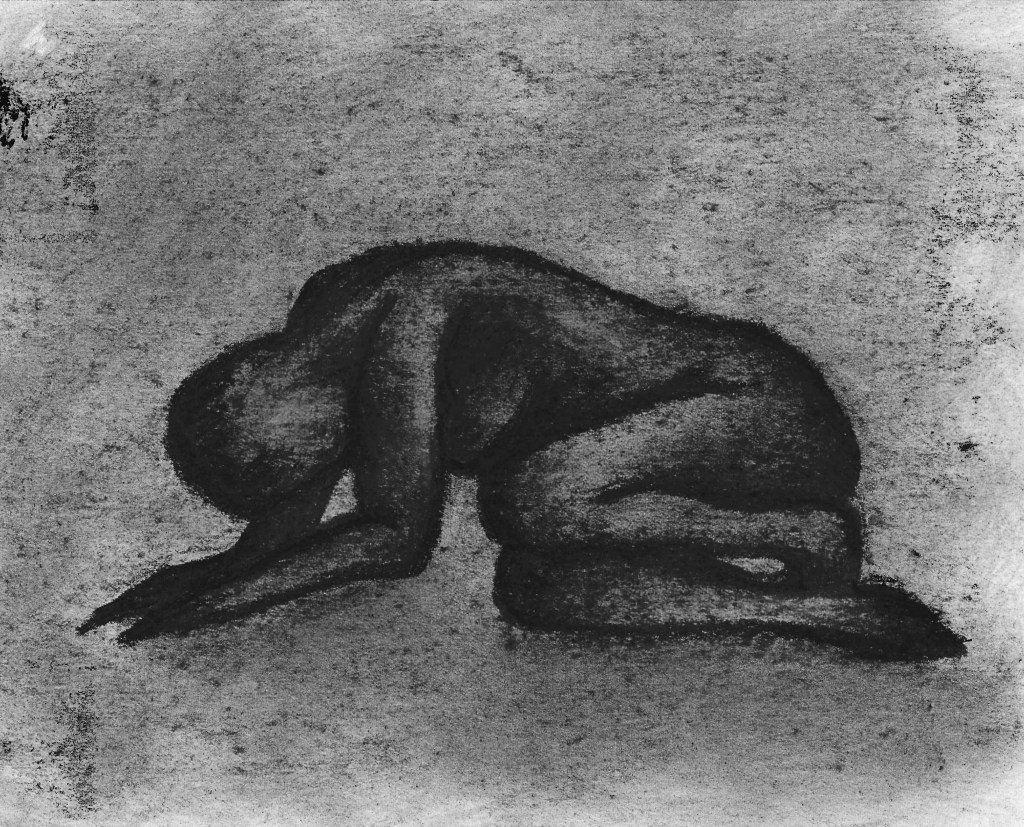
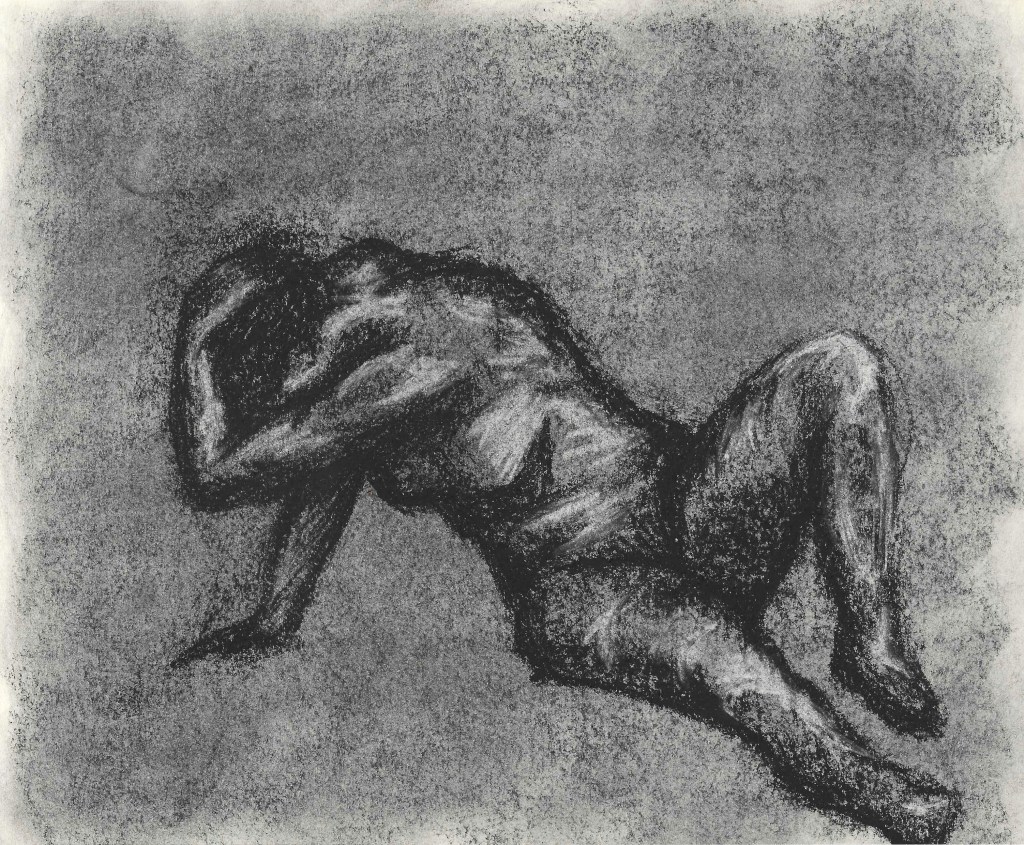
A did a few charcoal figure drawings to get the main character. I chose charcoal as it has a nice gritty texture which translates well to digital media. I wanted the figure to be in a hunched over position to suggest struggle and pain. To try reflect the physical effects to depression and pressure.
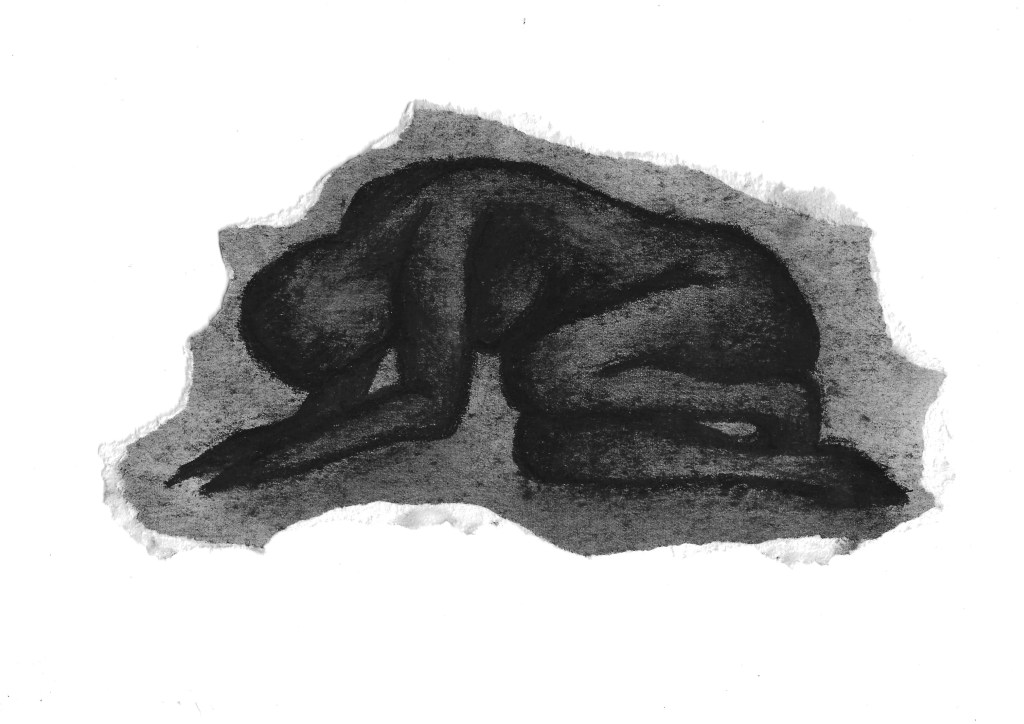
I ripped around the figure and scanned it. I like the look of ripped paper and I think it helps to make the figure look small and compressed, furthering the theme of being trapped by these negative feelings.
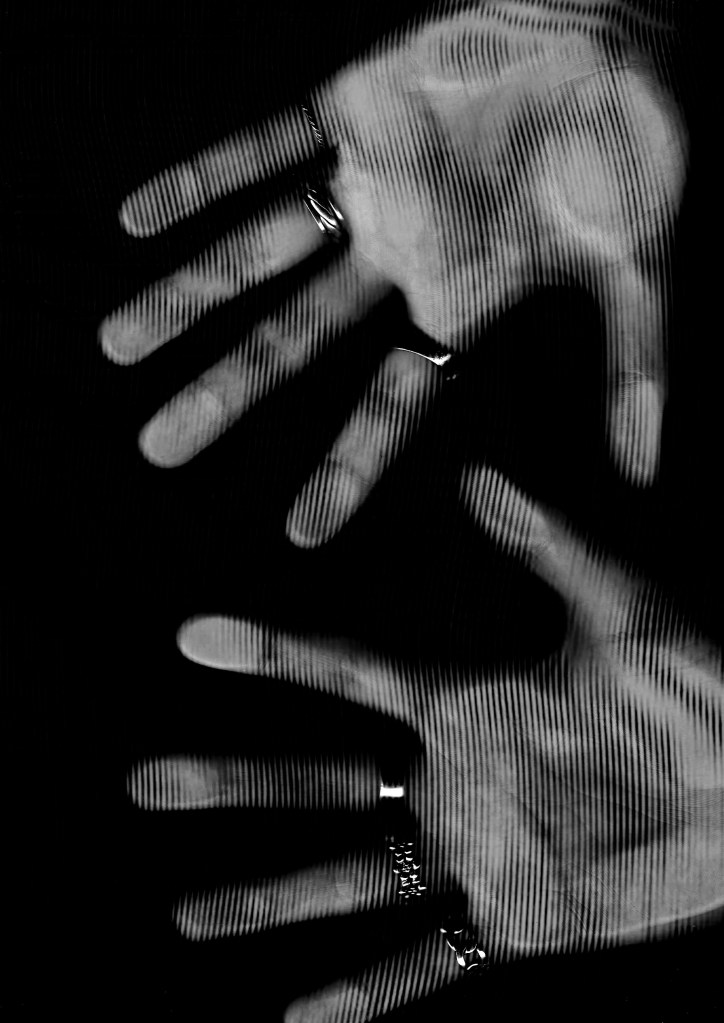
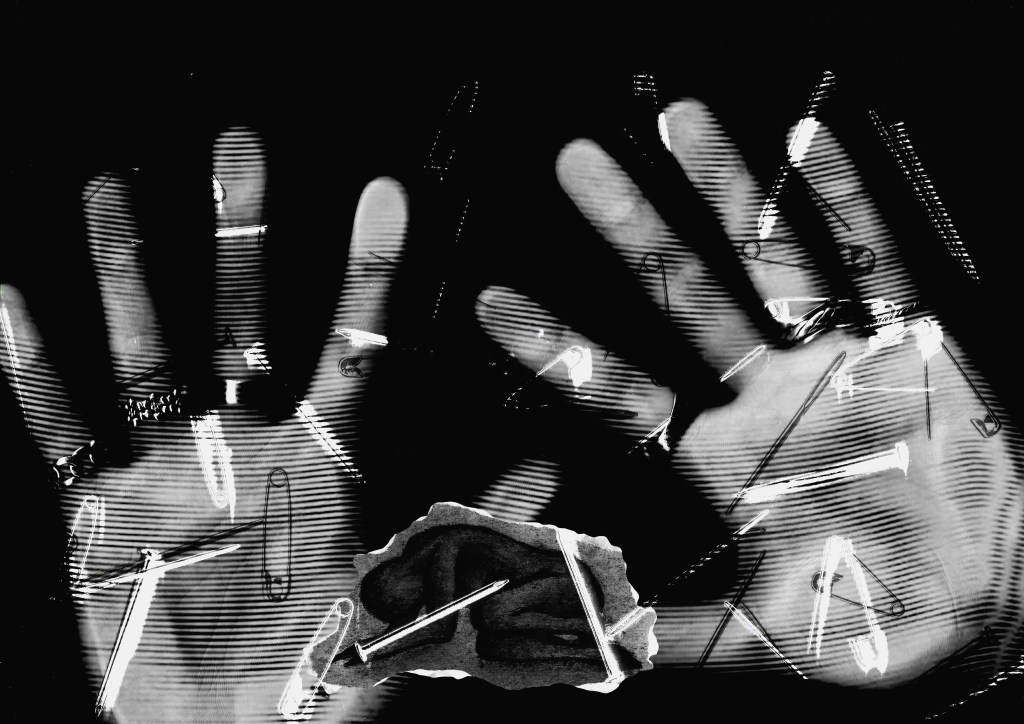
I have been experimenting with scanner and like the effect it gives to get hands I decided to scan mine. I tried it in different ways, some pressed against the scanner and some hovering above. It gives a really interesting texture that I think contrast the hand drawn charcoal figure well.
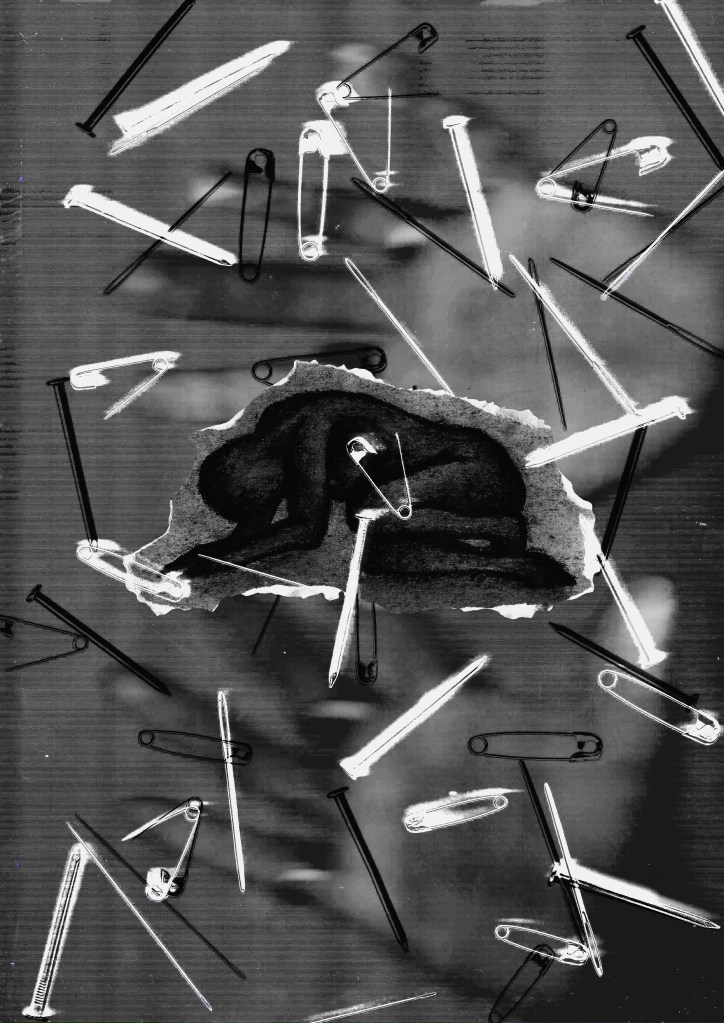
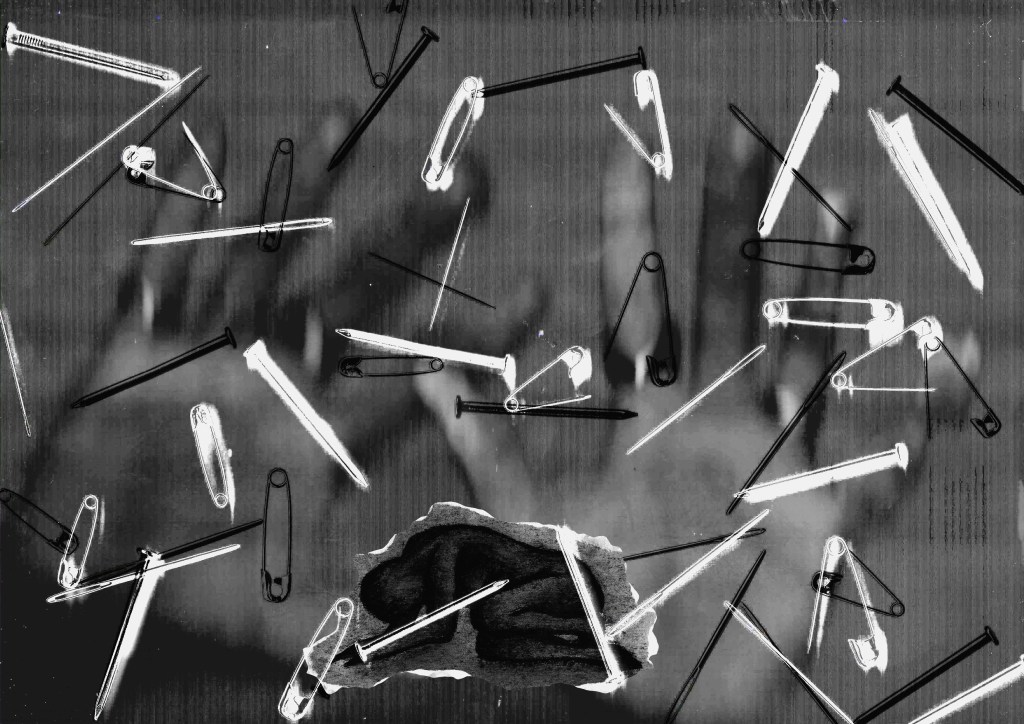
Then for the third part of the composition, I randomly scattered needles, nails and pins onto the scanner and scanned them. This is taking inspiration from Guston’s clustered use of objects. The scanner pick up metallic objects very well. The reason for the choice of these object is that each of them are designed to fix and hold things together but when used wrong they can be dangerous and destructive. I think this goes well with the themes I was trying to represent.
Then I started to digitally combine them. I used Photoshop and spent lots of time editing the layers in different ways, ordering them and adjusting the overlays.
I found that I liked dramatically adjusting the contrast and brightness on the objects to give it a printed stamp look. Also I liked having 2 layers of objects and having one light and 1 dark and 1 infront and 1 behind the person. I wanted both the hands and objects to be overly large in comparisons to the person, this is something Guston did in multiple pieces.
I preferred the one where the hands where hovering over the scanner as opposed to being pressed on the scanner as they’re more subtle and less distracting from the figure. Also I think it works more for the narrative that they’re almost just constantly looking over the figure in the background.
I tried different formats and liked it better landscape as I feel it made the hands look more like them where coming to get the figure. Furthermore I think the figure looks better placed at the bottom of the page, not in the middle because it makes it look smaller and more scared.
I chose to use this figure and not the other one because it looks more like she’s shielding herself from the hands and objects which fits the narrative more. Also it has white bits which help bring out the white in some of the objects and I think just overall ties better in the composition.
This is the final image. I made some adjustments to the edges of the figure and made some of the objects look like they’re piercing the figure. Overall I’m happy with the outcome. I think the texture and layering of digital and traditional media was successful. Also I think it has the narrative of a person struggling from negative emotions and external pressures represented by the objects and hands. I like the subtlety of the hands compared to the boldness of the objects. I was able to incorporate elements of Guston’s ideas. I chose to use more of his compositional style rather than his visual style.





























 Samuel Green Illustration