Prior to this project I only had a very basic knowledge of Premier Pro from watching demos and tutorials I hadn’t actually made anything on it myself. This was the first software that me and João used as it’s a video creation tool. One part that I was unsure about before was how to correctly set up folders on Premiere. If the media isn’t saved correctly Premiere won’t be able to load it when you next open it. This will delay the process and mean that they you need to go through and manually ‘link media’ 1 by 1. To save everything we created a folder on the desktop and then at the end of the session saved onto my OneDrive and his hard drive.
What we did on Premier was import all of the chess stop motion sequences and the GIFs of the 2D paper cut out. With this we put them all in the right order, adjusted the speed and duration of each sequence, adding the transitions we wanted. We were able to make some of the shots more cinematic and intense by using zooms and framing techniques. We also did some colour correction to some of the shots to make them look more vibrant and intense. This is a photo of our work on Premiere:
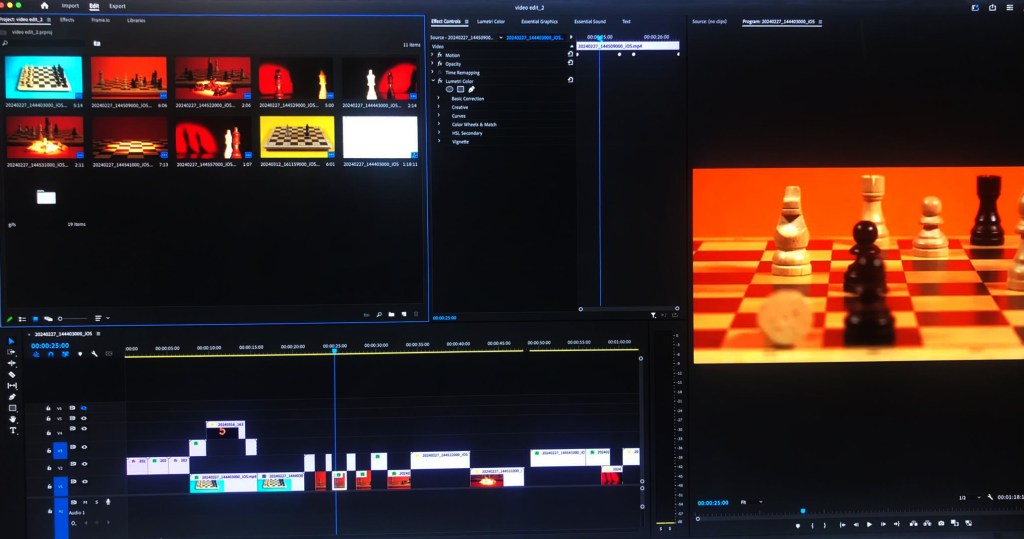
This is what we had made by the end of our session on Premiere Pro:
After reviewing the video we made on Premier there are some bits I was unhappy with and want to change before we start editing on After Effects. For example I want the scrunching of the paper to be faster as I think it’s currently takes up too much time and distracts from the flow of the video.
 Samuel Green Illustration