Maya is a 3D computer graphics application used for creating 3D animations. I’ve never used this software or anything similar so it’s out of my creative comfort zone. This style of art isn’t something that really interests me but it’s always worth trying out new styles and softwares.
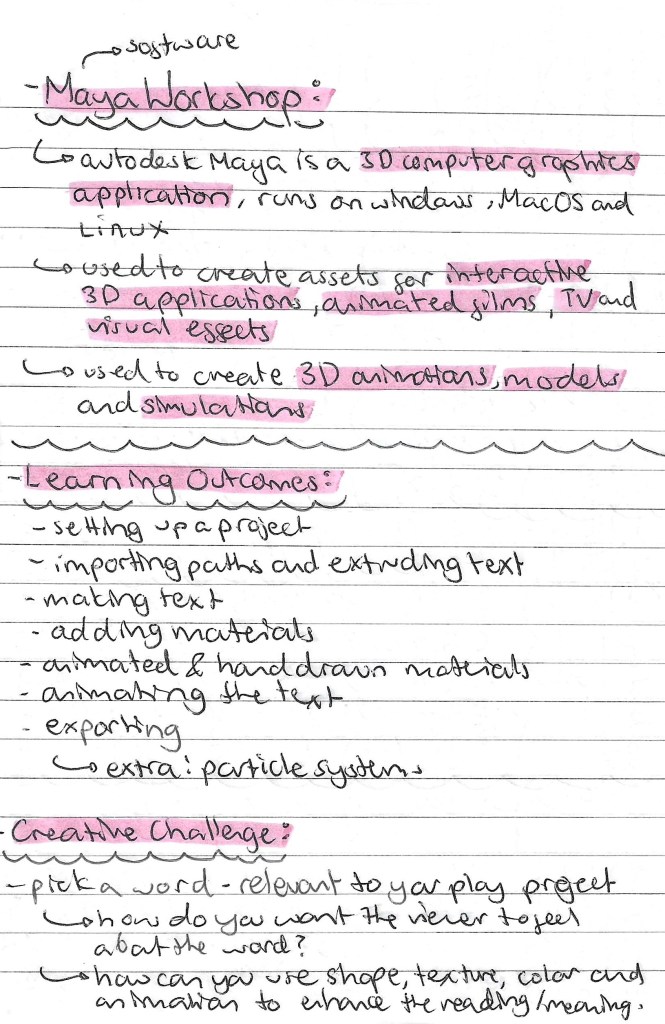
Notes for workshop:
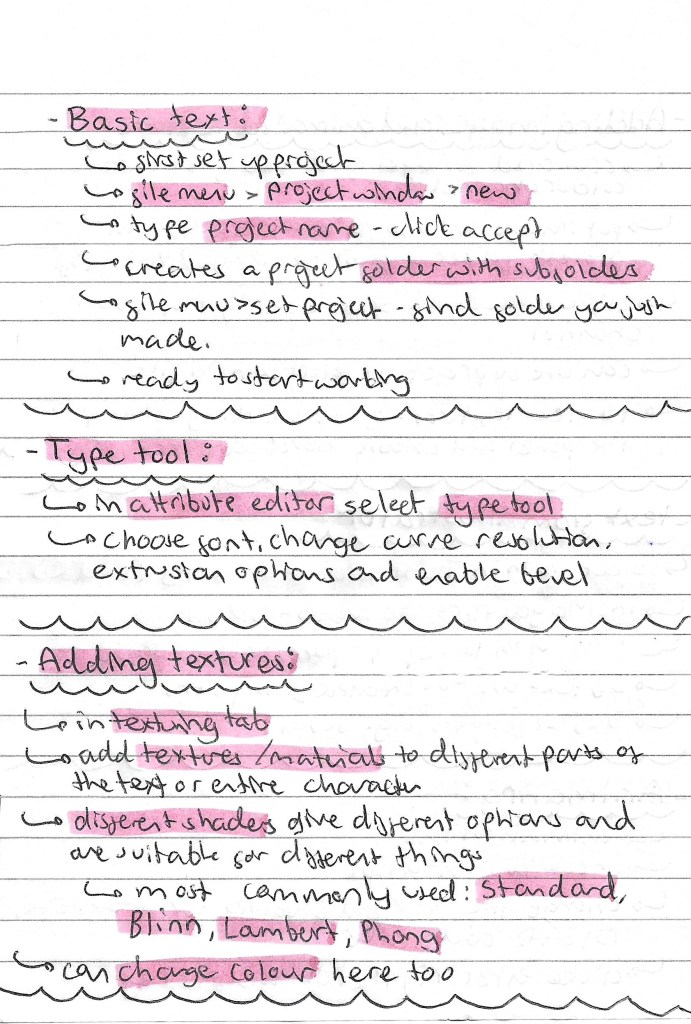

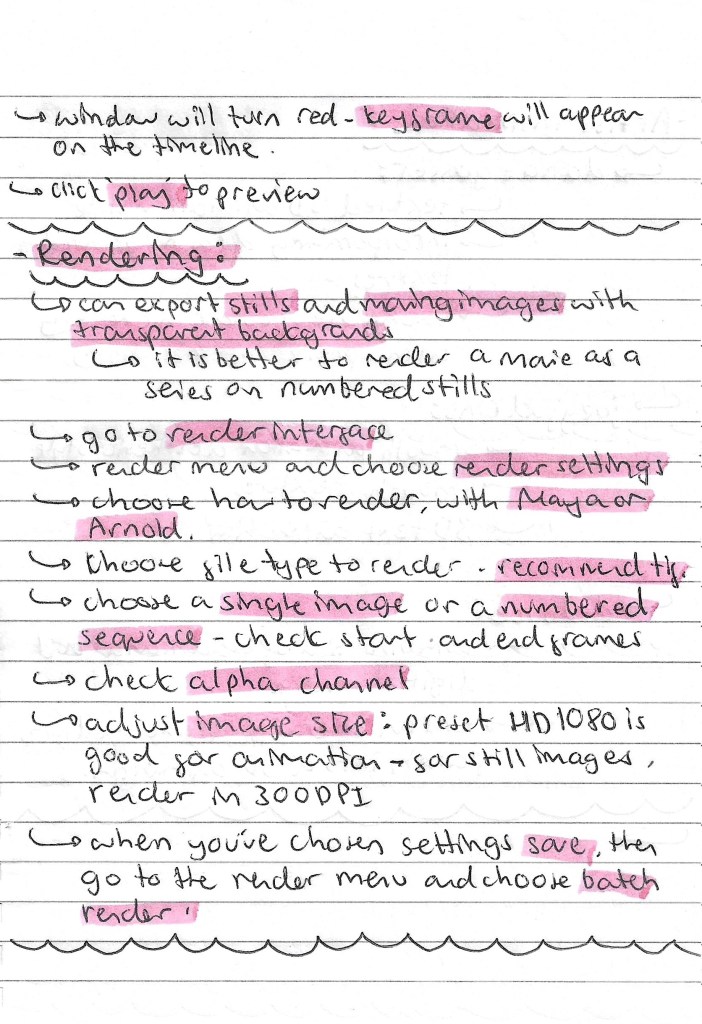
Screenshots from workshop with annotations:
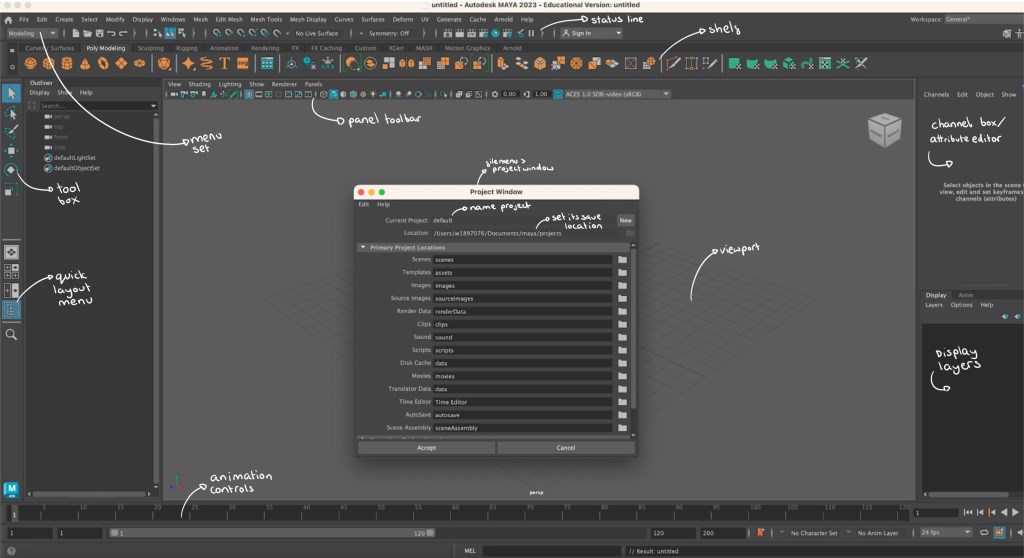
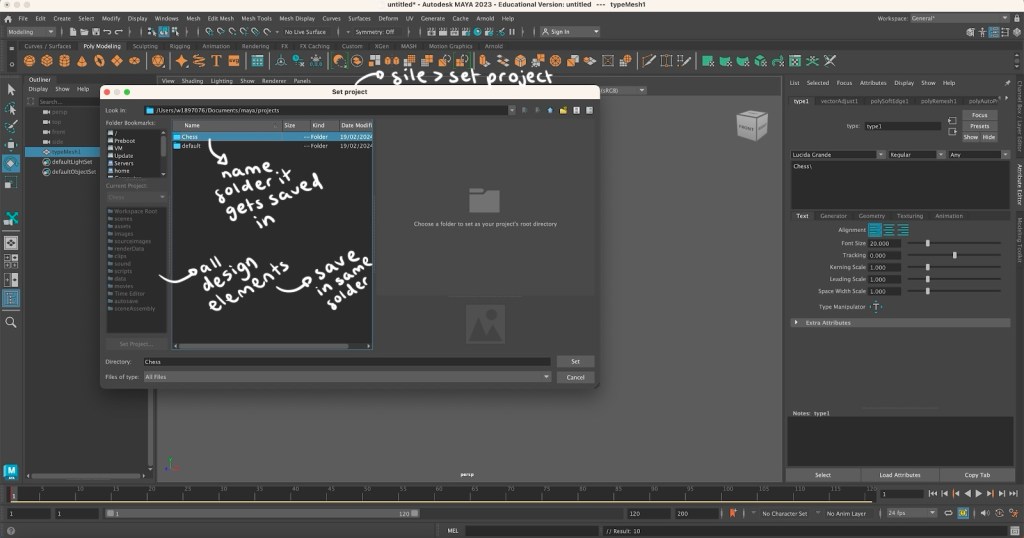
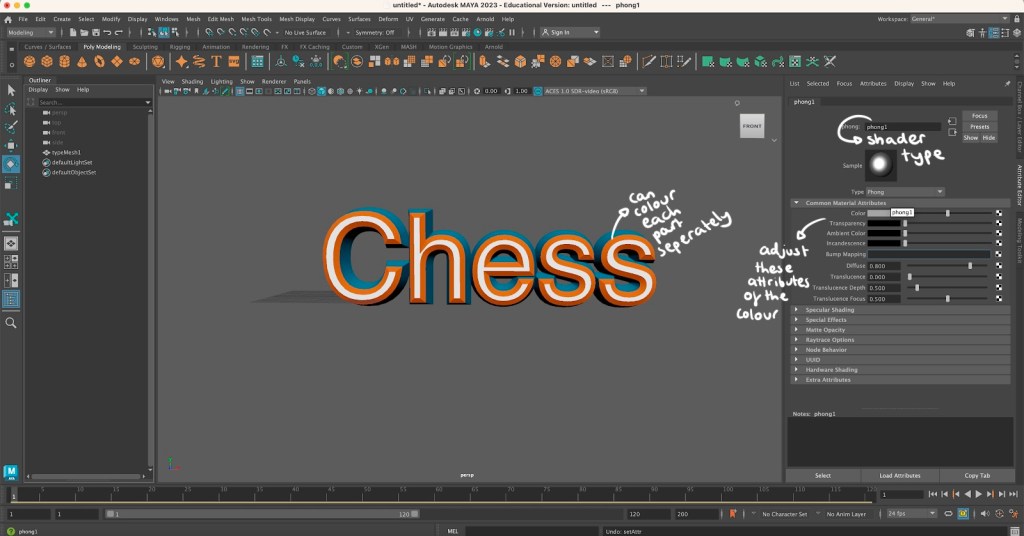
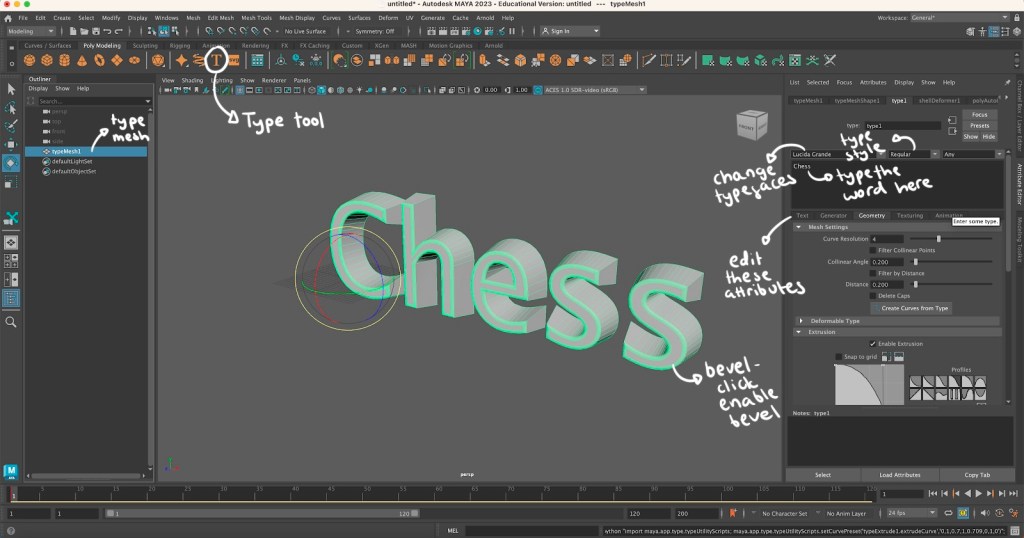
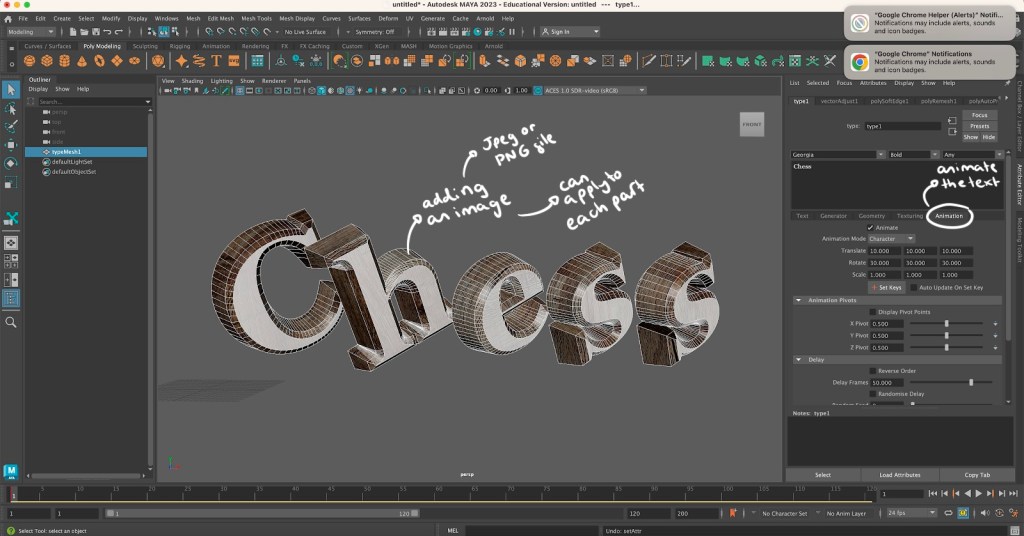
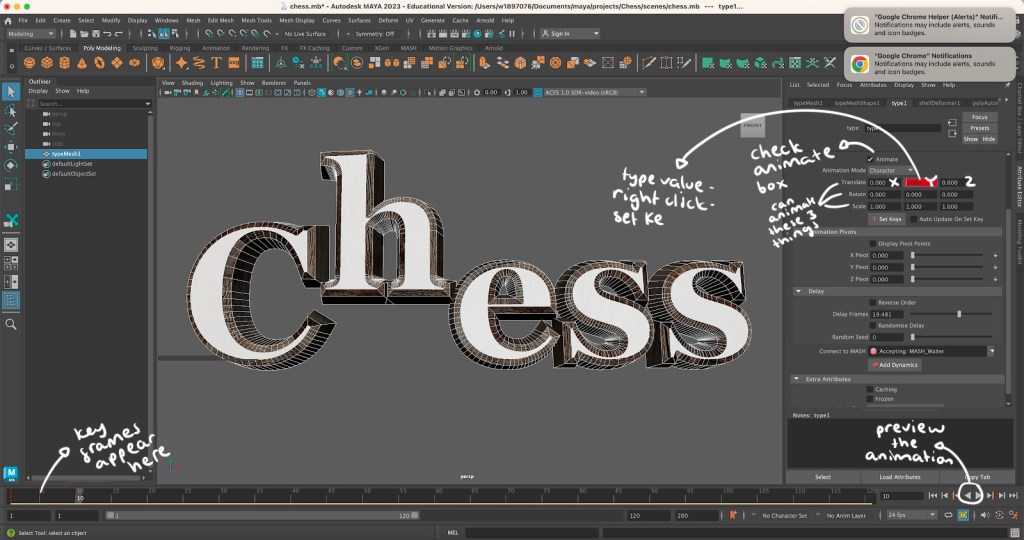
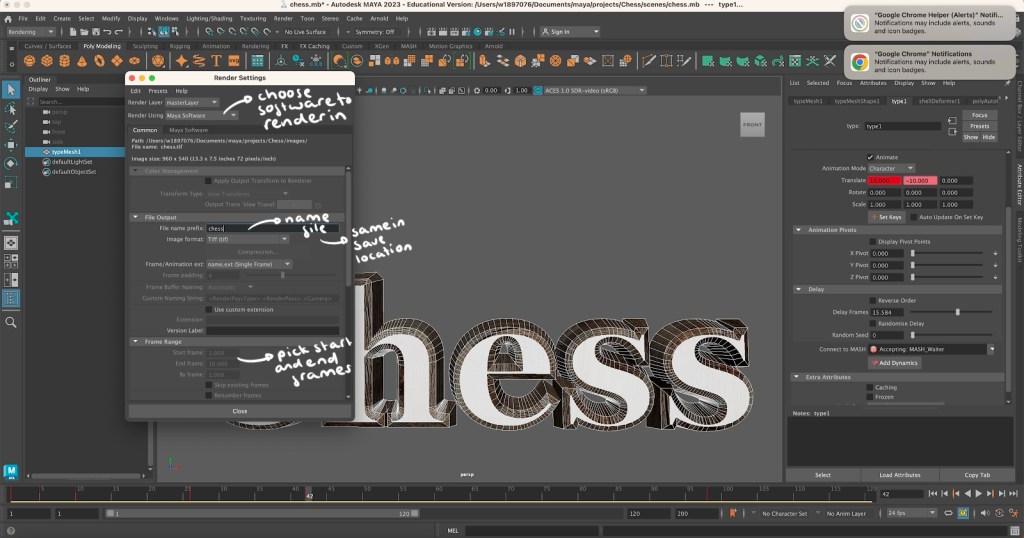
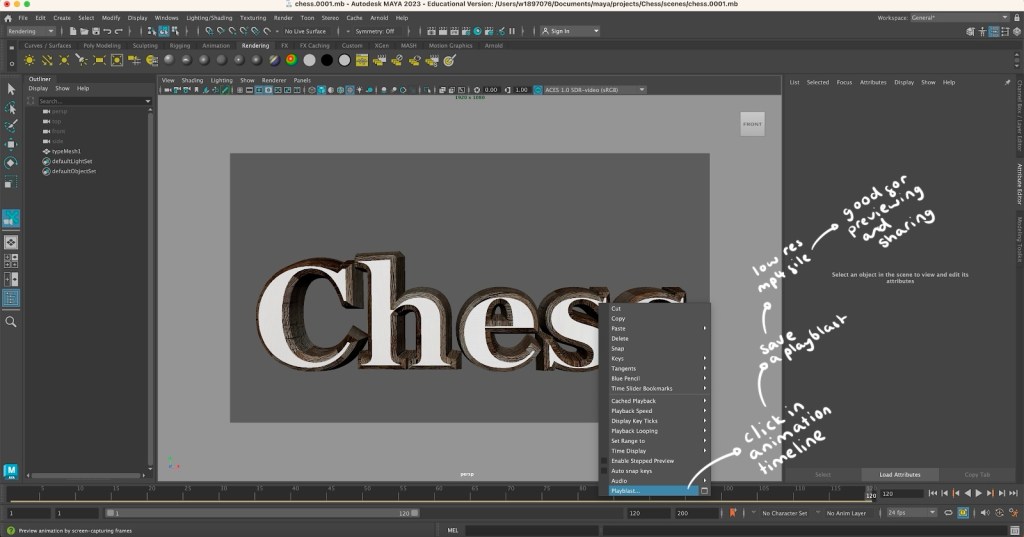
Maya animation: using Maya I was able to create and animate the word ‘Chess’, this is the topic I will be exploring in my project. I learnt how to add text and adjust its characteristic such as size and font. Then I changed the colour, added a shader and a bevel to make the word look more interesting. My favourite part was learning how to download and add textures to certain parts of the word. I chose a wooden texture which I put on all parts of the letter except the front. This gave the letters a clean white and dark brown wooden colour combination which are the colours of my chess board. The hard part was animating the word. I did find this difficult but I am happy with what I was able to create. The letters jump up one at a time with a delay in between then smoothly fall down. Below is the exported video of my animation:
Artist Inspirations:
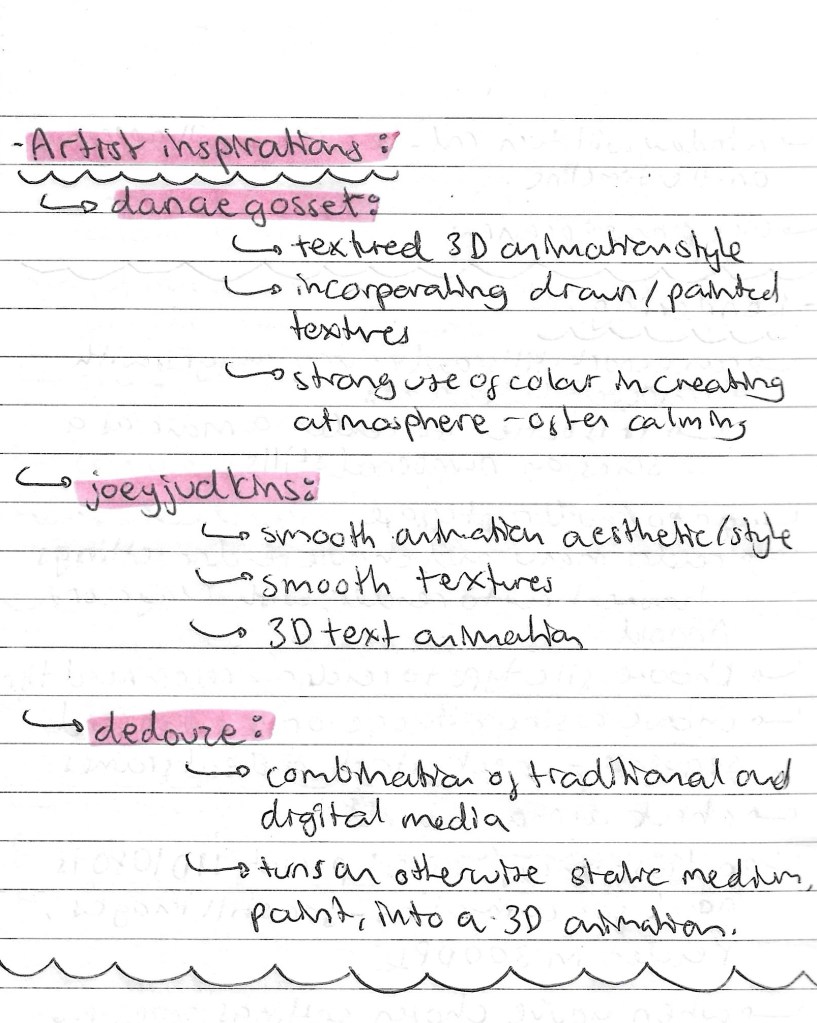
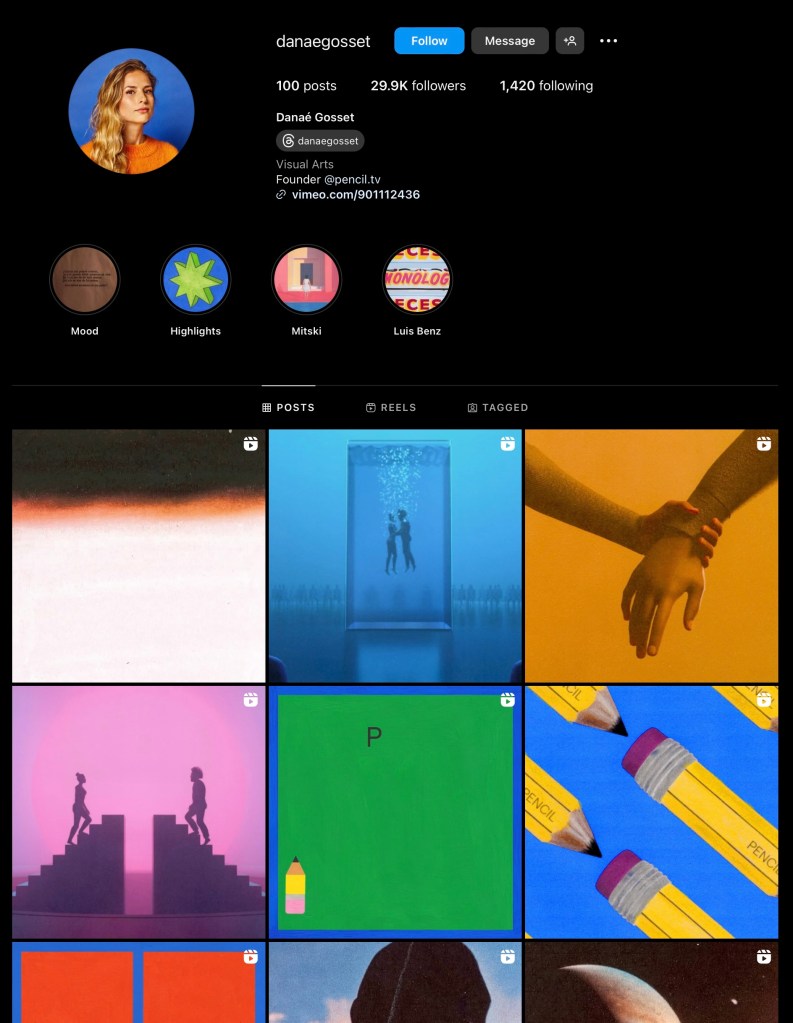
Danae Gosset:
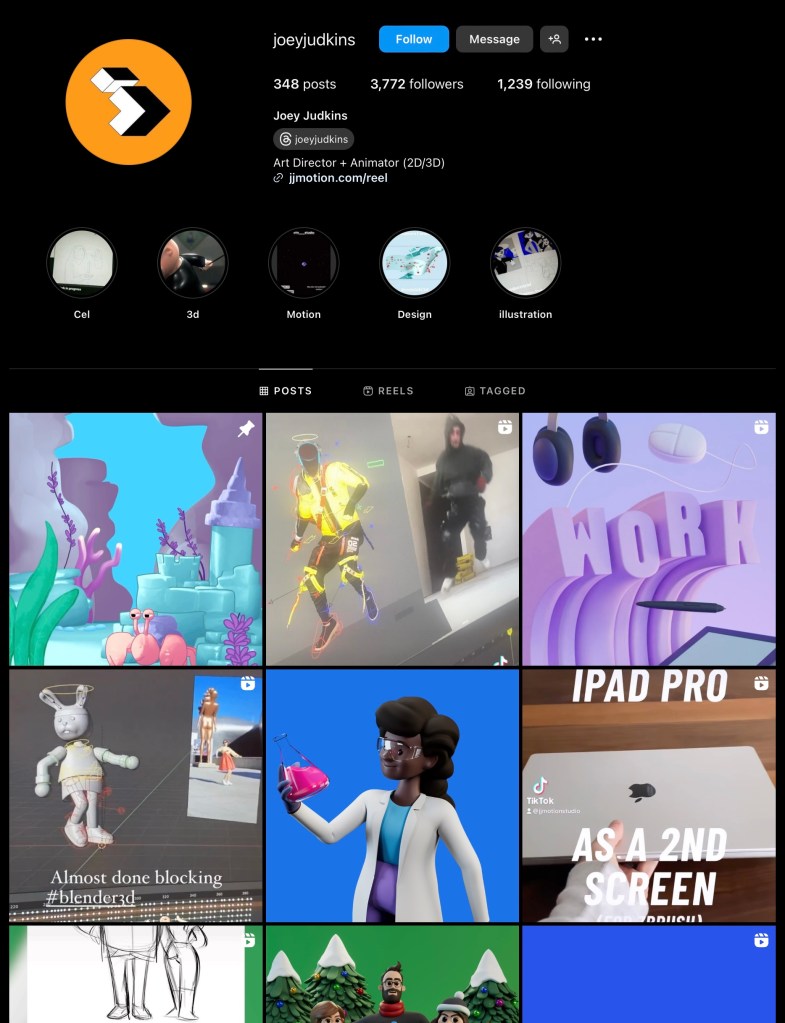
Joey Judkins:
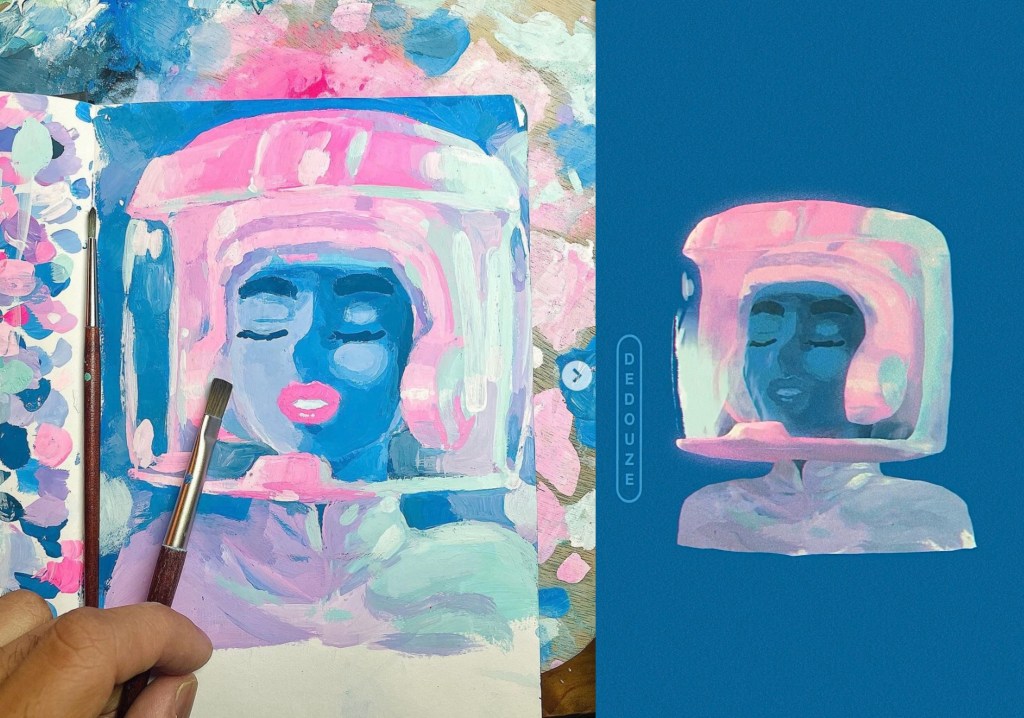
Dedouze:
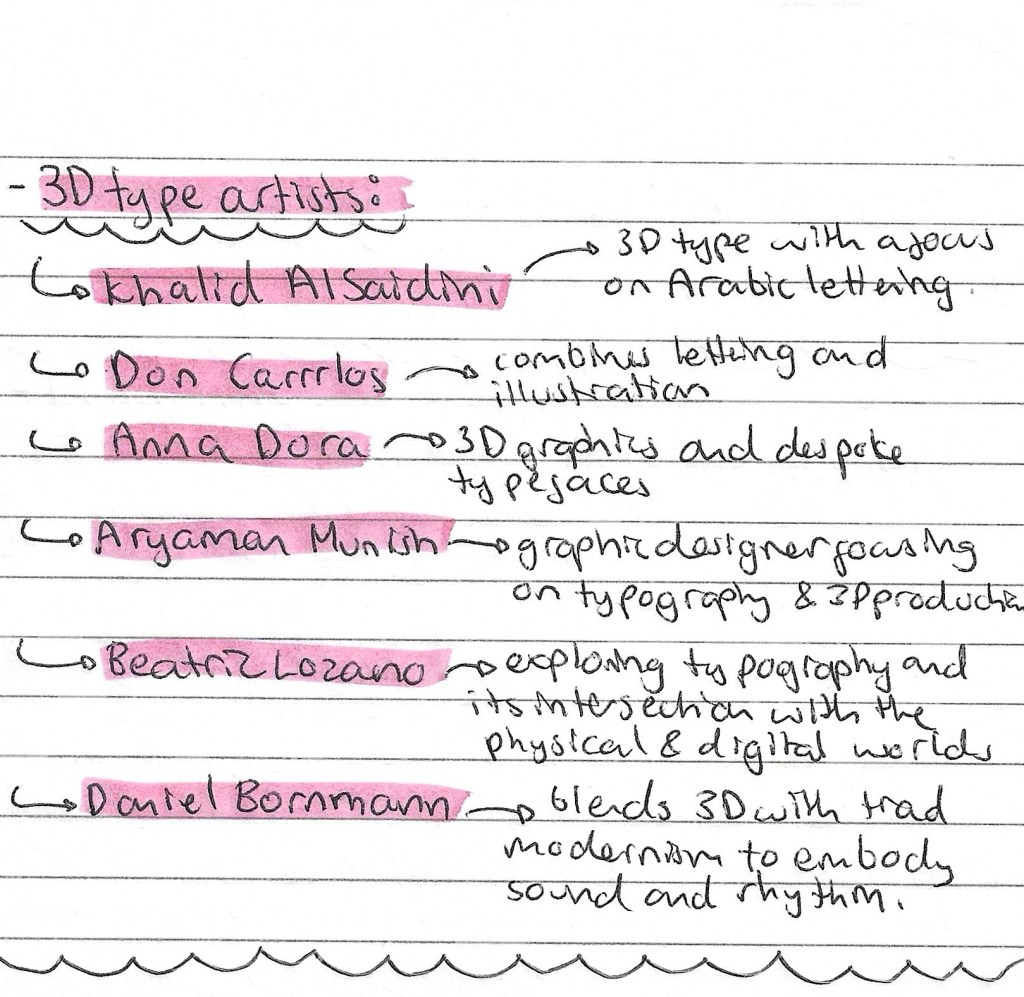
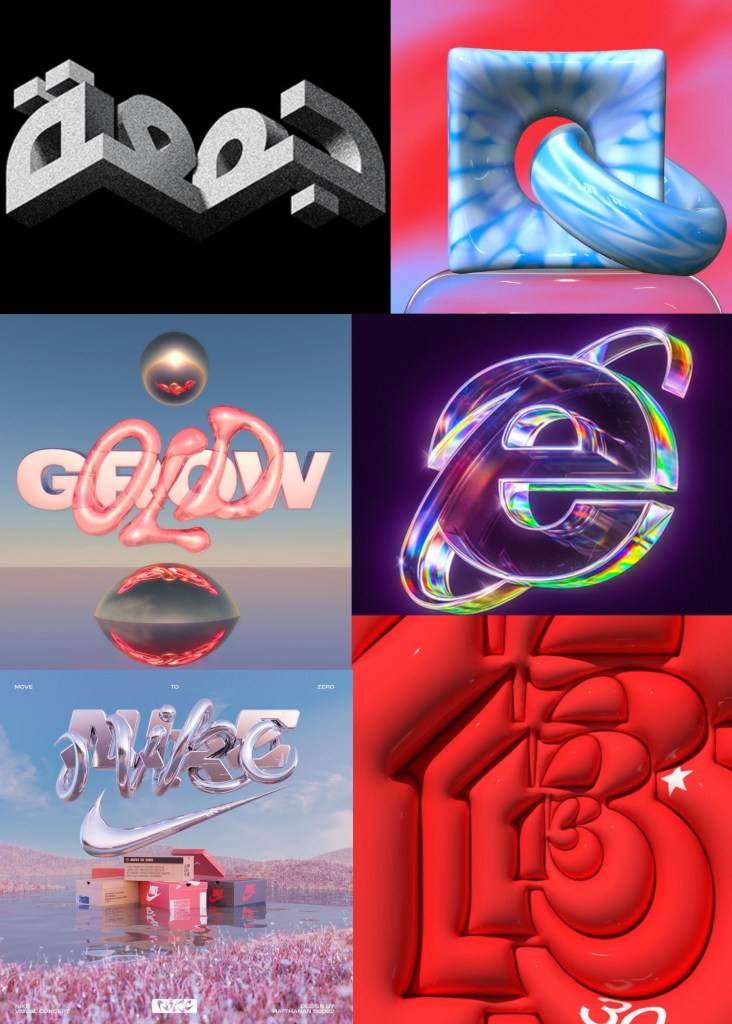
3D type artists:
Reflection: Overall, this was my least favourite of the workshops. I found Maya challenging and not a particularly enjoyable software to use. I did find researching artists who work within this field interesting and found some whose work appeals to me but generally this is not an area of visual art that I really like. For this reason I don’t plan to incorporate 3D lettering animation into my project. I prefer more hand made and traditional styles on animation such as stop motion and frame by frame drawing.
 Samuel Green Illustration