Prior to this session I had never used After Effects but it is something I had been wanting to learn for a while. I would like to incorporate this software into the production of my project in some way to help me learn how to use this animation software.

Notes on file management, key framing and rendering:
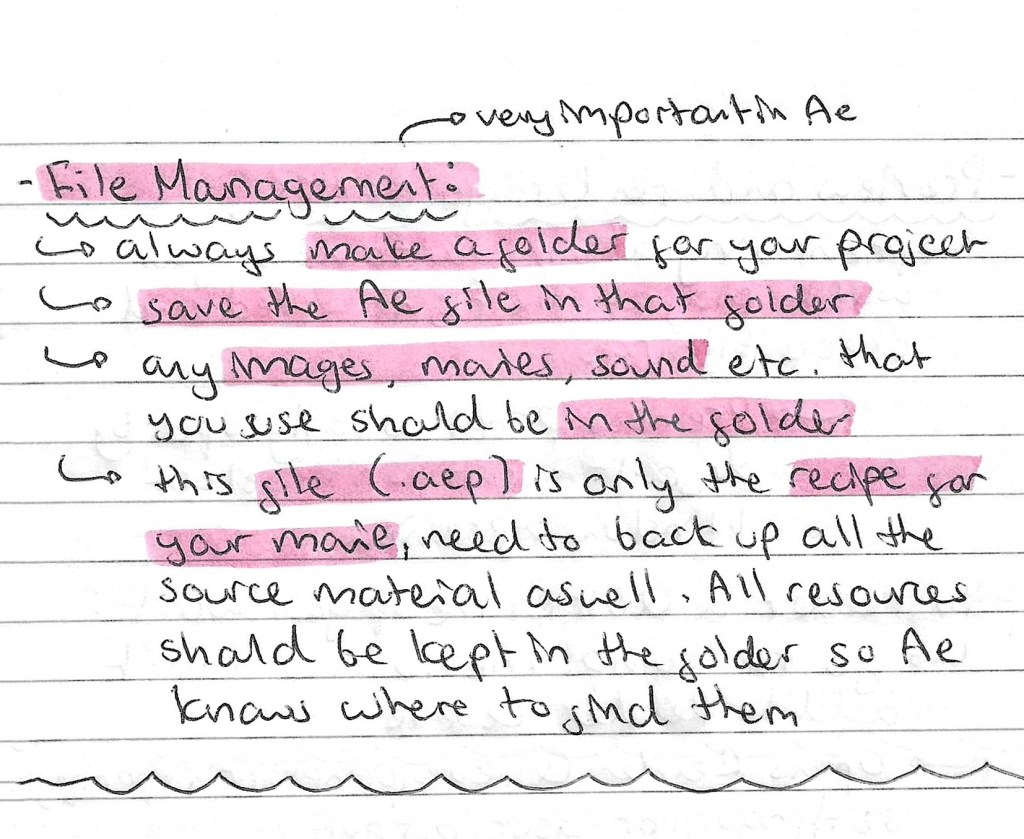

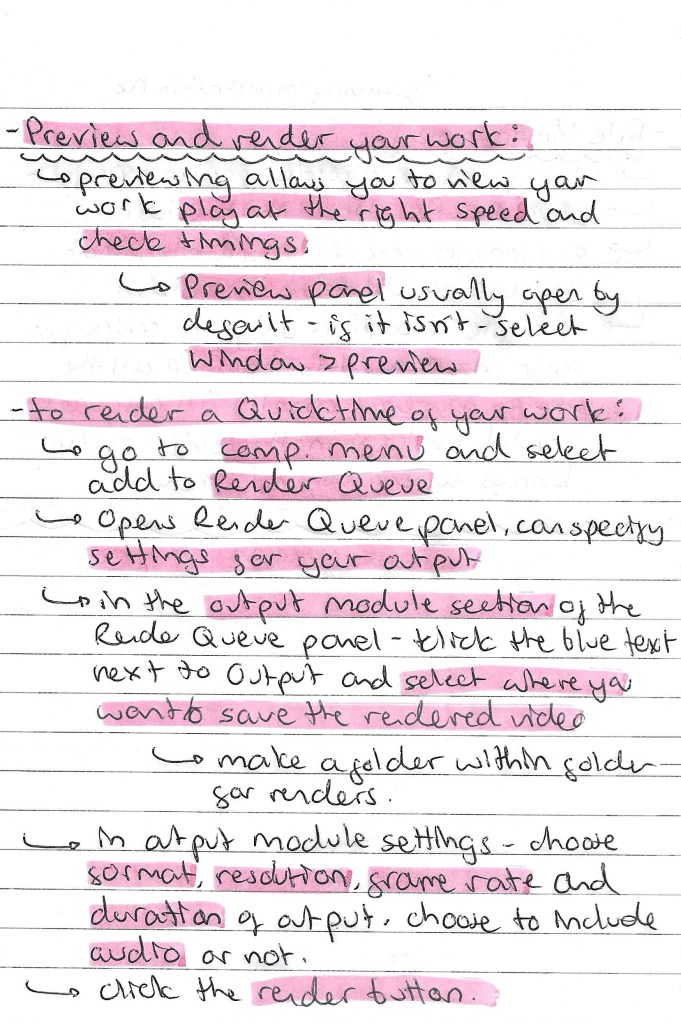
Screenshots from the session with annotations:
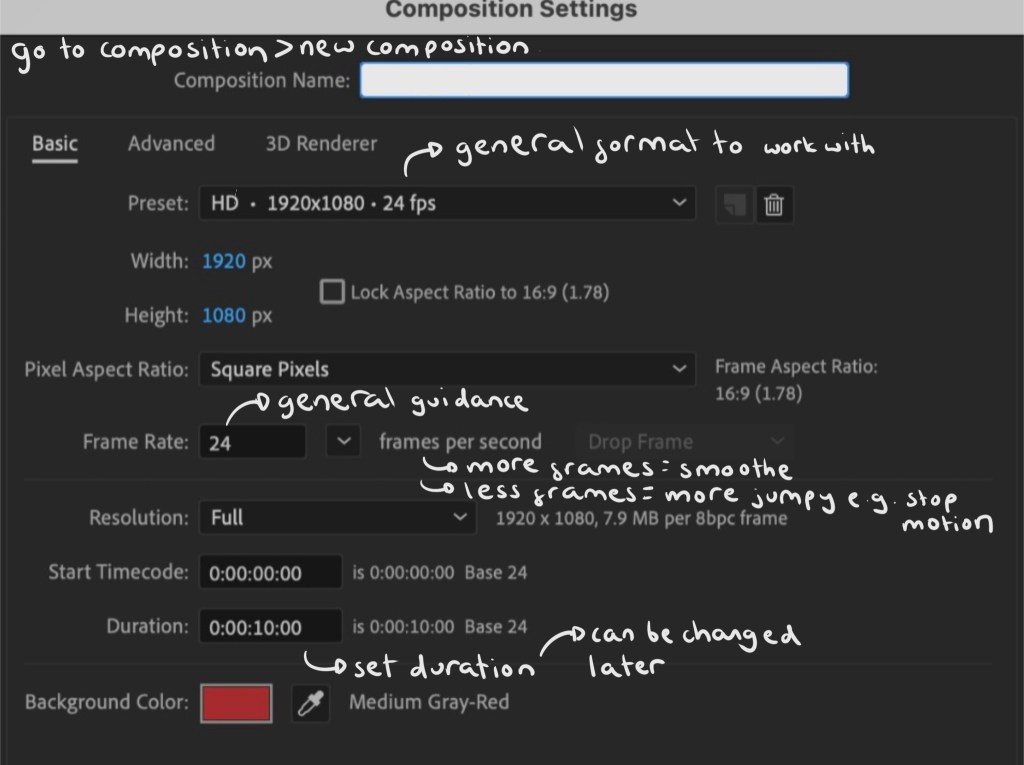
Interface:
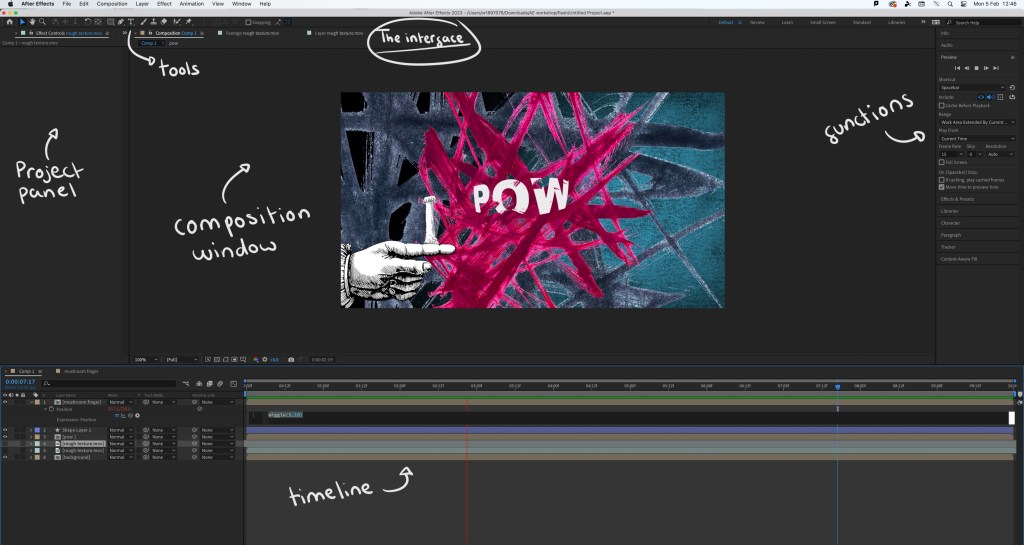
Step by step guide:
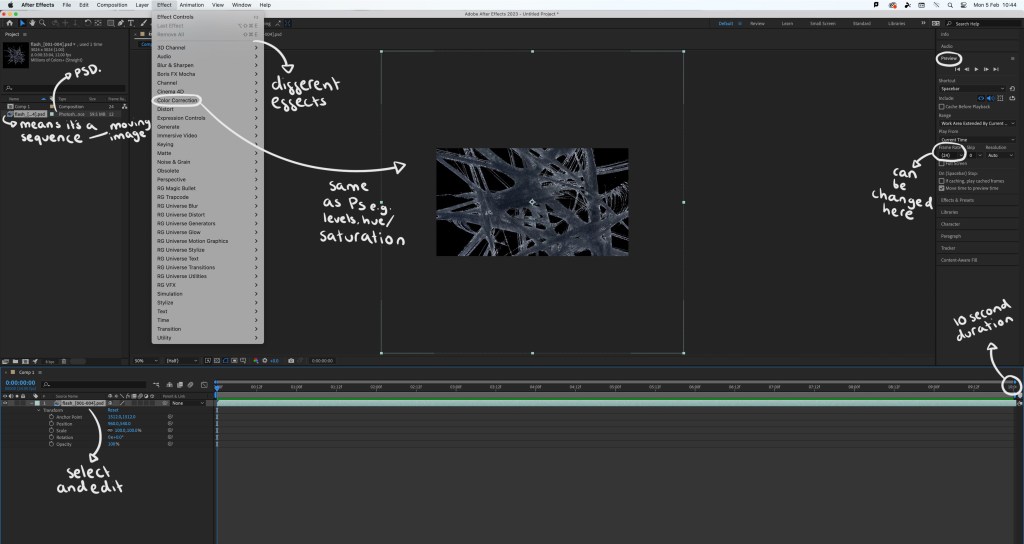
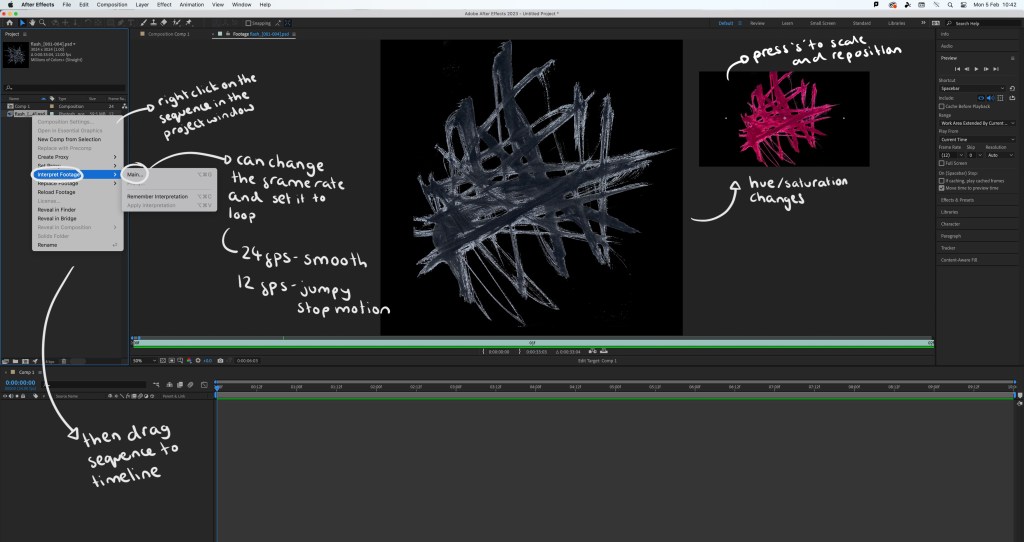
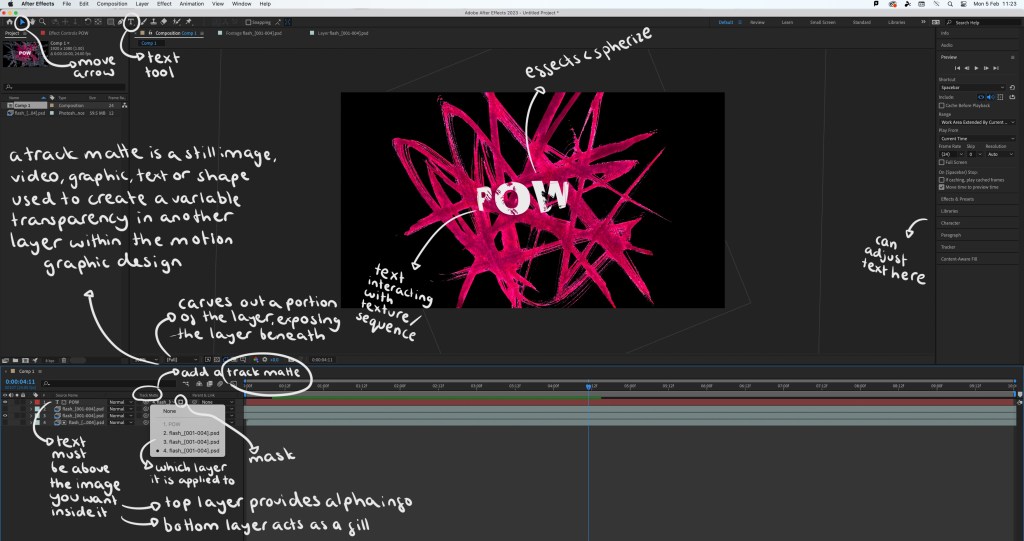
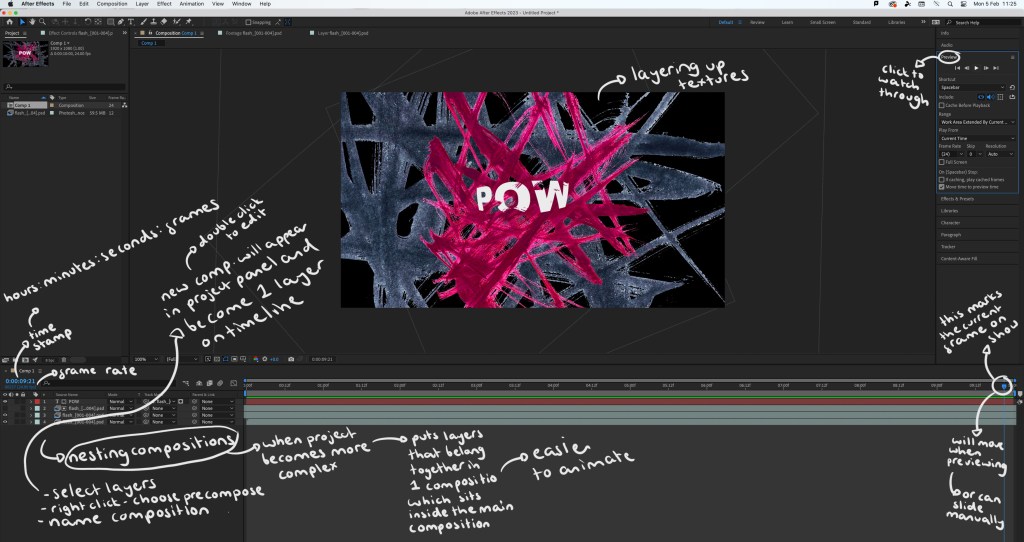
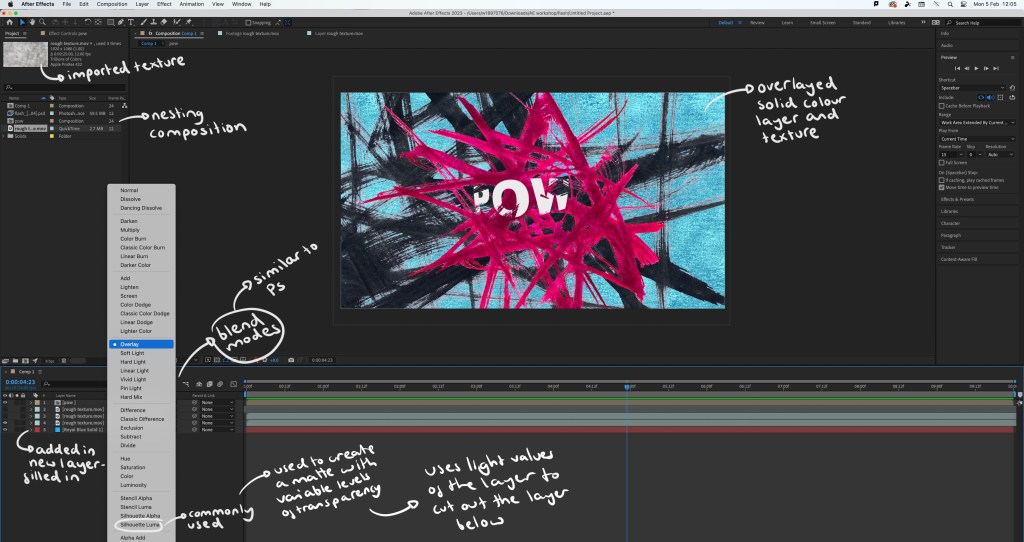
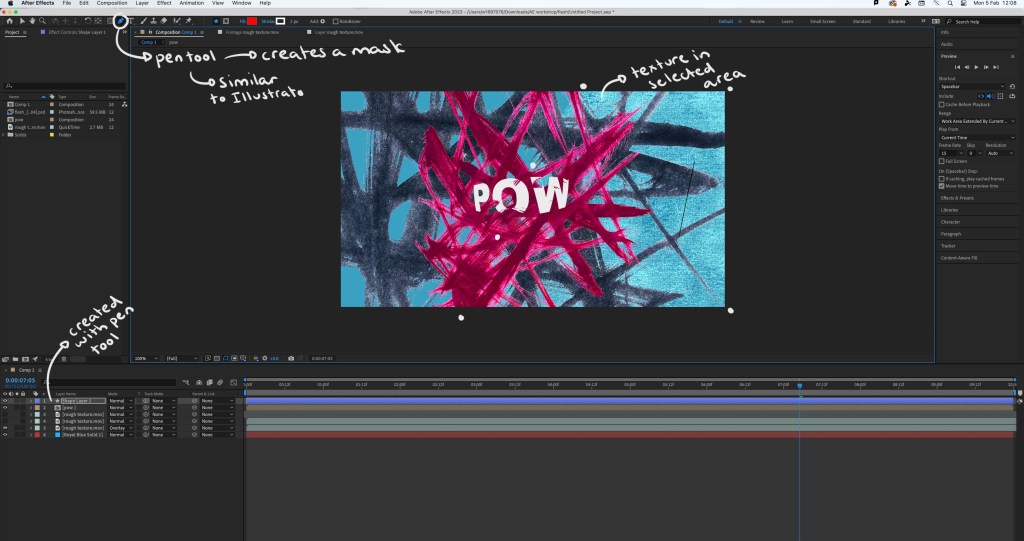
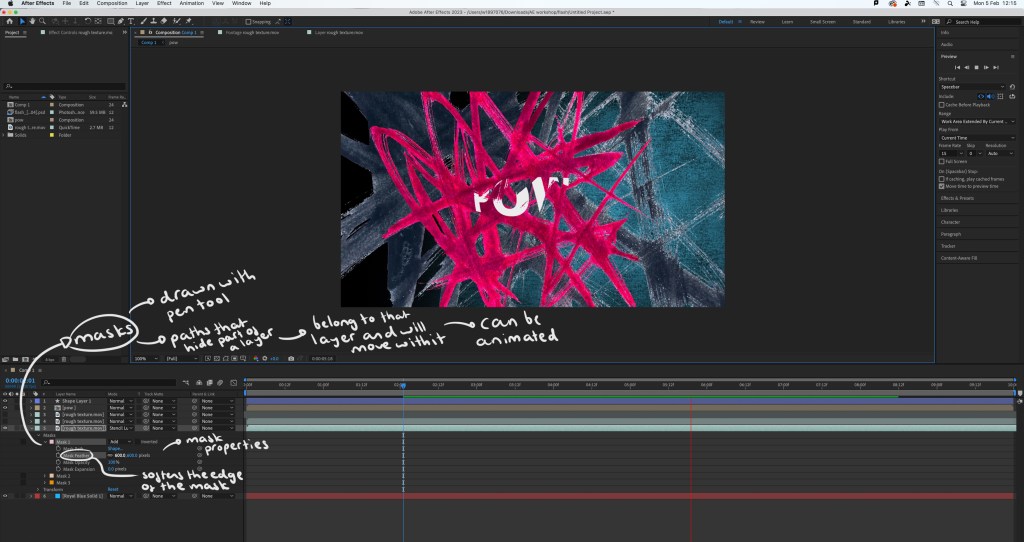
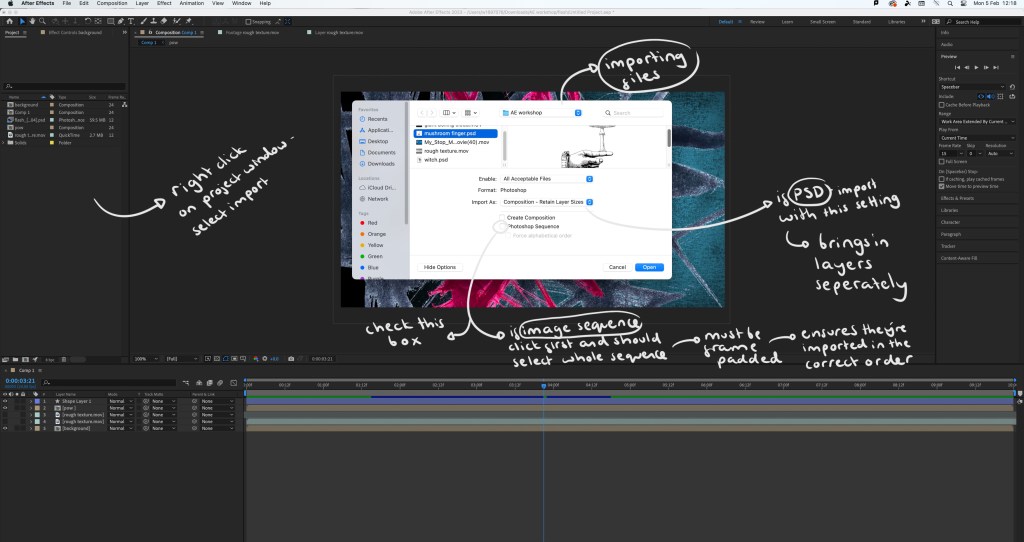
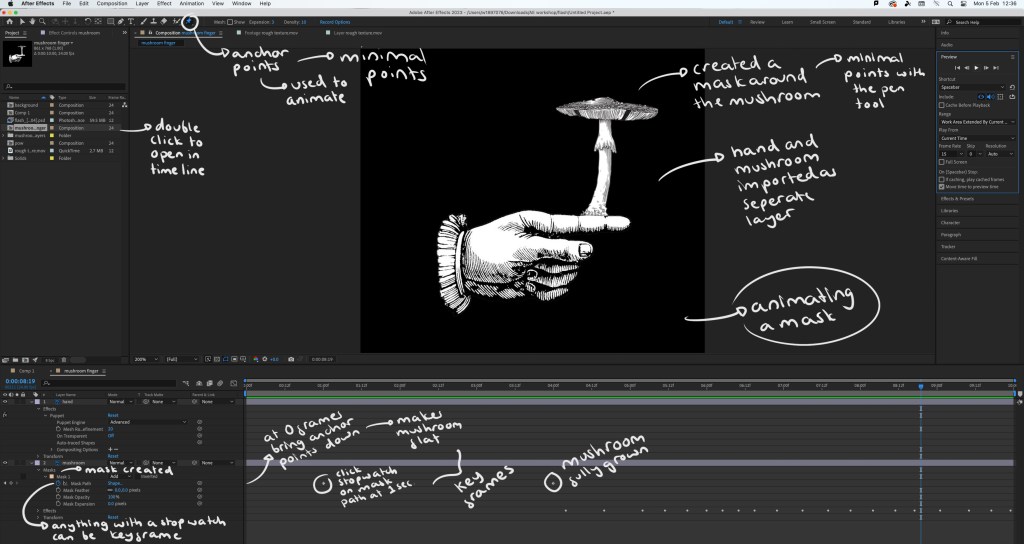
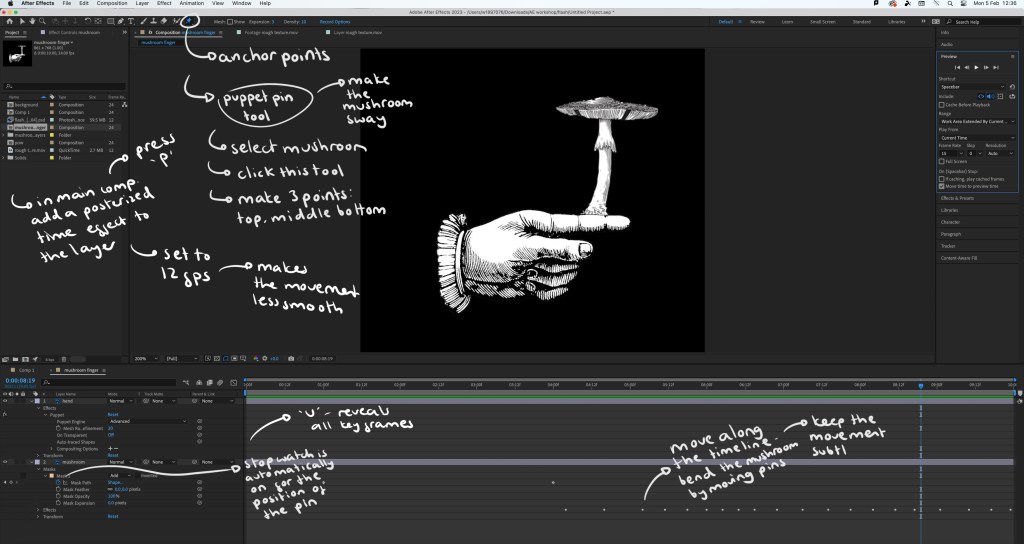
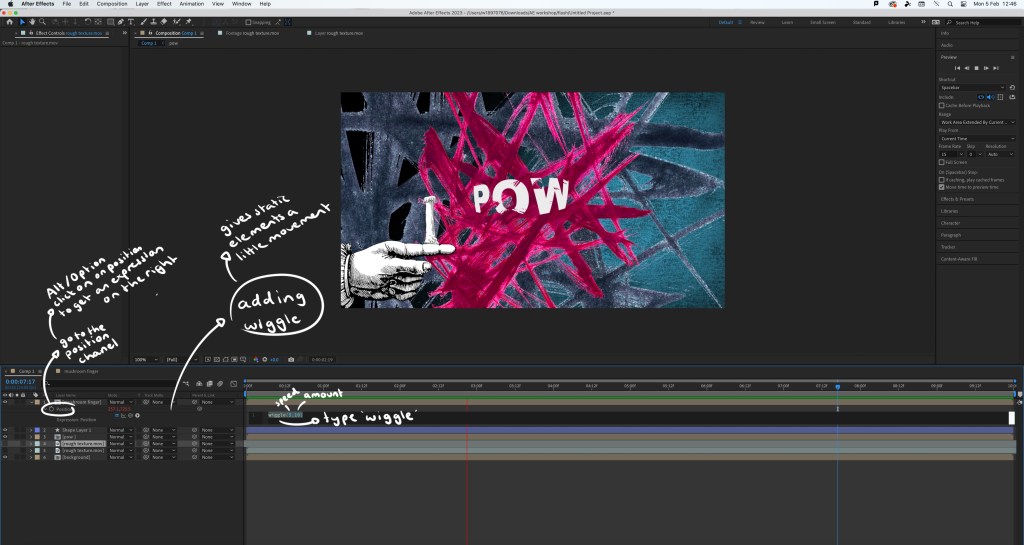
The video I made during the workshop: while this video is relatively simple, there’s a lot of effects and editing that went into making it. By doing this simple exercise I learnt a lot about the basics of using After Effects. The most interesting things I learnt doing this was how to create and animate a mask which can be seen as the mushroom grows and the wiggle code that allows an asset to shake. I did find the workshop challenging as it’s a way of working that I’m not used to but it taught me a lot and I’m satisfied with the outcome.
Extra experiments: after completing the workshop I practiced the things I learnt by adding effects and animated elements to the digital collages I made on Photoshop. This gives the static assets a new dimension and can help make a composition more playful.
1. As Photoshop and After Effects are both Adobe softwares I was able to share the PSD file directly with After Effects so all the elements and assets were on individual layers, making it easy to animate certain parts. For this piece I added a strong wiggle code to the printed textures behind the cards, making them aggressively shake and make the composition more dynamic. Adding a wiggle is an easy effect, it just requires 1 line of code. Also I used puppet pins to manipulate the cards, making them flow. I’m happy with this piece, I was able to create a smooth animation which pushed my skills with the puppet pin tool.
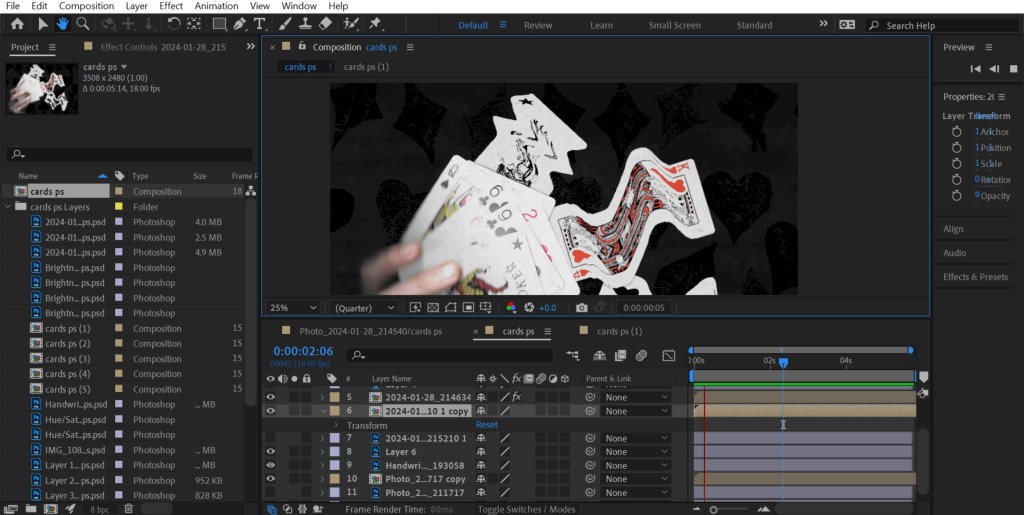
2. For this one I also used the puppet pins to create smooth, subtle movements of the plants. I used the transform command to animate the characters moving up. I made each movement smaller to create slow and steady movements as a way of building on the calm atmosphere of the collage. I found creating smooth movements challenging but after multiple tries I’m happy with the result.
3. This is the most simple of the animations. I just added a wiggle code to the white chess pieces in the background. I made this wiggle fast and over a small distance to create an intense shake. I did this to make it seem like the ghost pieces where annoyed, adding a more playful element to an otherwise static image.
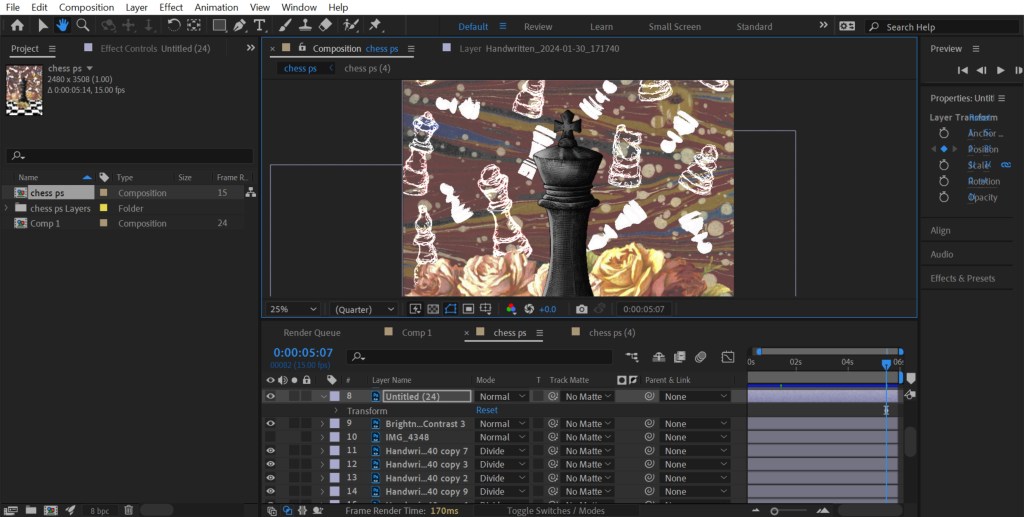
Reflection: Overall I found this workshop challenging as it was an introduction to a complex animation software that I’d never used before. I was able to learn a lot about the basics of the programme and am not comfortable with the how to set up a project, the interface, the basic features and some more specialised animating commands. I think the most interesting and useful tools I learnt about were the puppet pin tool and creating/animating a mask. I’m happy with the outcome I made from the workshop, especially the animations I added to my digital collages. For the project I was to choose something that gives me the opportunity to explore animation and advance my skills and knowledge of After Effects.
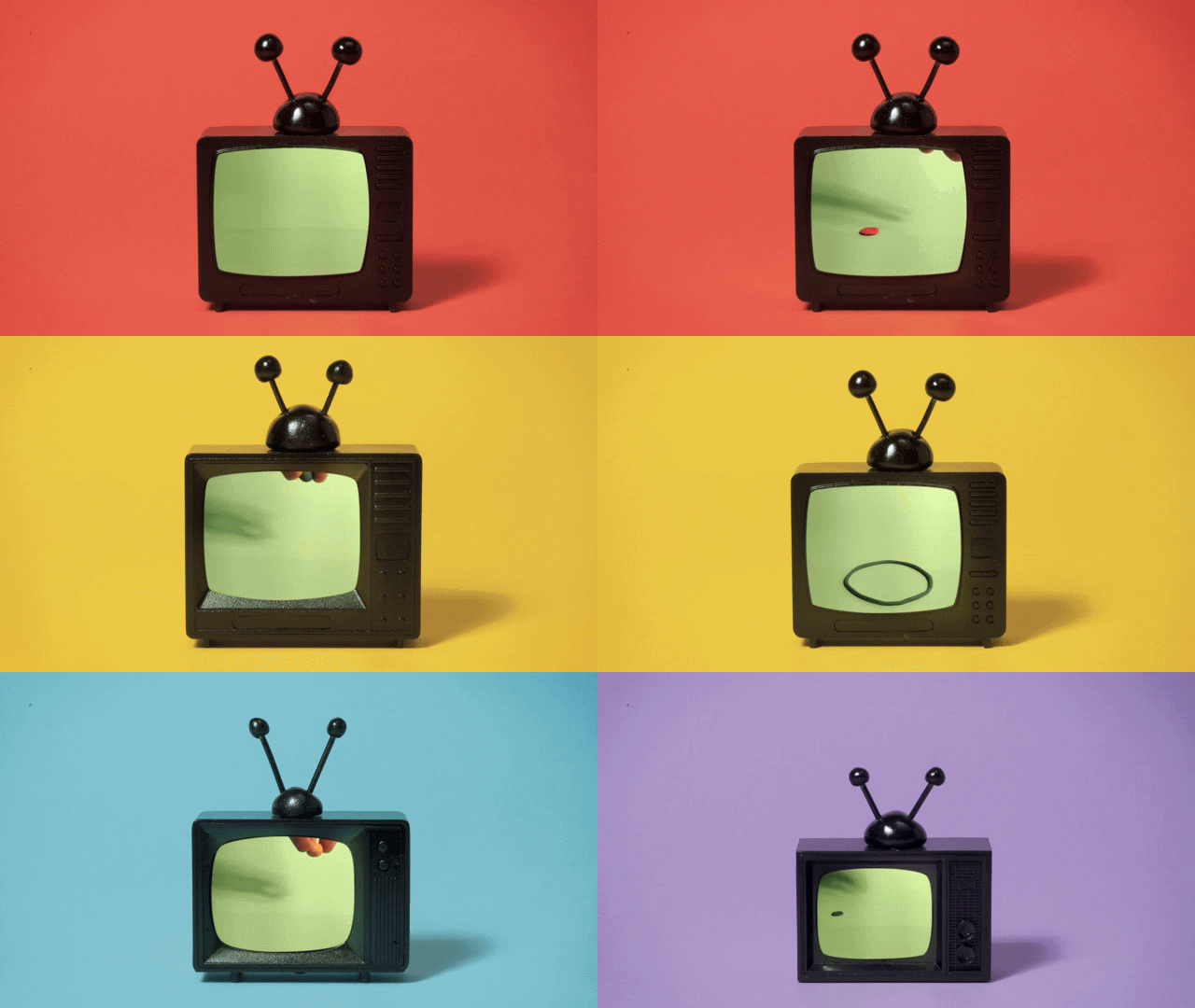
Inspiration from Handymartian, Troy Browne and Socha animation:
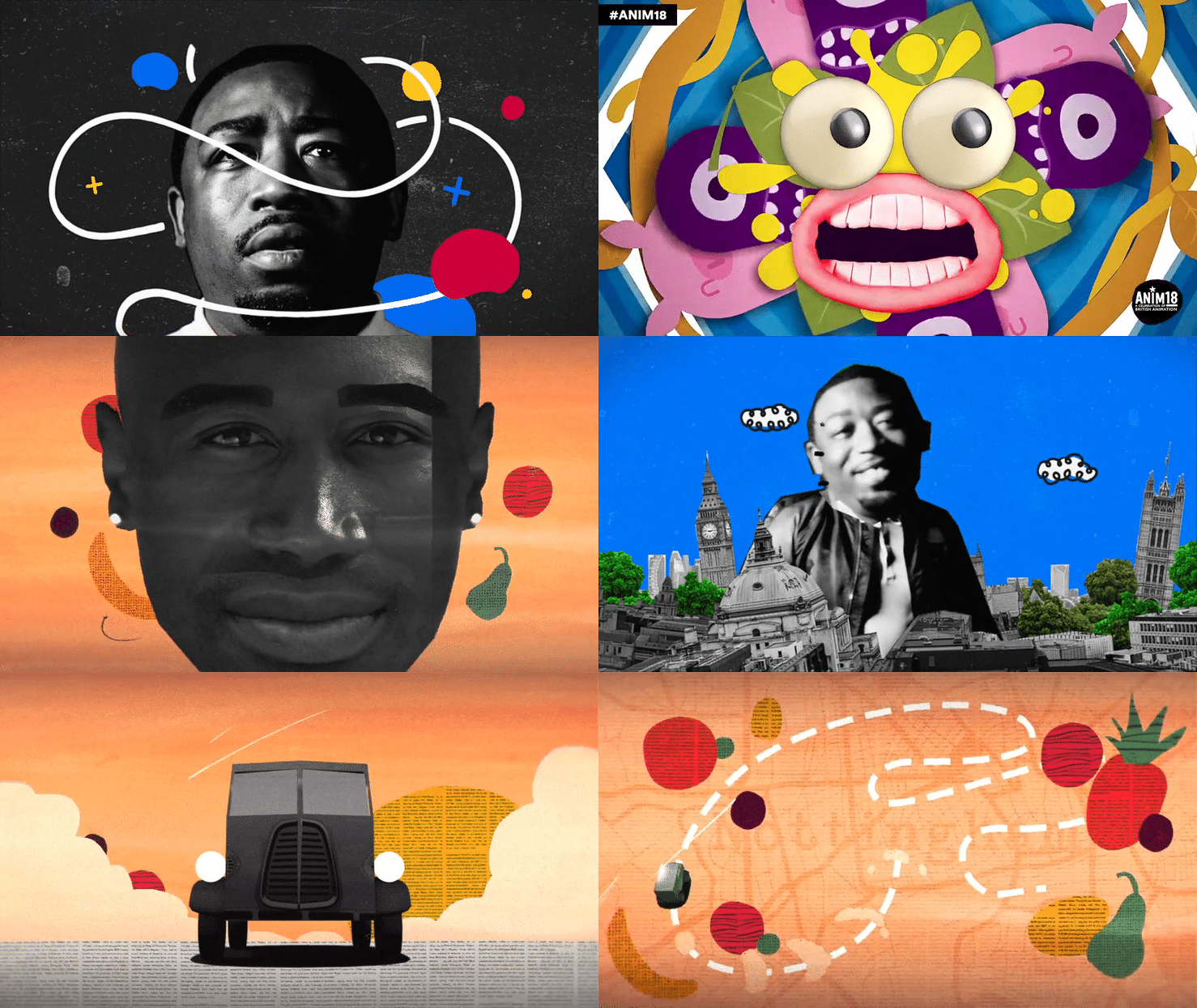
 Samuel Green Illustration